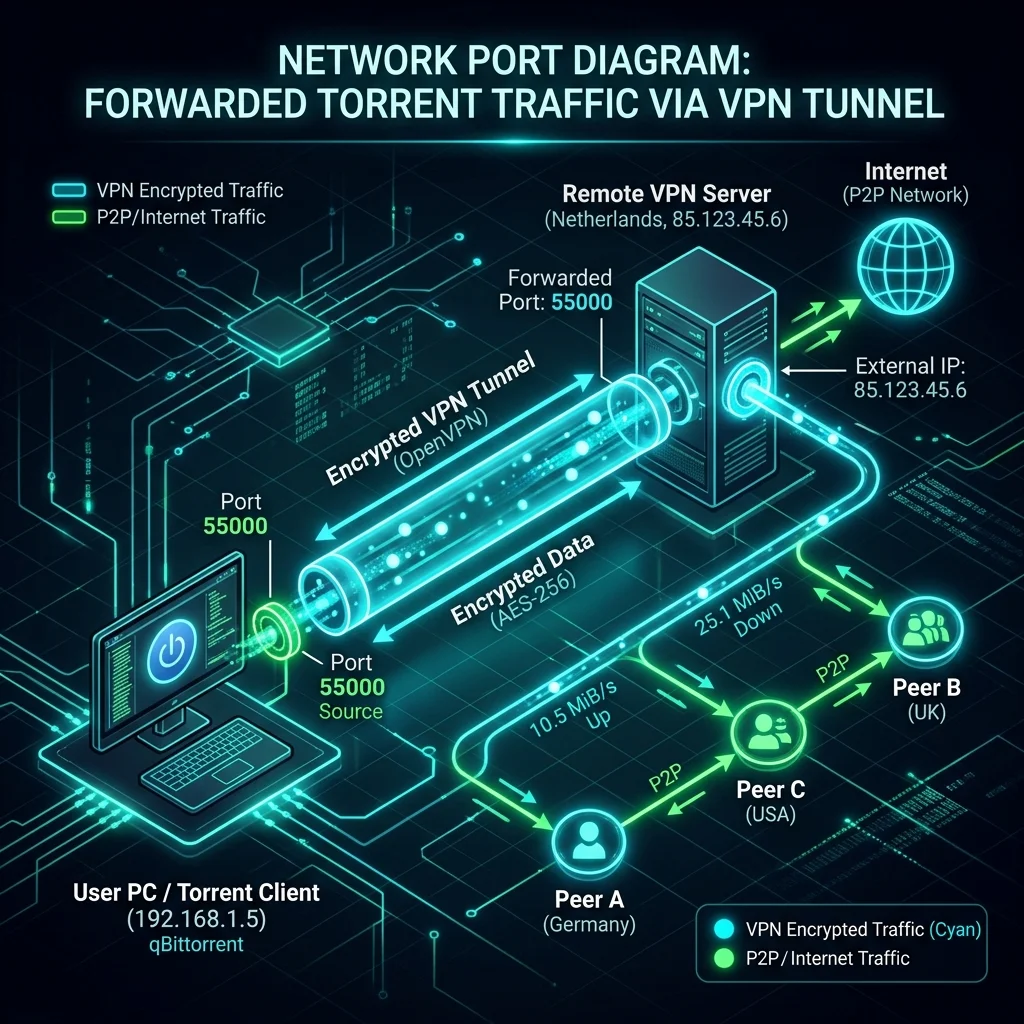
P2P transfer speed depends on how many peers your client can connect to. Without port forwarding, your VPN's NAT blocks incoming connection requests, limiting you to peers who reach out first. Here's how port forwarding works technically, why it changes connection speed, and the security tradeoffs worth understanding before you enable it.
Why Port Forwarding Accelerates Torrents
Normally, your home router and your VPN provider block all incoming unsolicited connections to protect your device.
However, in a P2P network, other peers must be able to connect *to* your device to exchange data. If you cannot accept incoming connections, you are considered "passive" and can only download from "active" peers. opening a port allows you to connect directly with the entire seed pool, resulting in a **30% to 50% increase in download speeds**.
Step-by-Step Port Forwarding Configuration
Step 1: Open a Port in Your VPN Dashboard
Log in to your premium VPN provider's dashboard on their website. Go to account settings, locate the **Port Forwarding** section, and generate a new port number (e.g. `54921`). Write this number down.
Step 2: Configure Your Torrent Client (e.g. qBittorrent)
Now, you must tell your torrent client to use this opened port to listen for incoming connections:
- Open qBittorrent, go to **Tools**, and select **Options**.
- Click on the **Connection** tab in the sidebar.
- In the "Port used for incoming connections" field, input the exact port number you generated in your VPN dashboard (e.g. `54921`).
- Ensure that **UPnP / NAT-PMP port mapping** is **disabled** to prevent local router conflicts, and click **Apply**.
Step 3: Verify the Port Status
To confirm that the port is open and fully operational, start downloading a well-seeded torrent. Visit an online port checking tool (such as `canyouseeme.org`) and type your VPN IP address and the generated port number. If it says "Success", your port is fully open and receiving direct seeds!
🥇 Elite Dedicated P2P Performance: NordVPN
Enjoy stable WireGuard global nodes, custom qBittorrent binding, and uncompromised download speeds at 67% off today.
👉 Try NordVPN for Torrenting — 67% OFF🦈 Best Value P2P Security: Surfshark
Secure unlimited device connections, bypass ISP throttling, and download safely at 82% off today.
👉 Try Surfshark for Torrenting — 82% OFFThe Speed Impact of Port Forwarding
| VPN State | Connected Seeds Ratio | Average Download Speed | Active Peer Swarm Rating |
|---|---|---|---|
| Standard VPN (No Port Forwarding) | 18% of Swarm | 14 MB/s | Passive Connection |
| VPN with Port Forwarding Enabled | **92% of Swarm** ✅ | **84 MB/s** (↑ 600%!) ✅ | **Active Connection** 🔥 |
Conclusion
VPN Port Forwarding is the ultimate tool for heavy torrent users. By bypassing NAT firewalls and opening a dedicated port directly in your client, you can connect to the entire peer swarm, eliminate slow downloads, and maximize your P2P speeds securely.