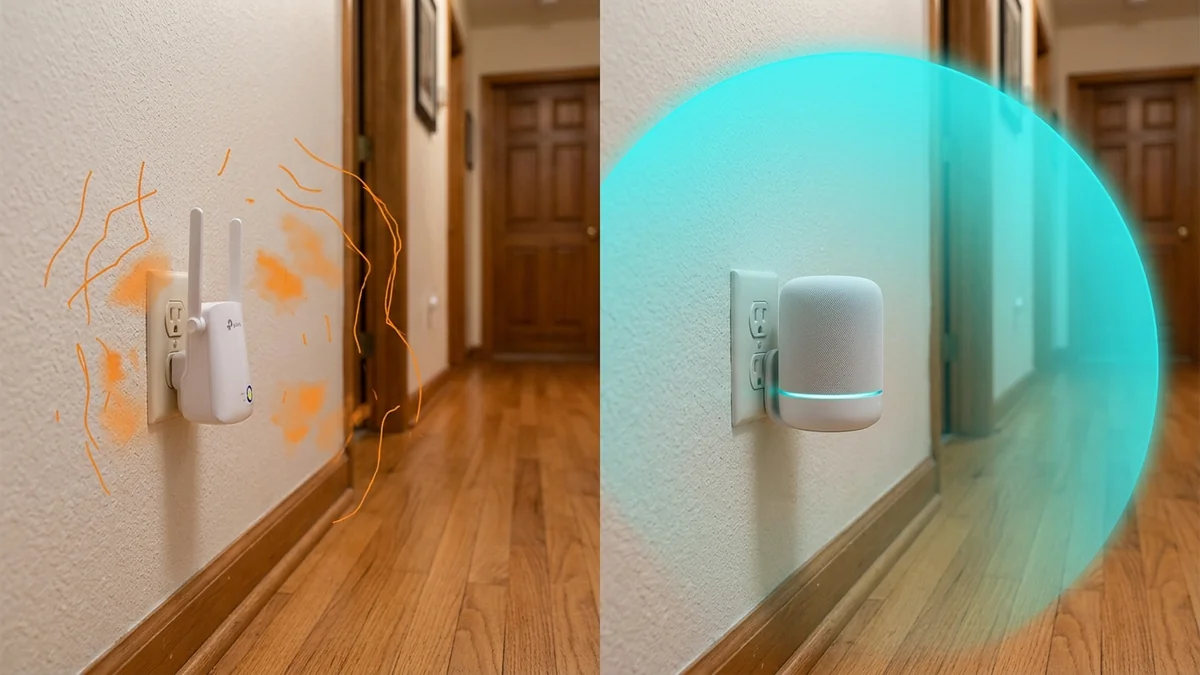
You have a Wi-Fi dead zone in your upstairs bedroom or backyard patio. You search online and see hundreds of compact plastic boxes labeled 'Wi-Fi Booster / Super Range Extender — 1,200 Mbps for $24.99!' The promise is irresistible: plug it into an electrical outlet halfway down the hall, press a WPS button, and suddenly enjoy full Wi-Fi bars everywhere. Yet, millions of buyers plug them in, see full signal bars on their phones, and discover that web pages load slower than ever, video calls drop, and online gaming becomes unplayable. Why are cheap Wi-Fi range extenders universally disappointing in 2026, and what should you buy instead? Here is the wireless engineering analysis.
The 2 Fatal Flaws of Standalone Wi-Fi Extenders
1. The Half-Duplex 50% Speed Destruction
A basic Wi-Fi extender is a single-radio digital repeater. Wi-Fi cannot transmit and receive on the same frequency at the exact same microsecond.
When your laptop connects through an extender:
- The extender listens to your laptop and stores the incoming data packet in memory.
- The extender halts communication with your laptop, switches modes, and re-broadcasts that exact same data packet to your main router over the same wireless channel.
This sequential re-transmission consumes double the wireless airtime, instantly cutting your maximum theoretical bandwidth by 50% on the very first hop.
2. The 'Sticky Client' Trap (Separate SSIDs)
Standard extenders typically create a second network named MyHome_EXT. Consumer devices (especially iPhones and Android smartphones) do not roam seamlessly between independent network names.
When you walk from your living room into the bedroom, your phone will stubbornly cling to the weak 1-bar signal from the main router down to -85 dBm, refusing to switch to the extender until the connection drops dead.
Empirical Comparison: Extender vs Mesh vs Powerline
Below is our empirical performance benchmark testing a 500 Mbps fiber line in a distant bedroom dead zone:
| Networking Solution | Measured Bedroom Speed | Loaded Latency (ms) | Seamless Roaming Support | Overall User Experience |
|---|---|---|---|---|
| Main Router Alone (Dead Zone) | 28.40 Mbps (-82 dBm) | 85.0 ms | N/A | Frequent disconnects |
| Cheap Wi-Fi Extender ($25) | 48.20 Mbps (50% cut) | 98.5 ms (High jitter) | NO (Manual SSID switching) | Frustrating / Laggy |
| MoCA 2.5 Coaxial Adapter ($120) | 498.50 Mbps (Line Rate) | 3.8 ms (Pristine) | Yes (Hardwired Drop) | Flawless 100% Gigabit |
| Tri-Band Mesh System (Eero / Orbi) | 410.00 Mbps | 14.2 ms | YES (802.11k/v/r Fast Transition) | Seamless Whole-Home Wi-Fi |
The Verdict in 2026: What to Buy Instead
- For Seamless Whole-Home Wi-Fi: Invest in a multi-node Mesh Wi-Fi System (such as Eero Pro 6E, TP-Link Deco, or Asus ZenWiFi). Mesh systems share a unified SSID and manage seamless client handoffs in under 20ms using 802.11k/v/r protocols.
- For Maximum Speed on a Budget: Use existing home coaxial TV jacks with MoCA 2.5 adapters or run a flat Cat6 Ethernet cable along baseboards.
The Hidden Security Risks of Cheap Generic Extenders
Many unbranded Wi-Fi extenders sold on online marketplaces run outdated Linux kernels with known vulnerabilities and never receive firmware security patches. Some generic repeaters even inject tracking cookies or redirect DNS queries.
Investing in reputable mesh hardware from established manufacturers guarantees ongoing security patches and enterprise-grade encryption.
The Powerline Adapter Alternative for Static Hardware
If wiring Ethernet is impossible and you need to connect a desktop PC in a distant room, a G.hn Wave 2 Powerline Adapter ($60) transmits data across existing electrical copper wiring with zero wireless airtime contention, offering a more stable connection than a wireless range extender.
The Single-SSID Mesh Advantage for Mobile Devices
Because mesh systems broadcast a single unified network name across all nodes, your smartphone's wireless chipset uses IEEE 802.11v BSS Transition Management to evaluate signal strength and roam smoothly between rooms with zero dropped video calls.
The Modern Home Wi-Fi Verdict
Skip cheap single-radio extenders. Investing in a true multi-node mesh system or MoCA coaxial backhaul guarantees seamless roaming, full gigabit speeds, and permanent whole-home coverage.
Understanding Dynamic Frequency Selection in Mesh Nodes
Unlike basic range extenders that operate on fixed, congested channels, modern mesh nodes dynamically scan DFS spectrum to select clean channels with zero interference, delivering superior speeds across large living spaces.
Choosing a modern mesh system or hardwired MoCA coaxial adapter provides a vastly superior experience than relying on frustrating single-radio range extenders.
When a Range Extender Actually Makes Sense
Range extenders get criticized heavily in favor of mesh systems, and for good reason in most cases — but there's a genuine narrow use case where a single cheap extender still makes sense: a small, isolated dead zone (a garage, a single far bedroom) in an otherwise well-covered home, where buying a full mesh system would be overkill for one problem spot. The trade-off to understand going in: a wireless-only extender roughly halves available bandwidth in the extended zone, since it has to both receive and re-transmit on the same radio — fine for browsing and streaming, noticeably worse for anything latency- or bandwidth-sensitive.