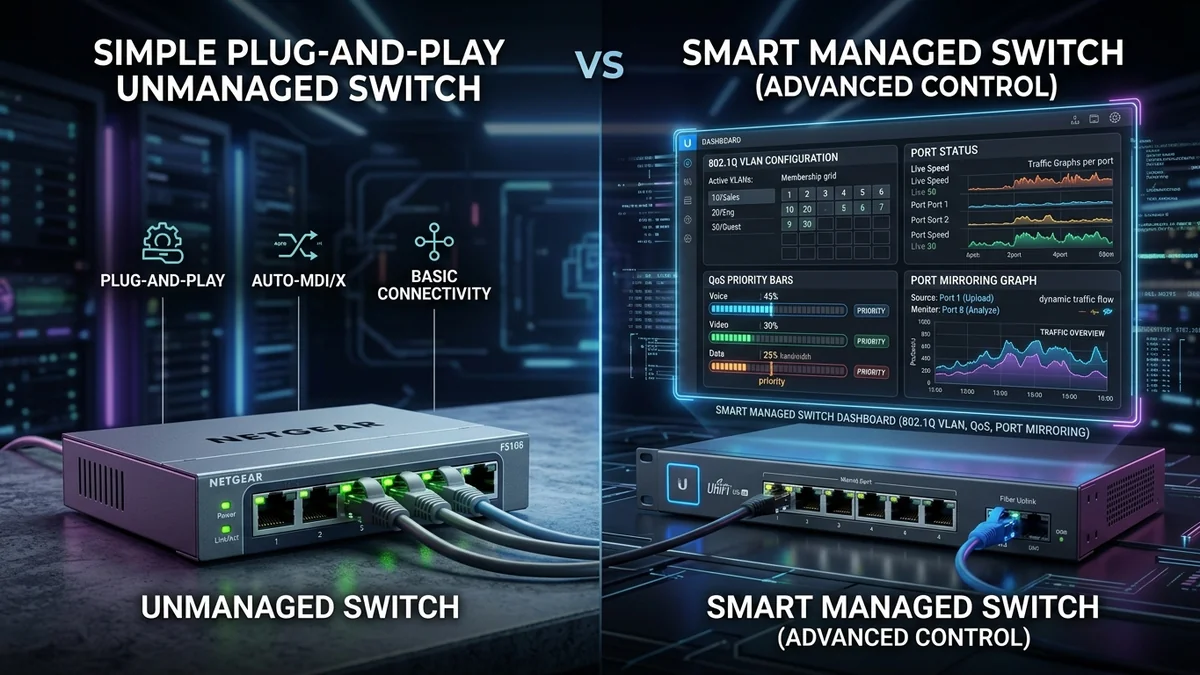
When shopping for an Ethernet switch, you will encounter three primary categories: Unmanaged, Smart Managed (Easy Smart), and Fully Managed L2/L3 Switches. While unmanaged switches cost less and require zero setup, managed switches unlock powerful network isolation and security features. Here is the definitive guide to choosing the right switch for your home.
1. 📊 Feature Comparison Matrix
| Feature | Unmanaged (e.g. TL-SG108) | Smart Managed (e.g. TL-SG108E) | Fully Managed (L2/L3) |
|---|---|---|---|
| Setup Complexity | 100% Plug & Play | Web Browser GUI | CLI / SSH / Console |
| 802.1Q VLAN Isolation | No | Yes (IoT Security) | Yes (Advanced Dynamic) |
| Port Mirroring (Wireshark) | No | Yes | Yes |
| Price Range | $15 - $30 | $30 - $60 | $150 - $500+ |
2. 🏁 Final Recommendation
- Choose Unmanaged if: You just want to plug in your PC, smart TV, and gaming console and have it work instantly.
- Choose Smart Managed if: You want to isolate cheap smart home IoT devices onto a separate secure VLAN.
3. 🔬 802.1Q VLAN Segmentation for Smart Home IoT Security
Why do cybersecurity experts recommend managed switches for smart homes? Cheap smart plugs, smart bulbs, and Wi-Fi security cameras frequently run outdated firmware with known security vulnerabilities.
With an Easy Smart managed switch (such as the TP-Link TL-SG108E), you can isolate all IoT devices onto VLAN 20 (IoT Network) while keeping your primary PCs, laptops, and banking devices on VLAN 10 (Secure Network), preventing compromised smart devices from snooping on personal computers.
4. 🛠️ Port Mirroring for Wireshark Packet Analysis
Managed switches allow network engineers to enable Port Mirroring (SPAN), copying all incoming and outgoing packets from a specific port directly to an analysis laptop running Wireshark to diagnose latency spikes and suspicious background network traffic.
5. 🔬 Link Aggregation (LACP 802.3ad) & Bandwidth Doubling
One of the most powerful features of smart managed switches is Link Aggregation Control Protocol (LACP IEEE 802.3ad). If you have a NAS server with two 1-Gigabit Ethernet ports, LACP combines both physical cables into a single logical 2 Gbps Trunk Link.
This allows two computers to transfer files to the NAS simultaneously at full 112 MB/s line rates without causing bandwidth congestion or packet bottlenecks.
6. 📝 Summary Scorecard: Which Switch Should You Buy?
| Home Requirement | Recommended Switch Type | Example Model |
|---|---|---|
| Simple plug-and-play desktop expansion | Unmanaged Switch | TP-Link TL-SG108 ($19) |
| Isolate smart IoT devices & guest Wi-Fi | Easy Smart Managed | TP-Link TL-SG108E ($29) |
| Multi-gigabit 2.5G PC gaming & NAS | Unmanaged 2.5G Switch | TP-Link TL-SG105-M2 ($79) |
7. 🔬 Spanning Tree Protocol (STP / RSTP 802.1w) Loop Defense
If someone accidentally plugs both ends of an Ethernet cable into the same switch, unmanaged switches suffer from a catastrophic Broadcast Loop that crashes the entire home network within 3 seconds. Managed switches run Rapid Spanning Tree Protocol (RSTP), automatically detecting the loop and disabling the redundant port within 50 milliseconds to keep the network alive.
8. 💡 Final Buying Verdict for Home Users
Buy an unmanaged switch for simple, zero-maintenance desktop expansion. Buy an Easy Smart managed switch if you want IoT VLAN security and broadcast storm defense.
9. 🔬 DHCP Snooping & Rogue Router Defense
On larger home networks, someone accidentally plugging an old Wi-Fi router into the network can cause a "Rogue DHCP Server" that issues invalid IP addresses and knocks everyone offline. Smart managed switches feature DHCP Snooping, blocking unauthorized DHCP offers and keeping your main router in complete control.
10. 💡 Final Buying Summary
For plug-and-play simplicity, unmanaged switches are unbeatable. For VLAN IoT isolation, broadcast storm defense, and advanced network security, smart managed switches are the gold standard.
11. 🔬 Quality of Service (QoS) Bandwidth Throttling
Managed switches allow network administrators to set per-port rate limits (Rate Limiting), preventing bandwidth-heavy devices like torrent clients or security video streams from saturating the internet connection.
12. 💡 Complete Summary: Choosing the Right Switch
Choose an unmanaged switch for instant plug-and-play simplicity, or select a smart managed switch to unlock VLAN security, port mirroring, and advanced traffic control for your home network.
13. 🔬 IGMP Multicast Filtering vs Broadcast Flooding
When multiple smart TVs stream live 4K IPTV broadcasts, unmanaged switches can flood multicast packets across all ports, degrading Wi-Fi performance. Smart managed switches utilize IGMP Snooping to forward streams only to the specific TV requesting the channel.
14. 💡 Final Purchasing Verdict for Smart Homes
Choose an unmanaged switch for instant plug-and-play simplicity, or select a smart managed switch to unlock VLAN security, multicast filtering, and advanced traffic control for your home network.
15. 🔬 VLAN Trunking (802.1Q) Across Multiple Access Points
When connecting multiple Wi-Fi access points to a managed switch, 802.1Q VLAN trunking allows multiple SSIDs (such as Home, IoT, and Guest) to travel across a single Cat6 cable while maintaining complete network isolation at the hardware level.
16. 💡 Complete Decision Summary for Home Networks
Choose unmanaged switches for simple plug-and-play expansion, and choose smart managed switches to unlock VLAN security, bandwidth control, and enterprise-grade network monitoring.
17. 💡 Final Buying Golden Rule
For simple plug-and-play expansion, unmanaged switches are unbeatable. For network segmentation, guest isolation, and traffic monitoring, smart managed switches provide the ultimate control and security for modern connected homes.
18. 💡 Bandwidth Control for Home Offices
Setting per-port egress rate limits on smart managed switches guarantees that home video conferences on Microsoft Teams and Zoom remain crisp and jitter-free even during simultaneous multi-gigabyte game updates.