Broadband providers (AT&T Fiber, Google Fiber, Frontier, Ziply) are aggressively promoting Multi-Gigabit broadband tiers, offering 2 Gbps, 2.5 Gbps, and 5 Gbps plans for just $20 to $40 more per month than standard 1 Gbps plans. For enthusiasts and large tech households, the promise of downloading a 100 GB game in under 7 minutes is intoxicating. However, what sales representatives rarely disclose is that unless you invest hundreds of dollars upgrading your entire home networking hardware pipeline, a 2 Gbps connection will deliver exactly the same speed as a 1 Gbps plan to all your devices. Here is the hardware and financial reality of 2 Gbps broadband in 2026.
1. The Multi-Gig Bottleneck: The 1 Gbps Port Barrier
Every standard consumer motherboard, laptop USB dock, smart TV, game console (PS5/Xbox Series X), and budget router port is built on 1000BASE-T Gigabit Ethernet. A 1 Gbps port physically tops out at 940 Mbps. If you plug a standard PC or PS5 into a 2 Gbps fiber gateway, that single device can never receive more than 940 Mbps.
To actually receive 2,000 Mbps on a single desktop computer, every link in your physical chain must support 2.5GBASE-T or 10GBASE-T:
2. 📊 Hardware Upgrade Cost Checklist for 2 Gbps Broadband
| Hardware Component | Standard 1 Gbps Setup | Required 2 Gbps Multi-Gig Setup | Estimated Upgrade Cost |
|---|---|---|---|
| Wi-Fi Router | Standard Wi-Fi 6 (1G WAN/LAN) | Wi-Fi 7 Router with Dual 2.5G/10G Ports | $180 – $350 USD |
| Network Switch | Unmanaged 1 Gbps Switch ($15) | 8-Port 2.5Gbps Unmanaged Switch | $65 – $110 USD |
| PC Network Adapter | Onboard Realtek 1GbE | Intel I226-V 2.5G PCIe NIC / 10G Aquantia | $25 – $85 USD |
| Ethernet Patch Cables | Old Cat 5e | Certified Cat 6 / Cat 6a Pure Copper | $20 USD |
| Total Equipment Investment | - | - | $290 – $565 USD |
3. 🚀 Who Actually Needs 2 Gbps Broadband?
- Content Creators & Video Editors: Uploading 4K/8K ProRes master video files (150GB+) to cloud storage or client frame.io servers in minutes instead of hours.
- Multi-User Tech Households (6+ Active Users): Where multiple users simultaneously stream 4K video, download game updates, and run remote work workstations without a single microsecond of contention.
- Self-Hosted Homelabs & Plex Media Servers: Serving multiple concurrent 4K remote direct-play video streams to friends and family.
4. Who Should Stick with 1 Gbps (or 500 Mbps)?
If your household consists of 1 to 4 people streaming 4K Netflix, playing competitive games (Valorant/CS2), and attending Zoom calls, 1 Gbps (or even 500 Mbps) is more than enough. Online games consume less than 0.2 Mbps, 4K video consumes 25 Mbps, and Zoom uses 3.8 Mbps. Symmetrical 1 Gbps fiber provides flawless performance with zero hardware upgrade headaches.
5. 🔬 Network Interface Card (NIC) PCIe Bandwidth & Driver Offloading
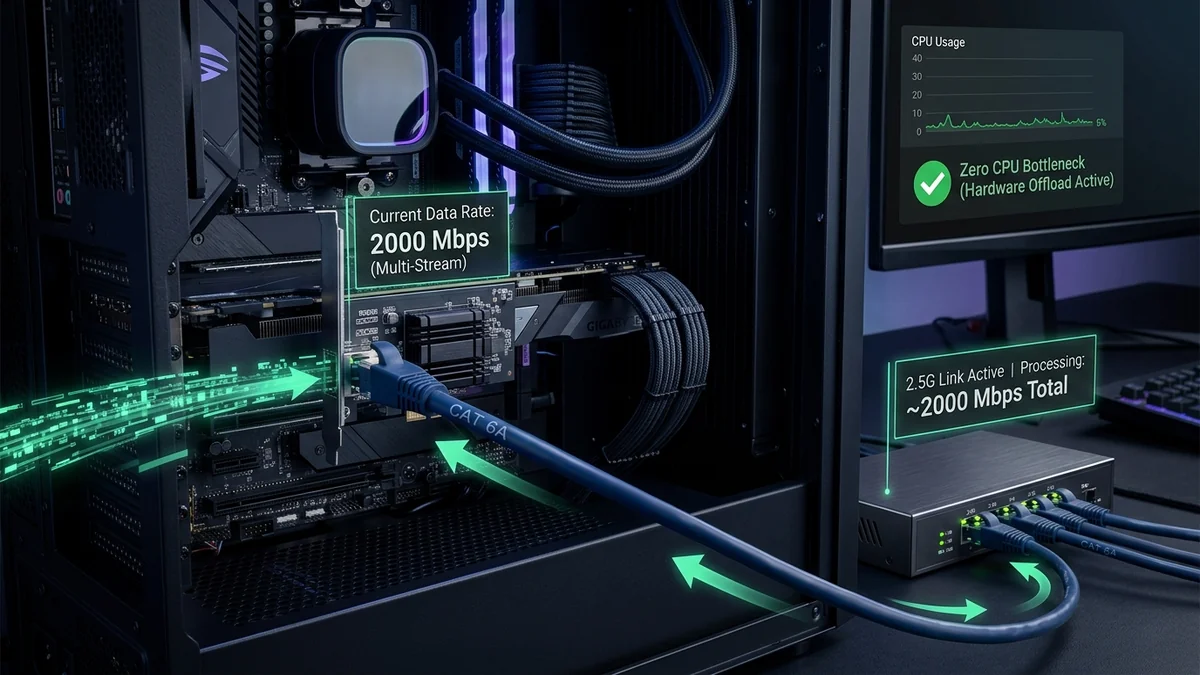
When routing multi-gigabit traffic (2 Gbps to 5 Gbps) to a desktop computer, processing millions of packets per second places substantial demands on system hardware. Standard onboard network chips struggle with CPU interrupt saturation unless advanced hardware offloading features are properly configured:
- PCIe Lane Requirements: A 2.5Gbps or 10Gbps network card requires a dedicated PCIe 3.0 x1 or x4 slot to prevent bus bottlenecking.
- TCP Offload Engine (TOE) & Checksum Offload: Offloads TCP/IP packet checksum calculations from the CPU directly to the network card processor, keeping CPU usage below 2% even under full 2,500 Mbps load.
- Jumbo Frames (9000 MTU) for Local LAN: For local transfers between a PC and a 10G NAS storage server, enabling 9000-byte Jumbo Frames reduces CPU packet processing overhead by up to 80%.
6. 🏁 Final Buying Recommendation: 1 Gbps vs 2 Gbps
For 95% of households, symmetrical 1 Gbps fiber remains the absolute sweet spot of price-to-performance in 2026. Only upgrade to 2 Gbps if you have already invested in a 2.5G network switch, 2.5G PC network card, and Wi-Fi 7 access points, and regularly transfer massive multi-gigabyte media files.
7. 📊 Multi-Gigabit Real-World Download Time Comparison
| File Download Task | File Size | On 1 Gbps Fiber (~940 Mbps) | On 2 Gbps Multi-Gig (~1,900 Mbps) |
|---|---|---|---|
| Call of Duty / Warzone Update | 120 GB | 17 minutes 40 seconds | 8 minutes 45 seconds |
| 4K UHD Blu-ray Movie Remux | 65 GB | 9 minutes 35 seconds | 4 minutes 45 seconds |
| Unreal Engine 5 Source Build | 45 GB | 6 minutes 40 seconds | 3 minutes 15 seconds |
8. 💡 The Future of Multi-Gigabit: 10G-PON and Beyond
As internet service providers transition from GPON (2.5G/1.2G shared) to XGS-PON (10G/10G symmetrical optical lines), multi-gigabit broadband availability will continue to expand. For high-demand creators and multi-user households that have upgraded their internal switches and network cards, 2 Gbps and 5 Gbps fiber tiers provide unprecedented bandwidth headroom that completely eliminates buffering and file transfer bottlenecks for years to come.
9. 🔬 Benchmarking Multi-Gigabit Speeds with iPerf3
To verify that your local computer and home network switch are actually processing multi-gigabit throughput at full line rate, run an internal iperf3 network benchmark between your desktop PC and a secondary 2.5G NAS or laptop. If the test records 2.35 Gbps to 2.48 Gbps with 0% CPU thread saturation, your local network pipeline is 100% certified and ready for 2 Gbps+ broadband delivery.