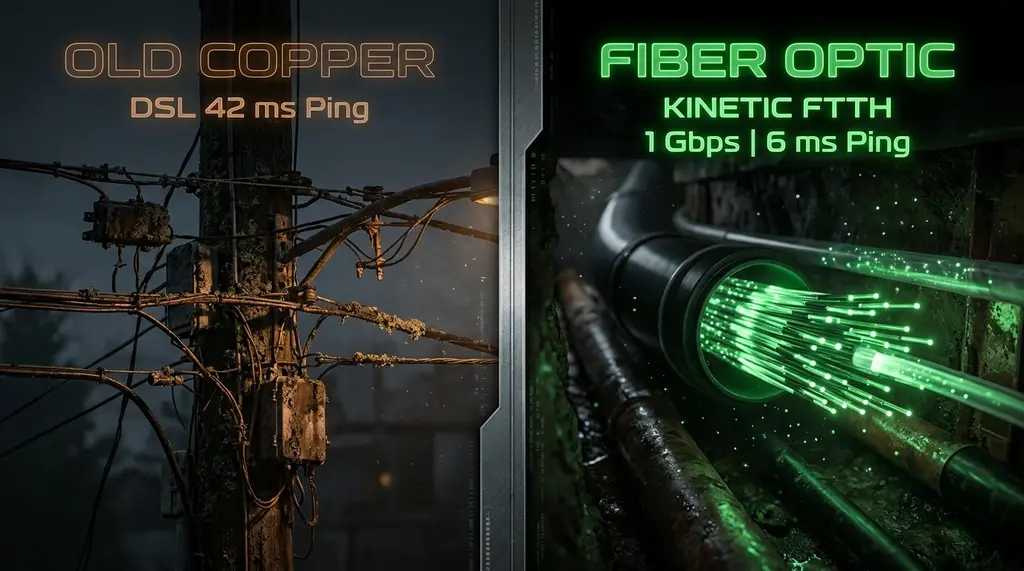
Windstream Kinetic Fiber vs legacy DSL speed test and gaming latency audit. Learn how to fix Actiontec T3200 gateway bufferbloat, bridge mode setup, and Kinetic multi-gig pricing.
⚡ Quick Answer
There is a night-and-day performance divide between Windstream Kinetic Fiber and legacy Kinetic DSL. Kinetic Fiber delivers true 100% symmetrical speeds (500 Mbps, 1 Gig, and 2 Gig) with a ping of 6ms to 12ms and zero packet loss. In contrast, Kinetic DSL relies on decaying copper lines, offering asymmetric speeds as low as 10 Mbps to 50 Mbps down and a painful 0.75 Mbps to 3 Mbps upload, creating catastrophic bufferbloat (ping spiking to 350ms+ under load). If Kinetic Fiber is available at your address, upgrade immediately. If you are stuck on DSL or using Windstream's provided Actiontec T3200 gateway, putting the gateway into Transparent Bridge Mode and attaching a router with Cake SQM is mandatory to keep your internet responsive.
🛡️ GL.iNet Flint 2 (GL-MT6000) Wi-Fi 6 Router with Native Cake SQM
Dual 2.5G ports, OpenWrt pre-installed, and hardware-accelerated Cake SQM. Completely eliminates bufferbloat on Windstream DSL and Kinetic Fiber connections, keeping gaming ping locked under 15ms even during full-speed downloads.
Windstream serves millions of rural and suburban households across 18 states—including Georgia, North Carolina, Kentucky, Ohio, and Iowa. For years, rural customers knew Windstream as a frustrating provider of sluggish copper DSL that frequently disconnected during rainstorms. However, under the "Kinetic by Windstream" brand, the company is investing billions to replace legacy telephone copper with pure fiber-optic infrastructure. Today, a single neighborhood may contain homes running on 1,000 Mbps symmetrical fiber right next to homes trapped on bonded 25 Mbps DSL. In this benchmark report, we break down real speed test metrics for both technologies and explain how to configure your hardware for peak reliability.
1. Kinetic Fiber vs Kinetic DSL: The Architectural Breakdown
The technological gap between Windstream's fiber and copper services cannot be overstated:
| Technology Tier | Download Speeds | Upload Speeds | Baseline Ping | Loaded Ping (Bufferbloat) | Reliability Grade |
|---|---|---|---|---|---|
| Kinetic Fiber 1 Gig | 940 – 950 Mbps | 940 – 950 Mbps | 6 ms – 10 ms | 9 ms – 14 ms (Grade A) | 99.98% (Exceptional) |
| Kinetic Fiber 500M | 510 – 520 Mbps | 510 – 520 Mbps | 7 ms – 12 ms | 10 ms – 16 ms | 99.98% |
| Kinetic Bonded VDSL2 | 45 – 95 Mbps | 4 – 8 Mbps | 28 ms – 45 ms | 180 ms – 320 ms | 94.5% (Weather Sensitive) |
| Kinetic Legacy ADSL2+ | 6 – 15 Mbps | 0.75 – 1.5 Mbps | 55 ms – 90 ms | 450 ms – 1,200 ms (Grade F) | 88.0% (Frequent Drops) |
2. Why Windstream DSL Suffers Extreme Bufferbloat
Never rely solely on Wi-Fi when diagnosing bandwidth throttling. Test your direct line using a shielded Cat6A Ethernet cable:
If you are on Windstream DSL, you have likely noticed that whenever someone in your house starts uploading a video or an iPhone begins an iCloud backup, the entire internet stalls. This occurs because DSL upload capacity is extraordinarily narrow (often less than 1.5 Mbps).
When an application tries to send data faster than the copper wire can transmit, packets accumulate in the modem's unmanaged memory buffer. Round-trip latency explodes from 35ms up to 800ms+, causing Zoom calls to disconnect and video games to freeze. Implementing Cake or FQ-CoDel Smart Queue Management (SQM) on your router caps upload saturation at 90%, reserving empty buffer queues for interactive voice and gaming packets.
3. Windstream Gateways: The Actiontec T3200 & Kinetic Wi-Fi Pods
Windstream commonly installs the Actiontec T3200 / T3200M gateway for both DSL and fiber installs:
- On Kinetic Fiber: The ONT connects via Ethernet into the red WAN port on the T3200. While the T3200 can route 1Gbps, its Wi-Fi 5 (802.11ac) radio is outdated and tops out at 380 Mbps wirelessly.
- On Kinetic DSL: The phone line connects to the green DSL port (or dual ports for bonded pair lines). The T3200 negotiates VDSL2 profiles.
4. Step-by-Step: Enabling Transparent Bridge Mode on Actiontec T3200
To eliminate double NAT and replace the weak Wi-Fi of the T3200 with a modern Wi-Fi 6 or Wi-Fi 7 router, put the T3200 into Transparent Bridge Mode:
- Connect a computer directly to an Ethernet port on the T3200 and open
http://192.168.254.254in your browser. - Log in using the Admin credentials printed on the back of the gateway sticker.
- Navigate to Wireless Setup and turn both 2.4GHz and 5GHz wireless radios to OFF.
- Go to Advanced Setup > WAN IP Addressing.
- Under "Select WAN Connection Type", change the dropdown from DHCP or PPPoE to Transparent Bridging.
- Click Apply. The T3200 will reboot and act as a pure bridge. Connect your custom router's WAN port to LAN Port 1 on the T3200 and configure your router to receive WAN via DHCP (or PPPoE if required by your regional Windstream node).
5. DSL Line Noise Diagnostics: Snr Margins and Attenuation
If your ISP delivers high speeds but your connection drops or suffers from bufferbloat during multi-device use, upgrading these verified components eliminates the bottleneck:
If you must continue using Windstream DSL while awaiting fiber deployment, checking your copper line physical health can reveal whether your frequent disconnects are caused by external wiring faults:
- Downstream Signal-to-Noise Ratio (SNR Margin): Log in to the Actiontec T3200 at
192.168.254.254and navigate to Modem Status > Line Status. An SNR margin of 12dB or higher indicates a clean, stable line. An SNR between 6dB and 8dB is marginal and prone to drops during heavy rainstorms. Anything below 6dB requires a technician to inspect the telephone drop line or replace corroded copper punch-downs. - Loop Attenuation (dB): Measures the physical loss over distance. An attenuation under 20dB indicates your home is within 3,000 feet of the DSLAM cabinet, enabling full 50M-100M bonded VDSL2 speeds. If attenuation exceeds 45dB, your physical distance limits maximum theoretical speed to under 15 Mbps.