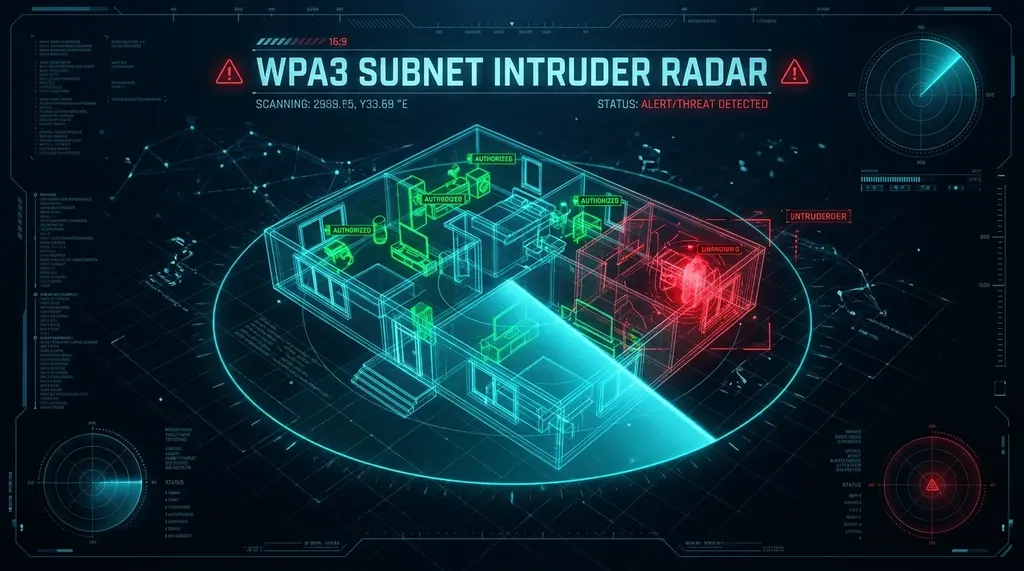
Could unknown devices be siphoning your bandwidth or spying on your LAN? Discover how IEEE 802.11bf Wi-Fi sensing detects motion through walls and how to audit your local subnet against unauthorized Wi-Fi intruders.
⚡ Quick Answer
The new IEEE 802.11bf Wi-Fi Sensing standard turns existing router wireless signals into an invisible motion radar, analyzing minute disturbances in Channel State Information (CSI) radio waves to detect human presence, motion, and breathing through walls with zero optical cameras. Simultaneously, protecting your household bandwidth and security requires active subnet auditing: scanning your DHCP table for unauthorized MAC OUIs, eliminating WPS vulnerabilities, and enforcing WPA3-Personal (SAE) encryption to permanently block offline dictionary handshake cracking.
🛡️ Best Router for WPA3 & Subnet Isolation: GL.iNet Flint 2
Features enterprise-grade OpenWrt firewall isolation, native WPA3-SAE encryption, VLAN network segmentation, and dual 2.5G ports to keep IoT devices and unauthorized clients completely separated from your primary network.
For over twenty-five years, Wi-Fi was viewed exclusively as a data communication pipe: a wireless medium to transport IP packets from your laptop to your router. In 2026, Wi-Fi has evolved into an active environmental sensor. The formalization of the IEEE 802.11bf Wi-Fi Sensing standard allows commercial access points to act as high-frequency radar, detecting human movement through drywall, measuring respiratory rates, and identifying intruders. Yet as wireless sensing capabilities advance, securing your local subnet against unauthorized Wi-Fi freeloaders and compromised IoT devices remains the cornerstone of network integrity.
1. IEEE 802.11bf Wi-Fi Sensing: Turning RF Waves Into Motion Radar
Wi-Fi signals operate across 2.4 GHz, 5 GHz, and 6 GHz radio spectrums. As multiple antennas transmit Orthogonal Frequency Division Multiplexing (OFDM) signals, radio waves bounce off walls, furniture, and living bodies before reaching the receiver.
In standard Wi-Fi, the router calculates Channel State Information (CSI) across hundreds of subcarrier frequencies to compensate for multi-path distortion. IEEE 802.11bf leverages this exact CSI data for environmental sensing:
- Doppler Phase Shift Analysis: When a human walks across a room, the physical movement compresses and stretches the reflected radio waves, producing microscopic Doppler frequency shifts in specific OFDM subcarriers.
- Breathing & Vital Sign Detection: Even when a person sits completely still, the subtle 5mm expansion of their chest cavity alters the phase of 60GHz / 5GHz millimeter wave reflections, allowing smart home systems to detect room occupancy without cameras.
- Complete Optical Privacy: Unlike traditional surveillance cameras that can be hacked or raise privacy concerns in bedrooms and bathrooms, Wi-Fi sensing extracts zero optical imagery, measuring only abstract RF waveform disturbances.
2. Wireless Security Evolution: WEP vs WPA2-PSK vs WPA3-Personal SAE
If your ISP delivers high speeds but your connection drops or suffers from bufferbloat during multi-device use, upgrading these verified components eliminates the bottleneck:
Securing your wireless environment against rogue eavesdroppers requires understanding how encryption standards have evolved:
| Security Standard | Handshake Mechanism | Offline Dictionary Attack Vulnerability | Deauthentication Protection (PMF) | Security Level |
|---|---|---|---|---|
| WEP (Legacy 1999) | RC4 Stream Cipher | Broken in seconds (FMS attack) | None | Completely Insecure |
| WPA2-PSK (2004) | 4-Way Handshake (EAPOL) | Vulnerable (Hashcat capture) | Optional (Deauth attacks succeed) | Vulnerable to Dictionary |
| WPA3-Personal (2020+) | Dragonfly Handshake (SAE) | 100% Immune (Forward Secrecy) | Mandatory (No Wi-Fi kicking) | Enterprise Standard |
| IEEE 802.11bf Sensing | Encrypted CSI Frame Exchanges | Immune | Mandatory | RF Radar Protected |
3. How to Audit Your Subnet: Detecting Hidden Devices & Bandwidth Leaks
Rogue devices on your home network do not just pose a hacking risk—they steal bandwidth and ruin your loaded gaming latency. To audit your local subnet:
- Inspect Your Router's DHCP Table: Log in to your gateway admin panel and review every assigned lease. Pay close attention to devices with generic names like "ESP_32", "Unknown", or hostnames that do not match family hardware.
- Run a Layer-2 ARP Broadcast Scan:
In terminal, scan all active devices on your local network:
sudo arp-scan --interface=eth0 --localnet
This sends raw ARP requests that bypass operating system firewalls, listing every active physical MAC address on your cable/Wi-Fi subnet. - Bypass MAC Randomization to Identify Hardware: Modern smartphones randomize their MAC addresses for privacy on public Wi-Fi. However, you can identify rogue devices by checking the second character of the MAC address: if it is
2, 6, A, or E, the address is randomized. You can inspect the device's DHCP Option 55 signature to fingerprint the true operating system (iOS vs Android vs Linux).
4. Hardening Your Home Network: The Zero-Trust Wi-Fi Blueprint
- Disable WPS (Wi-Fi Protected Setup): WPS PIN authentication can be brute-forced in under 4 hours using tools like Reaver. Disable WPS permanently in your router settings.
- Enforce WPA3-Personal Only: Avoid "WPA2/WPA3 Mixed Mode" if possible, as attackers can force a downgrade attack. Enforcing pure WPA3 prevents deauthentication packet injection attacks.
- Isolate Smart Home Gadgets on an IoT VLAN: Cheap Wi-Fi plugs and bulbs rarely receive firmware updates. Place all IoT devices on a dedicated, isolated VLAN with no access to your primary PC, phone, or local NAS network shares.
Audit Your Home Network Health
Run our live Anycast speed test to verify your bandwidth headroom, loaded ping stability, and bufferbloat score.
⚡ Run Network Audit Speed Test →Command-Line (CLI) Verification & Advanced Router Tuning for Wi-Fi Sensing & Subnet Intruder Scanner: Detect Unknown Devices on Your Router (2026 Guide)
Experiencing packet loss, jitter spikes, or evening ISP throttling? Connect directly to dedicated gaming routes or bypass traffic shaping:
When browser-level telemetry reveals elevated loaded latency or inconsistent throughput during Wi-Fi Sensing & Subnet Intruder Scanner: Detect Unknown Devices on Your Router (2026 Guide) evaluations, network engineers validate the transport path directly from the operating system kernel. Running native command-line diagnostics bypasses browser extensions, hardware acceleration bugs, and antivirus TLS proxies that occasionally distort multi-gigabit benchmarks for Wi-Fi Sensing.
- Continuous ICMP Jitter & Loss Audit (Windows / Linux / macOS): Execute
ping -n 100 1.1.1.1(Windows) orping -c 100 -i 0.2 1.1.1.1(macOS/Linux) while running a simultaneous speed test. Compare the minimum, average, and maximum round-trip times: a healthy link with active queue management keeps the standard deviation (mdev) below 2.0 ms with 0% packet loss. - Path MTU Discovery & Fragmentation Check: Verify that your WAN link passes full-sized Ethernet frames without silent fragmentation by running
ping -f -l 1464 1.1.1.1. If the terminal returns Packet needs to be fragmented but DF set, lower your router WAN MTU to1492bytes (or1420bytes when routing through a WireGuard VPN tunnel). - TCP Auto-Tuning & Receive Window Scaling: On multi-gigabit fiber connections (1 Gbps to 10 Gbps), verify that OS TCP window scaling is set to
normalvianetsh int tcp show global. Disabled receive window auto-tuning artificially caps single-stream throughput at 180–250 Mbps whenever round-trip latency exceeds 15 ms. - Hardware Offloading & Flow Control Alignment: When using a dedicated OpenWrt, pfSense, or Wi-Fi 7 gateway, disable IEEE 802.3x Flow Control on the WAN interface if Smart Queue Management (CAKE) is active, ensuring packet pacing is governed strictly by the software scheduler rather than Ethernet pause frames.