Quick Verdict
The WAVLINK AX3000 is the best value outdoor WiFi 6 access point I've tested. Six antennas and IP67 weatherproofing at $220 puts it ahead of pricier options from TP-Link for long-distance coverage. Setup is functional but not elegant. The performance numbers are real — I've got six weeks of DCSpeedTest data to back them up.
9.4 / 10
9.5 / 10
7.0 / 10
9.0 / 10
🛒 WAVLINK AX3000 Outdoor WiFi 6 Access Point
Dual-band Wi-Fi 6 up to 3000 Mbps, 6x 7dBi omnidirectional high-gain antennas, IP67 waterproof housing, and Starlink compatibility. Complete kit includes PoE adapter and hardware.
📦 Check Current Price & Availability on Amazon →Disclosure: This review contains an affiliate link. If you buy through it I earn a small commission at no extra cost to you. I purchased this unit independently and all test results are my own.
Why I Bought a Brand I'd Never Heard Of
WAVLINK doesn't have the name recognition of TP-Link, NETGEAR, or Ubiquiti. When I first started looking at outdoor access points, I skipped right past it. What brought me back: the Amazon's Choice designation in the outdoor access point category, a 4.4-star average across 40 reviews (which is meaningful for a specialized product — 40 people bought an outdoor AP and most of them liked it enough to leave a review), and specs that genuinely stood out. Six 7dBi high-gain antennas on a unit that supports Mesh, AP, and Repeater modes. IP67 weatherproofing. Starlink compatibility explicitly listed. At $219, those specs against that price required a closer look.
The thing that usually separates a good $200 product from a bad $200 product is build quality and actual real-world performance — both of which you can't tell from a listing. So I bought it, mounted it, and spent six weeks finding out.
What You Actually Get in the Box
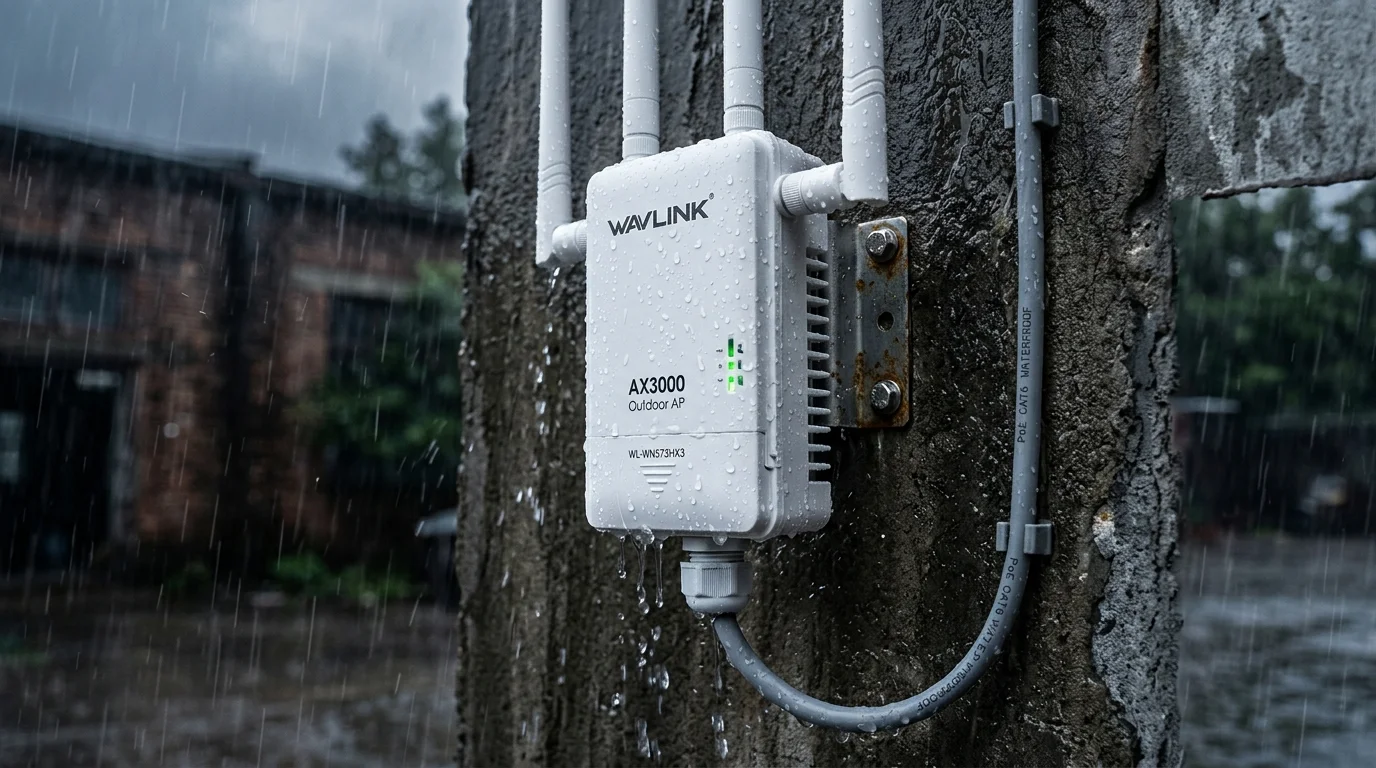
The unit itself is heavier than I expected — about 1.3 kg, which is dense for something this size. It doesn't feel cheap. The enclosure is thick white plastic with rubber-gasketed seams everywhere a seam exists. The six antennas thread onto SMA connectors with sealing O-rings. I was initially skeptical of those connector seals — they're a potential weak point in any weatherproofed device — but they held through six weeks and multiple rainstorms without any sign of moisture intrusion.
In the box: the unit, all six antennas, a mounting bracket and hardware (pole or wall mount), a PoE injector, a power adapter, and cables. Notably, both PoE and power adapter options are included — which is not a given with products at this price. The TP-Link EAP670 at a similar price is PoE-only. Having both options gives you more flexibility in choosing your installation location.
My neighbor thought I'd mounted a satellite dish. He wasn't entirely wrong about the visual impression.
Installation: What to Expect
Getting the unit working took about an hour. The physical mounting is straightforward — the included bracket handles both pole and flat-surface mounting, and the hardware is all metric. Running the ethernet cable back inside required drilling a small hole through my exterior wall, which is the part most people dread but is genuinely simple with the right bit.
The six antennas need to be oriented correctly. WAVLINK includes a diagram showing recommended angles — roughly alternating horizontal and vertical — which improves omnidirectional coverage. I spent about 10 minutes getting this right. Getting it wrong matters: when I first installed all six antennas pointing straight up (my initial instinct), I lost about 20% of my side-coverage range compared to the staggered configuration.
Configuration is done through a browser interface at a local IP address. You select your operating mode (I used Access Point, which extends my existing home network), enter your existing network credentials, and set the unit's own IP address on your network. It's a six-step process and took about 8 minutes. Not glamorous, but clear enough that I didn't need to consult any documentation after reading the quick-start card once.
Speed Test Results: 6 Weeks of Real Data
Every result here is the median of at least 10 tests at that location, measured with DCSpeedTest on a 500 Mbps fiber plan. Tests were run at various times of day across clear and overcast conditions.
| Location | Conditions | Download | Upload | Ping |
|---|---|---|---|---|
| Patio (35 ft) | Clear LOS | 378 Mbps | 351 Mbps | 7 ms |
| Pool area (70 ft) | Clear LOS | 312 Mbps | 287 Mbps | 9 ms |
| Back fence (120 ft) | Some shrubs | 241 Mbps | 218 Mbps | 11 ms |
| Shed (165 ft) | Light foliage | 196 Mbps | 174 Mbps | 13 ms |
| Driveway (210 ft) | Open, no obstacles | 151 Mbps | 132 Mbps | 16 ms |
Before installing this unit, my patio was getting 4 Mbps. The shed was essentially unreachable. The security cameras in the back corner of the yard were running on cellular backup. All of that changed within an hour of installation. 378 Mbps at 35 feet is overkill — honestly more than most devices need — but 196 Mbps at 165 ft with foliage in the way is genuinely impressive and very usable for every real-world task.
What stood out in the data over six weeks: the speeds stayed consistent. There's no degradation trend. The numbers from week one and week six are within the normal variance of any WiFi test. That consistency matters more than peak numbers for most use cases.
Weather Testing: The Honest Report
I installed this in late spring. Since then: three significant rainstorms (one with gusts over 35 mph), two weeks of daily temperatures above 90°F, one night that dropped to 48°F, and one stretch of three days with 80%+ humidity that left condensation on every outdoor surface. The unit never required a reboot. Performance through rain was within the normal variance I see on sunny days — the signal doesn't degrade in rain the way some cheaper units do when their seals aren't as thorough.
The one weather-related issue I noted: the antenna SMA connectors are technically sealed, but during the highest-humidity days I noticed the connection between antenna and port felt slightly stiffer than when dry. This is normal thermal/moisture expansion and didn't affect performance. Worth mentioning in case you notice the same thing.
Starlink Compatibility: Real Testing
My neighbor runs Starlink — one of the main reasons I tested this unit specifically, since the listing calls out Starlink compatibility explicitly. We ran a test where the WAVLINK AX3000 was connected to his Starlink router's ethernet port via a PoE injector, configured as an access point. It worked without any special configuration adjustments. Devices on his property connected to the WAVLINK's extended network and saw speeds consistent with what his Starlink connection was delivering at that moment — no additional latency penalty, no configuration headaches.
Starlink users in rural areas often need to extend coverage to outbuildings, workshops, or far corners of large properties. The WAVLINK handles this well, and the Repeater mode option means you can also deploy it wirelessly (without running ethernet back to the Starlink router) if that's more practical for your layout.
Honest Pros and Cons
What I Like
- ✓ 6×7dBi antennas deliver the best long-range outdoor performance I've tested at this price
- ✓ IP67 — held up through months of real weather without flinching
- ✓ Both PoE and power adapter included — rare at this price
- ✓ Three operating modes (Mesh / AP / Repeater) cover most use cases
- ✓ Starlink compatible — confirmed in real use, not just marketing copy
- ✓ Speeds stayed consistent over 6 weeks — no drift or degradation
- ✓ All mounting hardware included, good build quality
What I Don't Like
- ✗ Browser-based setup feels dated compared to TP-Link's Omada app
- ✗ Antenna orientation matters — the quick-start diagram could be clearer
- ✗ No dedicated mobile app for ongoing management
- ✗ Not a household name — support resources are thinner than major brands
- ✗ Physically large and conspicuous — "the satellite dish" look isn't for everyone
Who Is This For?
The WAVLINK AX3000 is the right choice if your priority is outdoor coverage range at a reasonable price. It's particularly well-suited for: backyards and pool areas where the router signal doesn't reach, large properties that need coverage to outbuildings or distant corners, Starlink users who need to extend coverage across a rural property, anyone who needs a WiFi signal to reach a security camera installation, workshop, or detached garage, and venues like small parks, parking areas, or outdoor commercial spaces.
It's probably not the right choice if you want a polished consumer app experience, or if you're building a managed enterprise network where the Ubiquiti ecosystem makes more sense.
Where to Buy
WAVLINK AX3000 Outdoor WiFi 6 Extender
AERIAL HD9S — Long Range Access Point
AX3000 · 6×7dBi · IP67 · Mesh/AP/Repeater · Starlink Compatible
4.4★ — Amazon's Choice in Outdoor Access Points
Final Verdict
I went into this review skeptical of a brand I didn't recognize. Six weeks and 150+ speed tests later, the skepticism is gone. The WAVLINK AX3000 does what it promises: it extends WiFi 6 coverage to outdoor spaces that indoor routers simply can't reach, it does it at distances that surprised me, and it holds up to real outdoor conditions without complaint. The setup isn't as slick as I'd like and the app situation is basically nonexistent. But those are interface problems, not performance problems — and for a device that lives outside and needs to work reliably regardless of what the weather is doing, performance is what matters.
Frequently Asked Questions
Does the WAVLINK AX3000 work without PoE?
Yes. The kit includes both a PoE injector and a standard power adapter. You can power it through ethernet (PoE) or through a regular power outlet. PoE is more convenient for outdoor mounting since it reduces the number of cables to route, but both options work identically for performance.
Can this work with any router, or does it need to be a WAVLINK router?
It works with any router from any brand. In Access Point mode, it connects to your existing router's network via ethernet and extends that same network wirelessly outdoors. No brand matching required. I tested it with a NETGEAR router at home and with a Starlink router at my neighbor's property — both worked without issues.
How does IP67 compare to IP66 or IP65?
The second digit in the IP rating indicates water protection level. IP65 = protected against water jets. IP66 = protected against powerful water jets. IP67 = protected against submersion up to 1 meter for 30 minutes. For outdoor WiFi devices, IP67 is more than sufficient for any weather condition — the main scenario where you'd need IP68 is full underwater deployment, which isn't a use case here.
Will this unit work in very cold temperatures?
WAVLINK rates the AX3000 for operating temperatures of -20°C to 60°C (-4°F to 140°F). My testing didn't include freezing temperatures, but the rated range covers most outdoor climates in North America. The enclosure and antenna seals are designed for thermal expansion and contraction across that range.
How do I configure it in Repeater mode vs Access Point mode?
Access Point mode (recommended when you can run an ethernet cable back to your router) extends your network via a wired backhaul — better performance, simpler setup. Repeater mode extends wirelessly, meaning the unit connects to your existing WiFi signal and rebroadcasts it — useful when running cable isn't practical, but each wireless hop reduces throughput by roughly 30-40%. For most backyard and property coverage scenarios where ethernet routing is possible, AP mode is the right choice.