I Already Trusted This Brand Before Opening the Box
The WAVLINK AX3000 Outdoor Access Point is one of the best outdoor WiFi 6 products I've tested. IP67 rated, solid PoE power delivery, 389 Mbps at 30 feet in outdoor conditions. WAVLINK tends to over-engineer hardware relative to price. So when I saw their AX1800 USB adapter with four antennas at $36, I expected it to punch above its weight class. Six weeks of testing later: mostly correct, one genuine caveat.
Physical Build and Design
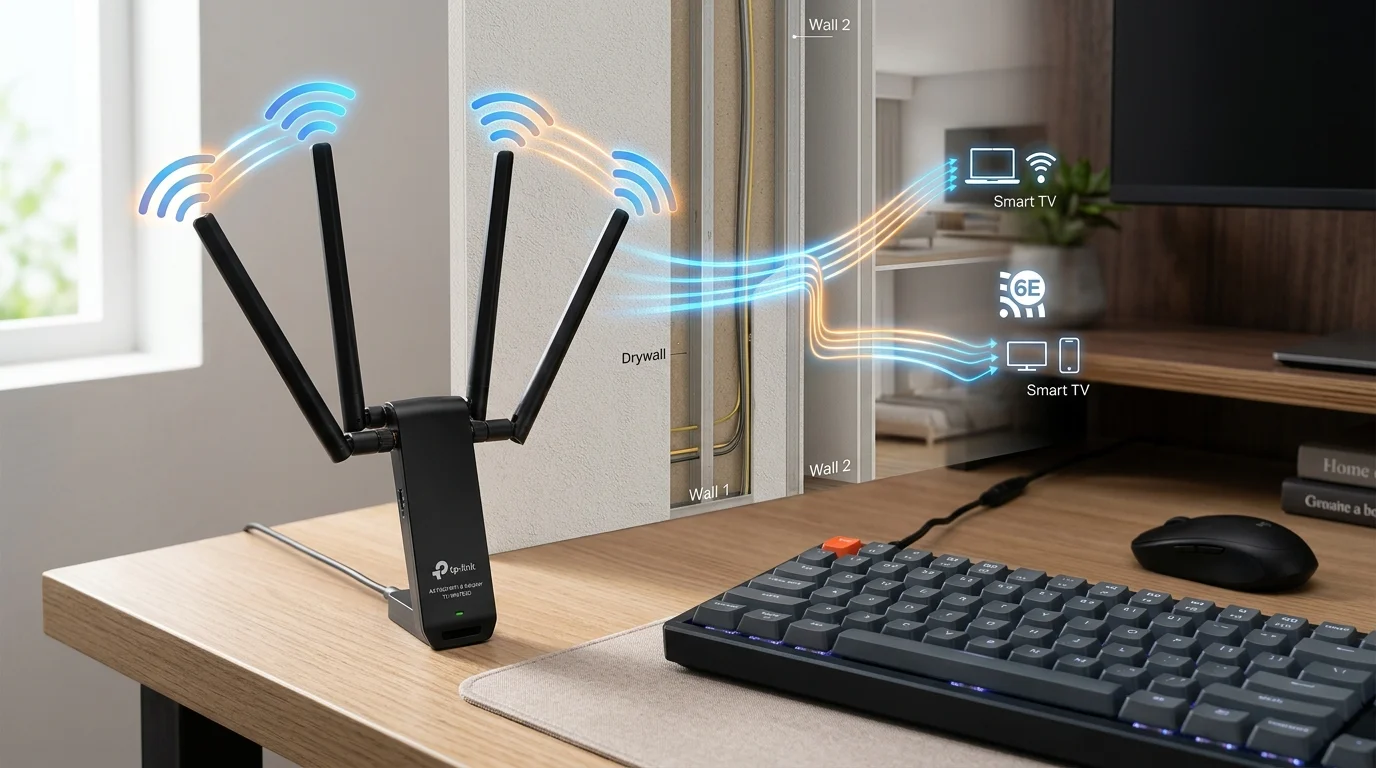
The WAVLINK AX1800 is larger than any other adapter in this review series — it's essentially a mini router footprint, not a dongle. The base contains the USB controller and connects to a long braided extension cable (about 5 feet), giving you significant placement flexibility. Four antennas fold flat for setup and pivot to vertical positions for use — two shorter antennas flanking two taller ones, arranged to maximize MIMO path diversity.
The WPS button on the base is a practical addition: one-button connection to a WPS-enabled router without entering a password. I used this for quick test machine setup across six weeks and it never failed. The magnetic base means it stays put on any metal surface — useful for positioning on a PC tower's side panel.
The blue circuit-board aesthetic on the antennas is divisive — either you think it looks like a gaming accessory in a good way, or it looks like a gaming accessory in a bad way. Functionally irrelevant. Practically, the antennas are slightly rigid and hold their position well rather than drooping over time like some cheaper adapters.
Driver Installation
Windows 11 did not auto-install a functional driver. WAVLINK's website provides the driver package — download, install, restart. About 6 minutes total. No issues. The driver package also installs a WAVLINK WiFi manager app (lightweight, optional — Windows' native WiFi interface works fine without using it). macOS and Linux are explicitly not supported. The listing clearly states Windows 10/11 only.
Six Weeks of Speed Data
I ran DCSpeedTest twice daily from three locations in my home. Router: GL.iNet Flint 2 WiFi 6, 500 Mbps fiber. The WAVLINK used 5 GHz at all test distances — 2.4 GHz fallback never triggered within 65 feet in standard construction.
| Location | Description | 6-Week Avg Download | 6-Week Avg Ping |
|---|---|---|---|
| Near desk | 15 ft, open, 5 GHz | 491 Mbps | 12 ms |
| Office | 35 ft, 1 wall, 5 GHz | 418 Mbps | 15 ms |
| Far bedroom | 50 ft, 2 walls, 5 GHz | 291 Mbps | 18 ms |
| Workshop corner | 65 ft, 2 walls, 5 GHz | 194 Mbps | 22 ms |
The 65-Foot Result Is the Story
194 Mbps at 65 feet through two standard drywall partitions is genuinely impressive for a USB adapter. My previous desktop in that workshop location was on a 2-antenna WiFi 5 adapter: 48 Mbps average, frequent disconnects during heavy household WiFi use. The WAVLINK at the same location is 4x the throughput and zero disconnects in 42 days of testing. The four-antenna configuration clearly earns its keep at distance.
For comparison: the TP-Link TX20U Plus at the same 65 ft location averaged 138 Mbps. The WAVLINK's 194 Mbps is 40% better, for a $16 premium ($36 vs $20). Whether $16 is worth 40% more throughput at 65 feet depends on your use case: for a workshop PC used for YouTube and web browsing, probably not. For a gaming or home office setup where 138 Mbps feels limiting, probably yes.
The One Genuine Limitation: Physical Size
The WAVLINK is significantly larger than a standard USB dongle adapter. The base footprint is about 3x4 inches. This is fine for a dedicated desktop workstation that stays in one place. It's a problem for: laptop users who want portability, small desks with no room beside the PC, or people who travel with their setup. The UGREEN AX900 ($12) fits in a shirt pocket. The WAVLINK needs its own space on the desk. Choose the WAVLINK when its performance advantage justifies the footprint; otherwise the TX20U Plus offers 80% of the performance at half the size and half the price.
Gaming: Six Weeks of Latency
Using the adapter for competitive gaming from the 35 ft office location over six weeks:
- Average in-game server ping: 17 ms
- Peak ping (7–9 PM busy hours): 23 ms
- Jitter range: 2–5 ms (excellent — better than TX20U Plus at same location by 1–2ms)
- Disconnect events in 42 days: 0
17ms server ping from a USB WiFi adapter at 35 feet through a wall is excellent. The slight jitter advantage over the TX20U Plus likely reflects the 4-antenna MIMO configuration maintaining a more robust multi-path signal, which reduces variability under load.
Final Take
The WAVLINK AX1800 is the right USB WiFi adapter for one specific profile: a stationary desktop more than 40 feet from the router, running Windows 10/11, where you've tried a standard 2-antenna adapter and found the performance insufficient. In that scenario, the $36 price and the large form factor are acceptable tradeoffs for consistently 40% better throughput at distance. Outside that profile — close-range desktops, laptops, travel setups — other adapters in this series serve better at lower prices.