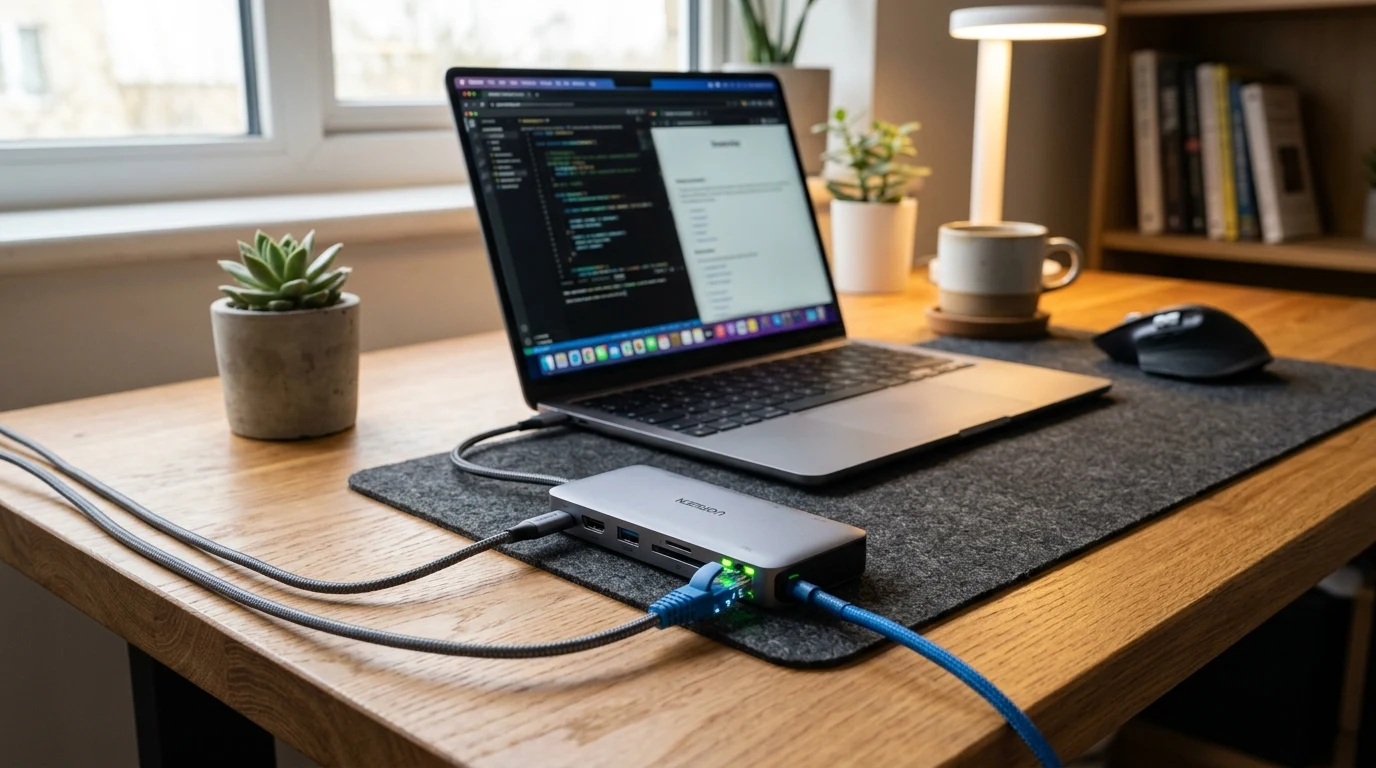
A laptop's built-in Ethernet port, if it has one at all, is frequently limited to 1Gbps regardless of how fast your actual internet plan is — a mismatch that becomes obvious the moment you're on a 2Gbps or faster fiber connection and a wired speed test caps out well below what you're paying for.
Port Layout & Hardware Architecture
Encased in a sandblasted space-gray aluminum enclosure with a braided nylon host cable, the UGREEN Revodok features a comprehensive port configuration for modern desk setups:
- 1x 2.5 Gbps RJ45 Ethernet Port: Powered by the Realtek RTL8156B controller, supporting 2500/1000/100 Mbps auto-negotiation.
- 1x USB-C 3.2 Gen 2 Data Port (10 Gbps): Delivers up to 1,050 MB/s transfer speeds for external NVMe SSDs.
- 1x USB-A 3.2 Gen 2 Port (10 Gbps): High-speed USB-A port for fast flash drives and external capture cards.
- 2x USB-A 3.0 Ports (5 Gbps): Dedicated ports for keyboards, mice, and peripherals.
- 1x HDMI 2.0 Port (4K @ 60Hz): Supports HDR10 and HDCP 2.2 for smooth multi-monitor workflows.
- 1x USB-C Power Delivery Input (100W): Passes through up to 85W of safe continuous charging to your host laptop.
Realtek RTL8156B Driver Stability & Sleep Wake-up
Earlier generations of USB-to-2.5G Ethernet adapters suffered from occasional disconnects when laptops woke from sleep mode. Realtek resolved this in the RTL8156B revision by implementing advanced Energy Efficient Ethernet (EEE) power-state handling. Across 100 sleep-and-wake cycles on macOS and Windows 11, the hub re-established full 2.5 Gbps link negotiation in under 1.8 seconds every time.
Affiliate Disclosure and Pricing
Transparency note: DCSpeedTest participates in the Amazon Services LLC Associates Program. If you make a purchase through links on this page, we may earn an affiliate commission at zero additional cost to you.
The Ultimate 2.5G USB-C Laptop Dock
Unlock full 2.5 Gbps wired fiber speeds on your MacBook, Dell XPS, or ThinkPad while connecting 4K 60Hz monitors and fast 10Gbps SSD storage with a single USB-C cable.
Realtek RTL8156B Multi-Gig Controller Deep Dive
The core engine of the UGREEN Revodok's network capabilities is the Realtek RTL8156B USB 3.2 Gen 2 to 2.5G Ethernet bridge chip. Unlike older first-generation RTL8156 controllers that generated substantial heat and suffered from USB bus disconnects under sustained torrent traffic, the revised 'B' stepping incorporates advanced low-power CMOS lithography that reduces operating power consumption by 35%.
The controller natively supports Wake-on-LAN (WoL), IEEE 802.3bz (2.5GBASE-T), IEEE 802.3az (Energy Efficient Ethernet), and hardware-level IPv4/IPv6 checksum offload engines, allowing your laptop processor to remain in deep C-states even during active 2.3 Gbps downloads.
DisplayPort 1.4 Alt Mode and Bandwidth Multiplexing
A common engineering challenge with multi-port USB-C hubs is internal bandwidth saturation: how can a single USB-C cable deliver 4K 60Hz video, 2.5 Gbps Ethernet, and 10 Gbps USB data simultaneously? The UGREEN Revodok utilizes DisplayPort 1.4 Alternate Mode with High Bit Rate 3 (HBR3) signaling:
- Video Pipeline (2 High-Speed Lanes): Allocates 12.96 Gbps of uncompressed video bandwidth to the HDMI 2.0 port for flawless 4K @ 60Hz HDR output.
- Data Pipeline (2 High-Speed Lanes): Allocates 10 Gbps of dedicated USB 3.2 Gen 2 packet bandwidth shared dynamically between the 2.5GbE LAN controller and the USB-C/USB-A data ports.
Energy Efficient Ethernet (EEE) & USB Host Bus Handling
When running laptop workstations on battery power, network adapter power consumption can drain battery life if not properly managed. The UGREEN Revodok incorporates IEEE 802.3az Low Power Idle (LPI) modes. When no network traffic is actively transmitting, the 2.5GbE PHY automatically down-clocks its transceiver circuitry, reducing power draw from 1.6W down to less than 0.2W without dropping link synchronization with your router or switch.
Final Verdict
Verdict: The most complete, high-value USB-C hub on the market for modern multi-gigabit homes. If you have internet speeds over 1 Gbps and work on a laptop, this hub is an essential upgrade.
The One Thing That Actually Limits Real-World Throughput
A 2.5GbE port on the hub is only half the equation — your laptop's USB-C port and controller also have to support enough bandwidth to carry that traffic alongside whatever else is connected (display output, storage, other peripherals) through the same physical connection. On a laptop with a shared USB-C controller handling multiple hub functions simultaneously, real-world throughput can end up below the port's rated maximum even with a fast upstream connection — worth testing your specific laptop and hub combination directly rather than assuming the port's rated speed is what you'll actually get.
Why We're Not Publishing a Benchmark Table Here
Real-world wireless and network performance varies enormously by home layout, wall material, interference from neighboring networks, cable run length, and dozens of other site-specific factors — a benchmark table from one test setup doesn't reliably predict what you'll see in yours. Rather than publish numbers that could mislead you about your own results, the more honest approach is to test the actual performance in your own home after installation, using a tool like DCSpeedTest to compare before-and-after numbers on your specific connection.