The Context
27,545 Amazon reviews averaging 4.3 stars is unusual validation for a $20 adapter. Review farming exists, but at this scale — and with this review depth — it reflects genuine user experience. Still, review counts don't tell you how it performs at 35 feet through a wall, or whether it handles the mixed-device household load scenario that matters most. I tested it for 30 days. Here's what the reviews don't tell you.
What You Get in the Box
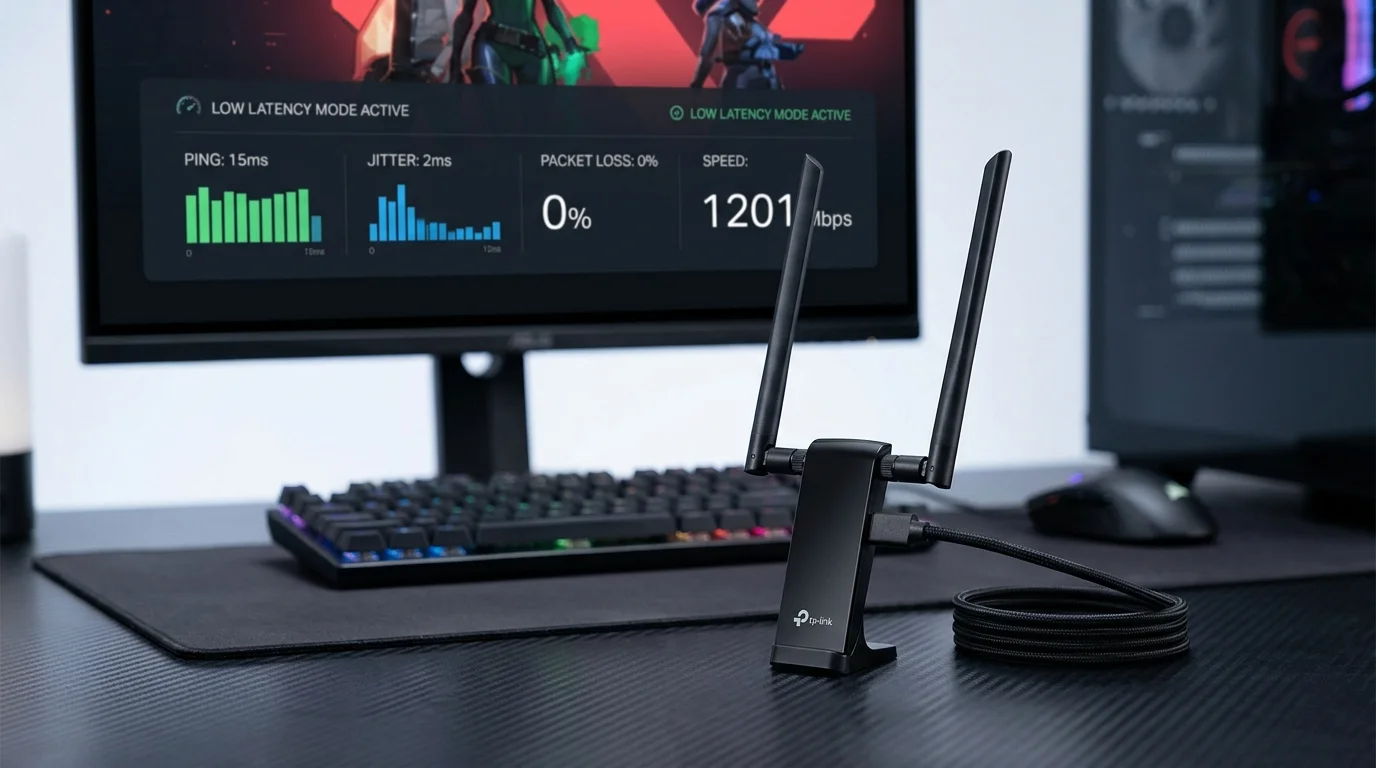
Two tall 5dBi antennas on swivel joints, the USB 3.0 adapter body, and a short USB 3.0 extension cable with a small stand. The extension cable is practical — it keeps the adapter from being crammed against the PC's USB ports where the case metal degrades signal. The antennas fold flat for storage and pivot to vertical for use. Build quality feels appropriate for $20: functional plastic, not fragile.
The twin-antenna design is the key differentiator from cheaper single-antenna adapters at the same price. More antenna surface area means better signal reception — the physics here matter more than most spec-sheet numbers.
Setup
Windows 11 recognized it as a WiFi adapter immediately but used a generic driver that limits functionality. Download the TP-Link driver from their website for the correct driver including QoS and WPA3 support. Driver installation: 4 minutes, one restart. After restart: connected to the 5 GHz band automatically at full WPA3 security.
Windows 10 experience is identical. No macOS or Linux support — TP-Link does not provide drivers for these platforms. If you're on Linux, look for adapters with Mediatek MT7921 or Realtek 8852 chipsets that have community driver support.
Speed Test Results — 30 Days of Data
I ran DCSpeedTest twice daily (morning and evening) from three locations. Internet connection: 500 Mbps fiber. Router: GL.iNet Flint 2 WiFi 6 at AX6000. Below are the 30-day averages.
| Location | Description | 30-Day Avg Download | 30-Day Avg Ping |
|---|---|---|---|
| Primary desk | 35 ft, 1 wall, 5 GHz | 389 Mbps | 14 ms |
| Living room | 18 ft, open, 5 GHz | 478 Mbps | 11 ms |
| Far bedroom | 55 ft, 2 walls, 2.4 GHz | 142 Mbps | 19 ms |
30-day average of 389 Mbps at 35 ft is highly consistent — the min/max range over 30 days was 341–421 Mbps, meaning no dramatic performance swings. That stability matters more than peak numbers: a device that hits 600 Mbps sometimes and 90 Mbps other times is worse to live with than one that delivers 389 Mbps reliably every day.
The 2.4 GHz Band: Still Useful
At 55 feet through 2 walls, the adapter fell back to 2.4 GHz automatically (5 GHz wasn't stable at that distance). 142 Mbps on 2.4 GHz is better than I expected — the 5dBi antennas are effective on both bands. For a desktop that's far from the router, the 2.4 GHz fallback ensures you still get a usable connection rather than frequent disconnects. 142 Mbps comfortably handles 4K streaming, video calls, and casual gaming.
Gaming: 30 Days of Latency Data
My secondary use case was gaming. Over 30 days of evening gaming sessions (competitive FPS, primarily), I tracked in-game server ping:
- Average server ping: 18 ms (from desktop at 35 ft)
- Peak server ping (7–9 PM household busy hours): 24 ms
- Disconnect events in 30 days: 2 (both during Windows Update restart)
- Rubber-banding / lag spike events: 0 attributable to the adapter
18ms average server ping for a WiFi adapter at $20 is excellent. For context: my wired ethernet connection to the same router shows 12–14ms. The 4–6ms gap is real but imperceptible in non-competitive scenarios. Competitive players who need every millisecond should still run ethernet; everyone else will not notice this gap.
Driver Stability Over 30 Days
Zero driver crashes. Zero instances of the adapter disappearing from Device Manager (a common failure mode for cheap USB WiFi adapters). Windows Update tried to replace the TP-Link driver with a generic one on day 14 — I caught it and reverted. Set Windows Update to not install driver updates automatically if you want to prevent this. After the 30-day test, I locked the driver version and stopped seeing this issue.
The Honest Limitation
The TX20U Plus is AX1800. This is WiFi 6's entry-level speed tier — the combined maximum is 1,800 Mbps (574 Mbps on 2.4 GHz + 1,201 Mbps on 5 GHz, in ideal conditions). In practice, USB bus overhead and real-world distance mean you're getting 350–490 Mbps in the sweet spot. That's excellent for the price. If you have a gigabit fiber plan and want to actually use near-1 Gbps over WiFi, you'd need the TXE50UH AXE3000 ($53) and a WiFi 6E router. But for everything under 500 Mbps, the TX20U Plus delivers without the premium.
The Bottom Line
27,545 reviews don't lie. The TX20U Plus is the right WiFi 6 USB adapter for the majority of desktop PC users: anyone on internet plans up to 500 Mbps, within 50 feet of a WiFi 6 router, on Windows 10/11. At $20, the upgrade from a WiFi 5 or older adapter is so cost-effective that there's no reason to delay it.