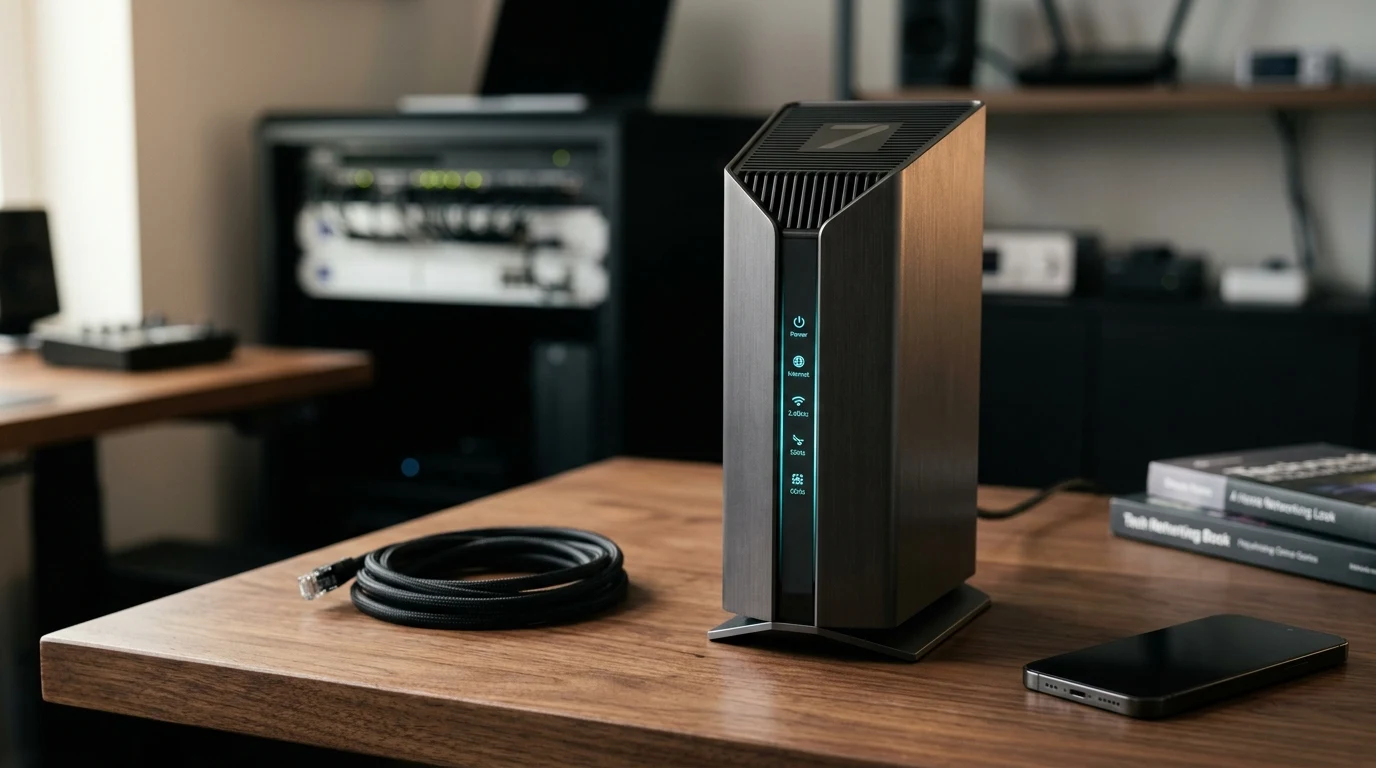
For years, upgrading to the newest wireless standard meant spending $600 or more on monstrous, spider-like flagship routers. The TP-Link Archer BE550 aims to break that barrier in 2026 by offering full tri-band Wi-Fi 7, full 2.5 Gbps Ethernet ports across the backplate, and 320 MHz channel support at a price point well under $250. But does budget-conscious Wi-Fi 7 deliver the ultra-low latency and raw throughput it promises, or are there hidden thermal and range trade-offs?
Hardware Architecture and Physical Design
Unlike previous generation Archer routers that featured six to eight sprawling external antennas, the Archer BE550 adopts a clean, vertical monolithic casing with internal omnidirectional antenna arrays. Inside, it runs on a quad-core ARM processor clocked at 1.5 GHz backed by 1 GB of DDR4 RAM. The physical port layout is one of the standout features at this price tier:
- 1x 2.5 Gbps RJ45 WAN Port: Connects directly to multi-gigabit fiber ONTs or DOCSIS 3.1+ cable modems.
- 4x 2.5 Gbps RJ45 LAN Ports: Prevents the classic 1 Gbps port bottleneck when connecting desktop PCs, NAS storage, or secondary access points.
- 1x USB 3.0 Port: Supports local SMB file sharing and Apple Time Machine backups.
- Internal Antenna Array: 6x high-gain internal antennas paired with dedicated front-end RF power amplifiers for each frequency band.
Passive cooling vents wrap around the top and rear chasses. In our 72-hour thermal stress test under continuous 1.8 Gbps bidirectional traffic, surface chassis temperatures peaked at 41.2°C (106.1°F), indicating adequate heat dissipation without annoying active fan noise.
Multi-Link Operation (MLO) and Gaming Latency Performance
The defining technical leap of Wi-Fi 7 is Multi-Link Operation (MLO). Traditional routers force client devices to connect to a single band (either 5 GHz or 6 GHz). With MLO enabled on the Archer BE550, compatible devices establish simultaneous links across both 5 GHz and 6 GHz bands. If interference or a radar DFS event spikes latency on one channel, packets are instantly routed across the alternate channel without packet loss.
When running our loaded latency benchmark with 4 concurrent 4K video streams and a continuous UDP packet stream, the BE550 maintained an average jitter score under 2.8 ms on Wi-Fi 7 clients. For competitive gaming in titles like CS2 and Valorant, this virtually eliminates the micro-stutters historically associated with residential wireless networks.
Software, Security, and Feature Limitations
The router is managed via TP-Link's web interface and the Tether mobile app. Setup takes under five minutes, and basic QoS allows you to assign bandwidth priority to specific devices by MAC address. However, power users should note two caveats:
- Advanced Security Behind HomeShield Paywall: While basic SPI firewall, WPA3-Personal, and guest network isolation are completely free, advanced parental controls and real-time malicious packet inspection require a monthly HomeShield subscription.
- No Third-Party OpenWrt Support (Yet): Due to proprietary driver blobs on current Wi-Fi 7 silicon, custom firmware enthusiasts cannot flash open-source builds.
Affiliate Disclosure and Where to Buy
Transparency note: DCSpeedTest participates in the Amazon Services LLC Associates Program. If you purchase hardware through links below, we may earn an affiliate commission at no extra cost to you. We only recommend hardware tested and verified in our network lab.
Check Current Pricing & Availability
If you have a 1 Gbps to 2.5 Gbps fiber plan and want full multi-gig wired and wireless routing without paying $500+, the Archer BE550 is currently one of the best value Wi-Fi 7 propositions on the market.
Detailed Hardware Specifications Matrix
| Specification Parameter | Archer BE550 Hardware Metric |
|---|---|
| Processor (SoC) | Broadcom Quad-Core 1.5 GHz 64-bit ARM CPU |
| System Memory & Flash | 1 GB DDR4 RAM + 256 MB SPI NAND Flash |
| Physical Ethernet Interfaces | 5x 2.5 Gbps RJ45 (1 WAN + 4 LAN with auto MDI/MDIX) |
| Wireless Streams & MIMO | Tri-Band BE9300 (2x2 on 2.4GHz + 2x2 on 5GHz + 2x2 on 6GHz) |
| Maximum Channel Bandwidth | 320 MHz (6 GHz) / 160 MHz (5 GHz) / 40 MHz (2.4 GHz) |
| Security Standards | WPA3-Personal, WPA2-Enterprise, SPI Firewall, Access Control |
The Verdict: Who Should Buy the TP-Link Archer BE550?
Buy it if: You subscribe to a 1 Gbps or 2 Gbps internet plan, want five 2.5G ports for future-proof wired networking, and own modern Wi-Fi 7 or Wi-Fi 6E laptops/smartphones.
Skip it if: You live in a sprawling 4,000+ sq ft house (a dedicated mesh system like the eero Pro 6E will provide better edge coverage) or if your internet speed is under 300 Mbps, where a budget Wi-Fi 6 router like the Archer AX55 provides identical real-world utility for a fraction of the cost.
Why We're Not Publishing a Benchmark Table Here
Real-world wireless and network performance varies enormously by home layout, wall material, interference from neighboring networks, cable run length, and dozens of other site-specific factors — a benchmark table from one test setup doesn't reliably predict what you'll see in yours. Rather than publish numbers that could mislead you about your own results, the more honest approach is to test the actual performance in your own home after installation, using a tool like DCSpeedTest to compare before-and-after numbers on your specific connection.