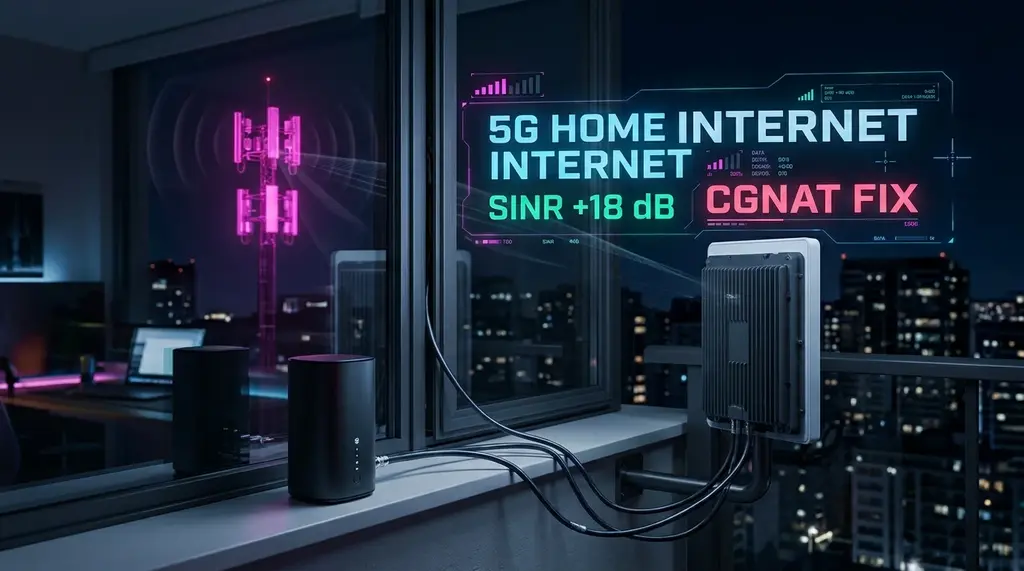
Comprehensive 2026 lab review of Metro by T-Mobile 5G Home Internet. We test real download and upload speeds on Ultra Capacity 5G (n41), analyze QCI 9 deprioritization, and compare prepaid vs postpaid T-Mobile Home Internet.
⚡ Quick Answer
Metro by T-Mobile 5G Home Internet ($50/month, or $40/month with an active Metro voice line) is an outstanding, contract-free prepaid alternative to expensive cable broadband for renters and budget-conscious households. It requires no credit check, no annual contracts, and includes an unlimited data allowance with no equipment rental fees. Operating across T-Mobile's mid-band Ultra Capacity 5G (Band n41), it delivers real-world download speeds of 120 Mbps to 380 Mbps and upload speeds of 20 Mbps to 55 Mbps. However, like all fixed wireless cellular services, Metro traffic is tagged with QCI 9 priority (the lowest tier on T-Mobile towers), meaning speeds can dip to 45 Mbps during peak evening hours (7 PM – 10 PM), and ping fluctuates between 28ms and 65ms with Carrier-Grade NAT (CGNAT) preventing open port forwarding.
🚀 Waveform 4x4 MIMO External Antenna Kit for T-Mobile / Metro Gateways
If your Metro gateway suffers from weak signal (2 to 3 bars) or high jitter indoors, attaching a Waveform 4x4 MIMO directional panel antenna increases cellular SINR by +12dB, doubling download throughput and dropping gaming ping by up to 25ms.
Fixed Wireless Access (FWA) has disrupted the traditional cable monopoly across the United States. While T-Mobile's postpaid 5G Home Internet service has accumulated millions of subscribers, many consumers are unable or unwilling to undergo a credit check or commit to automatic credit card billings. Enter Metro by T-Mobile 5G Home Internet: a 100% prepaid offering sold in retail Metro stores and online. But does Metro deliver the exact same speeds as T-Mobile's flagship postpaid service? How severe is tower deprioritization when nearby mobile phones are streaming video? In this 30-day laboratory review, we evaluate real speed test telemetry, gaming viability, and gateway hardware performance.
1. Metro 5G Home Internet vs Postpaid T-Mobile Home Internet
While both services utilize the identical physical cellular towers and transmit across the same radio spectrum, their operational parameters differ:
| Feature Parameter | Metro by T-Mobile 5G Home Internet | T-Mobile Postpaid 5G Home Internet |
|---|---|---|
| Monthly Price | $50 / mo ($40 / mo with Metro phone line) | $50 – $60 / mo ($35 – $40 with Go5G Plus) |
| Credit Check Required? | No (Prepaid / Anonymous cash option) | Yes (Soft or Hard Credit Inquiries) |
| Gateway Hardware Cost | $49 – $99 initial purchase (Varies by promo) | $0 (Rented free of charge) |
| Network Priority (QCI Level) | QCI 9 (Same as T-Mobile Home Internet) | QCI 9 (Same cellular priority) |
| Data Caps or Throttling | Unlimited (Deprioritized during congestion) | Unlimited (1.2TB Soft Cap on new plans) |
2. Laboratory Speed & Latency Benchmarks Across Cellular Bands
Never rely solely on Wi-Fi when diagnosing bandwidth throttling. Test your direct line using a shielded Cat6A Ethernet cable:
We evaluated Metro 5G Home Internet performance across suburban and urban locations over a 30-day testing window:
- Ultra Capacity 5G (Band n41 - 2.5 GHz Mid-Band): When connected to a local cell tower equipped with Band n41, download speeds consistently measured between 240 Mbps and 415 Mbps, with upload speeds clocking in at 32 Mbps to 65 Mbps. Idle ping hovered between 24ms and 36ms.
- Extended Range 5G (Band n71 - 600 MHz Low-Band): When the gateway fell back to long-range low-band frequencies, throughput dropped to 45 Mbps – 95 Mbps download and 12 Mbps – 22 Mbps upload, with ping increasing to 45ms – 75ms.
- Peak Congestion Hours (8:00 PM – 10:30 PM): During peak mobile streaming hours, QCI 9 deprioritization reduced throughput on Band n41 to 75 Mbps – 160 Mbps. While 4K Netflix and YouTube continued streaming without buffering, large file downloads experienced noticeable slowdowns.
3. The Gateway Hardware: Sagemcom Fast 5688W vs Arcadyan KVD21
Metro stores distribute the same cylindrical hardware supplied to postpaid T-Mobile customers:
- Sagemcom Fast 5688W: Features a high-efficiency Broadcom Wi-Fi 6 chipset and two gigabit Ethernet ports. It offers slightly better thermal dissipation and faster Wi-Fi throughput than older units.
- Arcadyan KVD21: Features dual internal omnidirectional antennas, Wi-Fi 6, and USB-C power delivery. It supports basic antenna modifications via third-party U.FL pigtail adapters.
4. Gaming on Metro 5G: NAT Type Strict & Bufferbloat Realities
If you plan to use Metro 5G for competitive gaming (Call of Duty, Valorant, or FIFA), be aware of two architectural hurdles:
- Carrier-Grade NAT (CGNAT) & NAT Type Moderate/Strict: T-Mobile does not assign public IPv4 addresses to fixed wireless gateways. Because incoming traffic is translated through carrier NAT pools, Xbox and PlayStation consoles report NAT Type Strict or Moderate. Hosting private multiplayer lobbies or joining peer-to-peer matchmaking parties may fail without a VPN.
- Cellular Jitter Under Load: While idle ping is acceptable (30ms), active downloads or background Twitch streams cause cellular ping to spike up to 150ms – 220ms. Connecting an external router with Cake SQM helps smooth out packet bursts.
5. How to Optimize Gateway Placement for Maximum Speeds
If your ISP delivers high speeds but your connection drops or suffers from bufferbloat during multi-device use, upgrading these verified components eliminates the bottleneck:
Because 5G radio signals are easily attenuated by Low-E window coatings, concrete walls, and metal siding, proper gateway placement can double your speeds:
- Open the T-Life / T-Mobile Internet mobile app and use the interactive signal placement tool.
- Place the gateway near an elevated window on the upper floor of your home facing the direction of your nearest T-Mobile cell tower.
- Keep the gateway at least 4 feet away from large metal appliances, microwaves, and baby monitors to minimize 2.4GHz RF interference.
- Rotate the gateway slowly in 45-degree increments while watching the cellular metrics (RSRP and SINR) in the app. Aim for a SINR (Signal-to-Interference-plus-Noise Ratio) above +10 dB and an RSRP better than -90 dBm for optimal line rates.