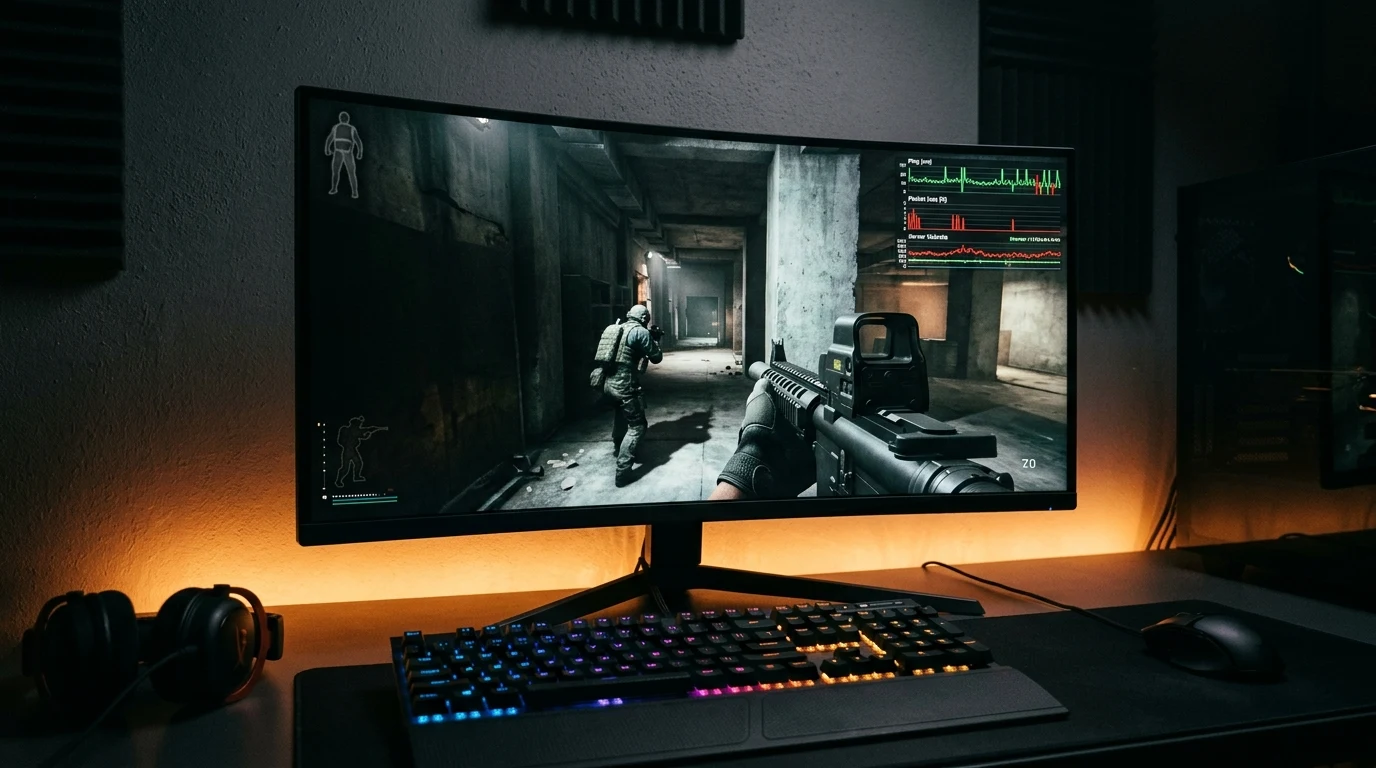
You are holding down a doorway in Call of Duty: Warzone or Multiplayer, pre-aiming your weapon, when an enemy player suddenly stutters across your screen like a broken slideshow. On your monitor, they appear to teleport 10 feet forward, and you are eliminated in a fraction of a frame. In the killcam, the enemy ran around the corner, aimed calmly at you, and fired five clean shots while you stood frozen. Were they using a Lag Switch, or was it standard network desync? Here is the networking science and detection guide.
The Mechanics of a Hardware & Software Lag Switch
In standard Ethernet networking, pin 1 and pin 2 transmit data, while pin 3 and pin 6 receive data. A physical lag switch is a spliced Ethernet cord connected to a momentary push-button switch that breaks the transmit (TX) wire:
- Button Pressed (TX Broken): The cheater's PC stops sending position packets to the server. The server's lag compensation engine assumes the player is simply standing in place or continuing in their last vector.
- Client-Side Action: The cheater's PC continues receiving incoming packets, so they can see where all enemy players are standing. The cheater walks up to an opponent and fires into their head.
- Button Released (TX Restored): The local socket buffer flushes all stored firing packets to the server in a single burst. The server's lag compensation algorithm processes the shots, validating the elimination.
How Modern Dedicated Servers & RICOCHET Combat Lag Switches
In modern Call of Duty, games run on dedicated cloud servers rather than peer-to-peer hosts. Modern netcode implements Dead Reckoning & Time Delta Thresholds:
- Maximum Extrapolation Limit: If client updates cease for more than 400 milliseconds, the server freezes the character's hitbox and ignores local client claims.
- RICOCHET Burst Anomaly Detection: The anti-cheat continuously analyzes packet inter-arrival times. If a player exhibits unnatural periodic packet drops followed by instant multi-kill bursts, the server flags the account for telemetry review.
Lag Switch vs Natural Network Jitter: Identification Matrix
| Observed Behavior | Natural Network Jitter / Packet Loss | Malicious Lag Switching |
|---|---|---|
| Timing of Teleportation | Continuous and random throughout match | Only triggers during active gunfights |
| Cheater's In-Game KD Ratio | Struggles to get kills (Disadvantaged) | Dominates lobby with unnatural multi-kills |
| Scoreboard Ping Display | Constantly high (100ms+) or yellow bars | Shows low ping (25ms) that briefly spikes |
How to Report and Counter Lag Switchers
- Save Video Clip Telemetry: In Call of Duty Interface settings, enable Telemetry → Network Ingame Graphs to record the exact timestamp of the desync event.
- Report for Exploiting / Network Tampering: Use the in-game social menu to file a report under 'Cheating → Network Tampering'.
- Never Challenge from Predictable Stationary Angles: Aggressively jiggle-peek corners to force the game server to extrapolate your position continuously.
Why Hybrid Lobbies (P2P Host Elements) Are More Vulnerable
While standard Multiplayer and Warzone matches run on dedicated cloud servers, certain custom game modes and regional lobbies utilize hybrid peer-to-peer listen servers. In a hybrid lobby, one player acts as the authoritative host. If the host uses a lag switch, they have absolute authority over server physics, allowing them to eliminate entire teams while everyone else is frozen.
Playing in official Ranked and Public Matchmaking pools guarantees you connect to dedicated server racks protected by server-side anti-cheat arbitration.
Why Optical Fiber Connections Minimize Desync Vulnerability
While you cannot control whether an opponent is manipulating their network packets, having a pristine, sub-10ms fiber internet connection ensures your own firing packets reach the server ahead of any delayed packet bursts. When your client maintains flat, zero-jitter telemetry, the server's arbitration algorithm is more likely to award simultaneous elimination events in your favor.
Summary: Overcoming Netcode Manipulation in Call of Duty
By understanding how lag compensation works, enabling in-game network telemetry graphs, reporting suspicious players, and maintaining an optimized low-latency wired connection, Call of Duty competitors can minimize the impact of network desync in every match.
Understanding Server Authoritative Rollback Arbitration
Modern game engines deploy server-authoritative arbitration to neutralize packet manipulation. When an opponent uses a lag switch to burst fire packets, the server validates their shots against historical character hitboxes. If the cheater's reported trajectory violates maximum in-game player movement velocity (e.g. traveling faster than tactical sprint speeds), the server automatically discards the firing packets as invalid.
Why Symmetrical Fiber Broadband Protects You Against Desync
On symmetrical fiber connections (like AT&T Fiber, Google Fiber, or Verizon Fios), upstream and downstream latency is balanced with 0.00% packet loss. When your connection maintains flat 12ms telemetry, your client packets arrive at the server in perfect phase, ensuring your defensive actions and weapon shots take precedence in close-range 50/50 duels.
By understanding netcode arbitration and maintaining a clean, hardwired fiber connection, Call of Duty players can overcome packet manipulation and dominate competitive lobbies.
Why Server-Side Tickrate Influences Lag Compensation Windows
In Call of Duty: Warzone, dedicated match servers update at 20Hz to 30Hz tickrate (updating every 33.3ms to 50ms). Because the tick window is relatively wide, players with fluctuating ping have a larger interpolation buffer window to exploit. Hardwiring with Cat6 Ethernet and using low-latency DNS (1.1.1.1) ensures your client stays on the leading edge of every server tick update, minimizing the visual effect of enemy packet bursts.
Why Modern Anti-Cheat Engines Use Machine Learning Telemetry
Activision's RICOCHET anti-cheat infrastructure employs server-side machine learning models that analyze player packet dispersion patterns across millions of matches. When a player artificially manipulates their network connection to create synthetic lag spikes, the machine learning system flags the anomaly, instantly quarantining the offender into high-ping shadowban lobbies with other cheaters.
Why Dedicated DNS Resolvers Stop Matchmaking Lag in Warzone
In addition to hardware tweaks, setting your router DNS to Cloudflare (1.1.1.1) or Google Public DNS (8.8.8.8) ensures that Call of Duty matchmaking coordinators resolve regional dedicated server clusters in under 4 milliseconds, connecting you to the closest server and minimizing natural packet latency in every lobby.
By maintaining a hardwired low-latency fiber connection and reporting suspicious packet manipulation, competitive Call of Duty players minimize netcode desync and dominate ranked lobbies.