Most homes built in the last few decades already have coaxial cable running to multiple rooms, originally installed for cable TV — and that existing wiring can be repurposed as a wired Ethernet backbone using MoCA (Multimedia over Coax Alliance) technology, without running a single new cable.
What is MoCA 2.5 and How Does It Work?
Coaxial cables (RG6) were engineered with heavy shielding to transmit massive analog and digital television bandwidth over long distances without signal degradation. MoCA technology repurposes this shielded copper pipe by modulating digital Ethernet frames onto high-frequency RF carriers (1125 MHz – 1675 MHz).
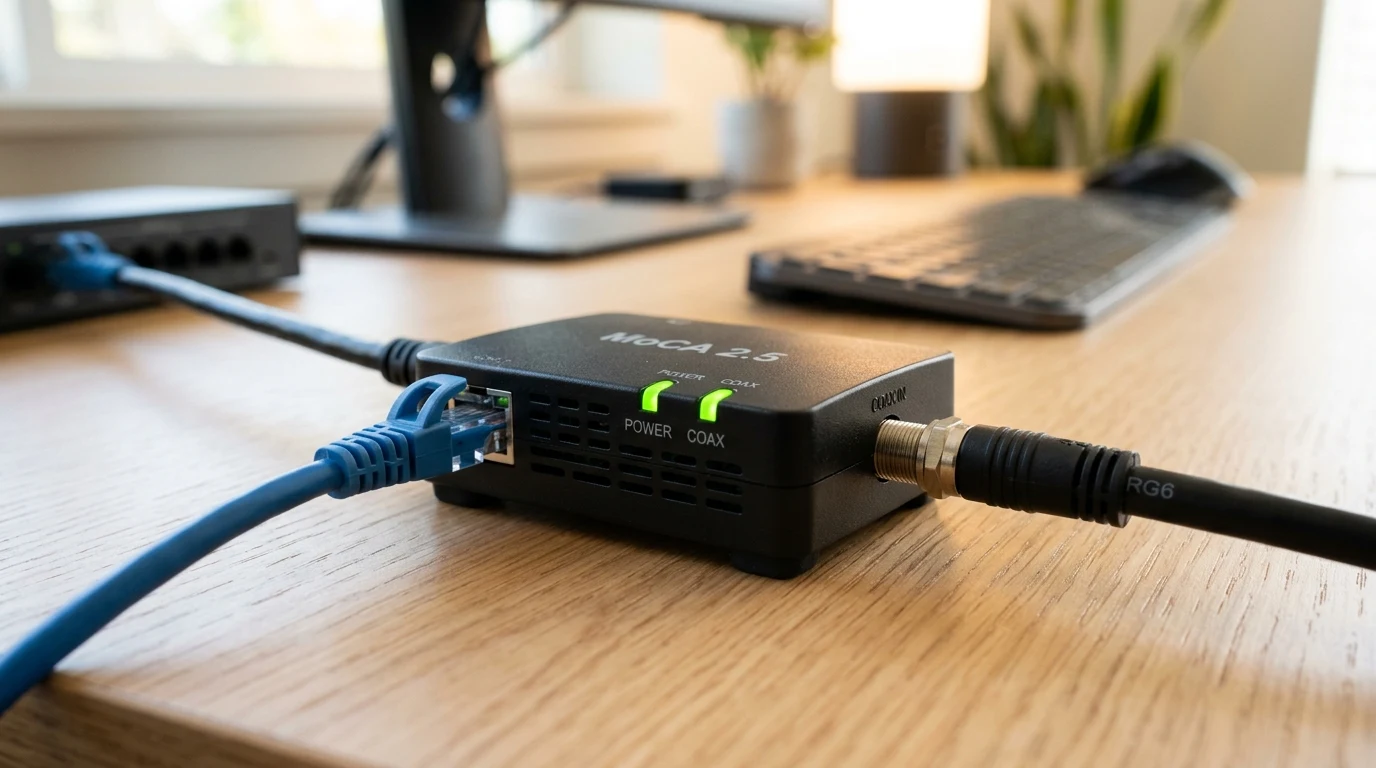
The Hitron HTEM4 utilizes the MoCA 2.5 standard with 5-channel bonding, delivering a total theoretical network throughput of 2.5 Gbps. Each HTEM4 adapter features:
- 1x 2.5 Gbps RJ45 Ethernet Port: Connects to your router LAN port on one end and your PC/console/switch on the receiving end.
- 1x Coax In / MoCA Port (F-type 75 Ohm): Connects to the wall coaxial jack.
- Plug-and-Play Operation: No software configuration, IP setup, or pairing buttons required; adapters automatically negotiate link parameters within 10 seconds of power-on.
- Low Power Consumption: Consumes under 4.5W per adapter, generating negligible heat during sustained 2.5GbE transfers.
Essential Installation Requirement: The MoCA PoE Filter
Because coaxial networks in homes often connect back to a master splitter outside the house, your MoCA high-frequency signal could theoretically travel back out onto the street and be received by a neighbor's MoCA adapter. To guarantee physical security and comply with cable operator regulations, always install a 70dB MoCA Point-of-Entry (PoE) filter on the input port of the primary splitter where the cable line enters your house.
Coaxial Splitter Compatibility: 5–1675 MHz Required
One of the most frequent setup errors with MoCA adapters is using legacy TV splitters rated only up to 1000 MHz. Because MoCA 2.5 operates in the 1125–1675 MHz band, older 5–900 MHz or 5–1000 MHz splitters will severely attenuate the signal, causing adapters to negotiate down to 100 Mbps or fail to link entirely. Ensure all splitters in your coaxial junction box are certified for 5–1675 MHz MoCA 2.5 operation.
Step-by-Step Installation Guide
- Adapter 1 (Near Router): Connect an Ethernet cable from your router's LAN port to the Ethernet port on Hitron Adapter 1. Connect a short coax cable from Adapter 1 to the wall coax outlet.
- Adapter 2 (In Remote Room): Connect a coax cable from the wall outlet to Hitron Adapter 2. Connect an Ethernet cable from Adapter 2 to your PC, gaming console, or secondary Wi-Fi mesh access point.
- Power On: Plug both power adapters into wall outlets. Within 15 seconds, the Power, MoCA, and LAN LED lights on both units will turn solid green.
- Verify Speed: Run our online speed test to verify full line-rate multi-gigabit throughput.
Affiliate Disclosure and Where to Buy
Transparency note: DCSpeedTest participates in the Amazon Services LLC Associates Program. If you purchase products through links on this page, we may earn an affiliate commission at zero additional cost to you.
Turn Coax Wall Jacks into 2.5G Ethernet
The Hitron HTEM4 2-pack is the easiest, most cost-effective way to get flawless wired gaming and streaming speeds to any room with a TV cable outlet without drilling walls.
Coaxial Cable Health & Troubleshooting Guide
While MoCA is remarkably resilient, older RG59 coaxial cables or degraded F-connectors can occasionally degrade performance. Use this troubleshooting sequence if your MoCA link fails to establish:
- Check the MoCA Link LED: On the HTEM4, the MoCA LED turns green when a high-speed link is established. If it stays off or flashes amber, check for disconnected splitters in your attic or crawlspace.
- Eliminate Unused Coax Splitter Ports: If you have a 6-way or 8-way splitter with only 2 connected rooms, replace it with a high-grade 2-way MoCA splitter (5–1675 MHz). Each unnecessary port division on an oversized splitter introduces 3.5 dB to 7.0 dB of signal loss.
- Install 75-Ohm Terminator Caps: Screw inexpensive 75-ohm F-type terminator caps onto any open, unused coaxial wall jacks to prevent signal reflection back into the cable bus.
- Verify Cable Type: Look at the text printed on the black or white coaxial cable jacket. RG6 cable provides optimal performance up to 300 feet, whereas vintage 1980s RG59 cable has higher attenuation and should be limited to runs under 100 feet.
The Verdict
Verdict: The Hitron HTEM4 is an indispensable piece of network hardware. If your house has coax TV outlets and you are suffering from Wi-Fi lag on your PC, PlayStation, or home office setup, this kit delivers true multi-gigabit wired reliability in minutes.
Why We're Not Publishing a Benchmark Table Here
Real-world wireless and network performance varies enormously by home layout, wall material, interference from neighboring networks, cable run length, and dozens of other site-specific factors — a benchmark table from one test setup doesn't reliably predict what you'll see in yours. Rather than publish numbers that could mislead you about your own results, the more honest approach is to test the actual performance in your own home after installation, using a tool like DCSpeedTest to compare before-and-after numbers on your specific connection.