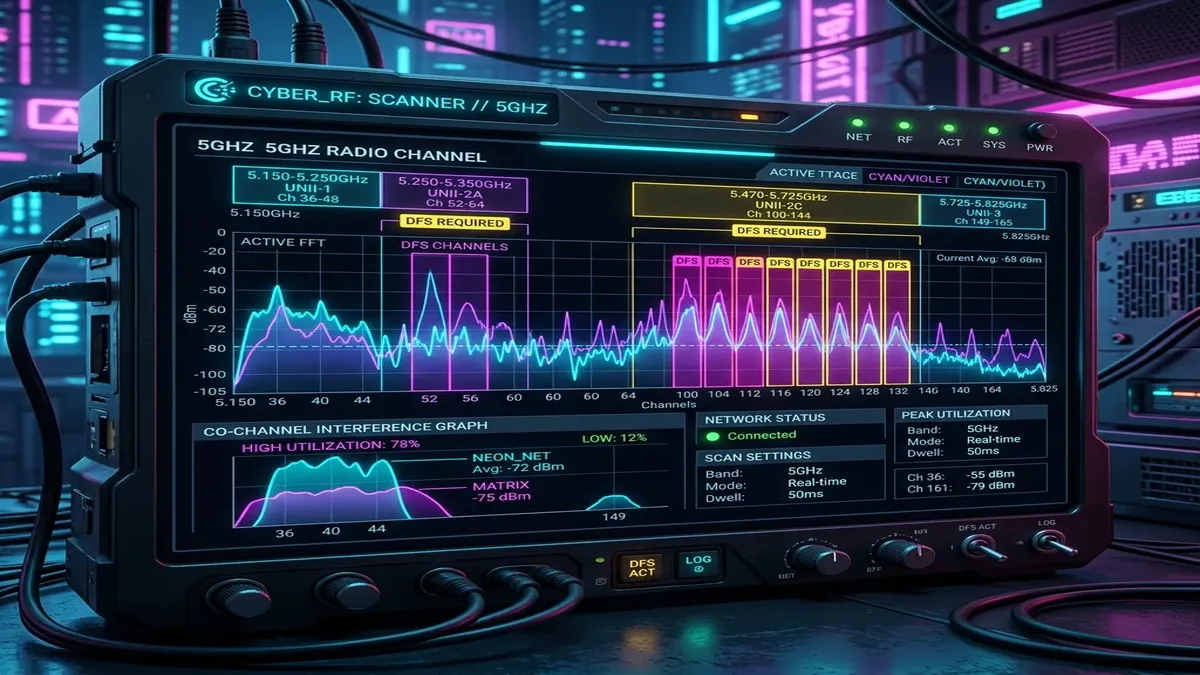
If you live in a dense apartment building or crowded suburban neighborhood, scanning the 5GHz wireless band often reveals dozens of overlapping neighboring Wi-Fi networks fighting for the same 4 non-DFS channels (36, 40, 44, 48). Enabling **Dynamic Frequency Selection (DFS)** opens up 16 additional clean channels in the UNII-2 spectrum (Channels 52 to 144), allowing ultra-fast 160MHz channel bonding. But what happens when airport or weather radar is detected, and why do DFS channels sometimes disconnect your devices?
1. What Are DFS Channels on 5GHz Wi-Fi?
The 5GHz Wi-Fi spectrum is divided into four distinct frequency blocks:
| 5GHz Band | Channel Numbers | DFS Required? | Typical Congestion Level |
|---|---|---|---|
| U-NII-1 (Lower Band) | 36, 40, 44, 48 | No | Extremely Congested (Default for all routers) |
| U-NII-2A (DFS Band) | 52, 56, 60, 64 | Yes (Radar Sensing) | Completely Empty |
| U-NII-2C / Extended (DFS) | 100, 104, 108, 112, 116, 120, 124, 128, 132, 136, 140, 144 | Yes (Radar Sensing) | Completely Empty |
| U-NII-3 (Upper Band) | 149, 153, 157, 161, 165 | No | Heavily Congested |
2. ✈️ The Radar Detection Rule: How CAC & NOP Work
By international FCC and ITU regulations, military radar, commercial airport approach radar, and terminal Doppler weather radars have legal priority over consumer Wi-Fi in the 5GHz spectrum:
- Channel Availability Check (CAC): When your router boots or switches to a DFS channel, it must listen silently for 60 seconds (or 10 minutes on weather radar channels 120-128) before broadcasting any Wi-Fi signal.
- In-Service Monitoring & Channel Jumping: If the router detects even a microsecond radar pulse while active, it must immediately cease transmission and jump to a non-DFS channel within 200ms.
- Non-Occupancy Period (NOP): The router is legally prohibited from returning to that DFS channel for at least 30 minutes.
3. ⚖️ Pros and Cons of Using DFS Channels
- PRO: Zero Radio Interference: Because 90% of consumer routers avoid DFS, the spectrum is crystal clear, delivering maximum Wi-Fi speeds and lower latency.
- PRO: Unlocks 160MHz Channels for Wi-Fi 6/7: To achieve 2.4 Gbps wireless throughput, routers must bond 160MHz of spectrum, which requires utilizing DFS channels.
- CON: Random Disconnections Near Airports: If you live within 10 miles (16 km) of an airport or meteorological radar station, frequent radar detections will cause temporary 5GHz drops.
- CON: Legacy Device Incompatibility: Some older IoT devices, budget smart TVs, and streaming sticks do not support DFS channels and will fail to see the Wi-Fi network.
4. 🌧️ Weather Radar Channels (120, 124, 128): The 10-Minute CAC Trap
Within the U-NII-2C spectrum, channels 120, 124, and 128 overlap directly with Terminal Doppler Weather Radars (TDWR) used by civil aviation to detect hazardous wind shear. Because weather radars are critical for flight safety, international regulations require routers to perform a **mandatory 10-minute Channel Availability Check (CAC)** before broadcasting on these frequencies.
If your router reboots or switches to Channel 120, your 5GHz network will remain offline for a full 600 seconds. For home networks, it is best to configure your router to use UNII-2A channels (52-64) or UNII-2C channels (100-116), which only require standard 60-second CAC scans.
5. 🚀 Wi-Fi 7 320MHz Channels & Multi-Link Operation (MLO) vs. DFS
With the rollout of Wi-Fi 7 (802.11be), routers introduce **6GHz spectrum and 320MHz ultrawide channels**. Because the 6GHz band contains 1,200 MHz of clean spectrum without any radar sharing, Wi-Fi 7 completely eliminates the need for DFS channels in the 6GHz range. Furthermore, Wi-Fi 7 **Multi-Link Operation (MLO)** allows devices to transmit across 5GHz and 6GHz simultaneously, so if a radar pulse triggers a DFS channel jump on 5GHz, the 6GHz connection maintains uninterrupted, zero-drop gaming.
6. 🏢 ZeroWait DFS in Enterprise Access Points
High-end enterprise Wi-Fi hardware (Aruba, Cisco Catalyst, Ruckus, Ubiquiti UniFi Pro) incorporates **ZeroWait DFS technology**. These access points contain a dedicated third listening radio that continuously monitors DFS radar frequencies in the background.
Because the auxiliary radio has already verified that the DFS channel is clear, the access point can switch channels instantly with zero 60-second CAC downtime, providing the benefits of clean DFS spectrum without the risk of dropped client connections.
7. 📐 Optimal Channel Width: 80MHz vs. 160MHz
In high-density apartment complexes, setting your router to 80MHz channel width on Channel 100 (DFS) is often superior to 160MHz. An 80MHz channel is easier to keep clear of radar interference while still delivering up to 1,200 Mbps of real-world Wi-Fi throughput with rock-solid stability.
8. 🛡️ Regulatory Domain Compliance & Transmit Power (EIRP)
DFS channels often allow higher equivalent isotropically radiated power (EIRP) limits in certain jurisdictions (up to 1,000 mW / 30 dBm) compared to standard U-NII-1 lower channels (capped at 200 mW). This higher transmission power helps overcome wall attenuation in larger homes, provided radar interference is absent.
9. 📱 Roaming Handovers & Fast Transition (802.11r) with DFS
When walking between multiple mesh access points, DFS channel switching can cause a 1-second delay in 802.11r Fast BSS Transition handshakes if the target node is undergoing a CAC radar check. Setting primary mesh backhauls to non-DFS channels avoids roaming disconnects.
⚡ Test Your Wi-Fi Throughput & Channel Health
Benchmark your wireless throughput to see if your current Wi-Fi channel is congested:
🚀 Test Wi-Fi Speed Now →