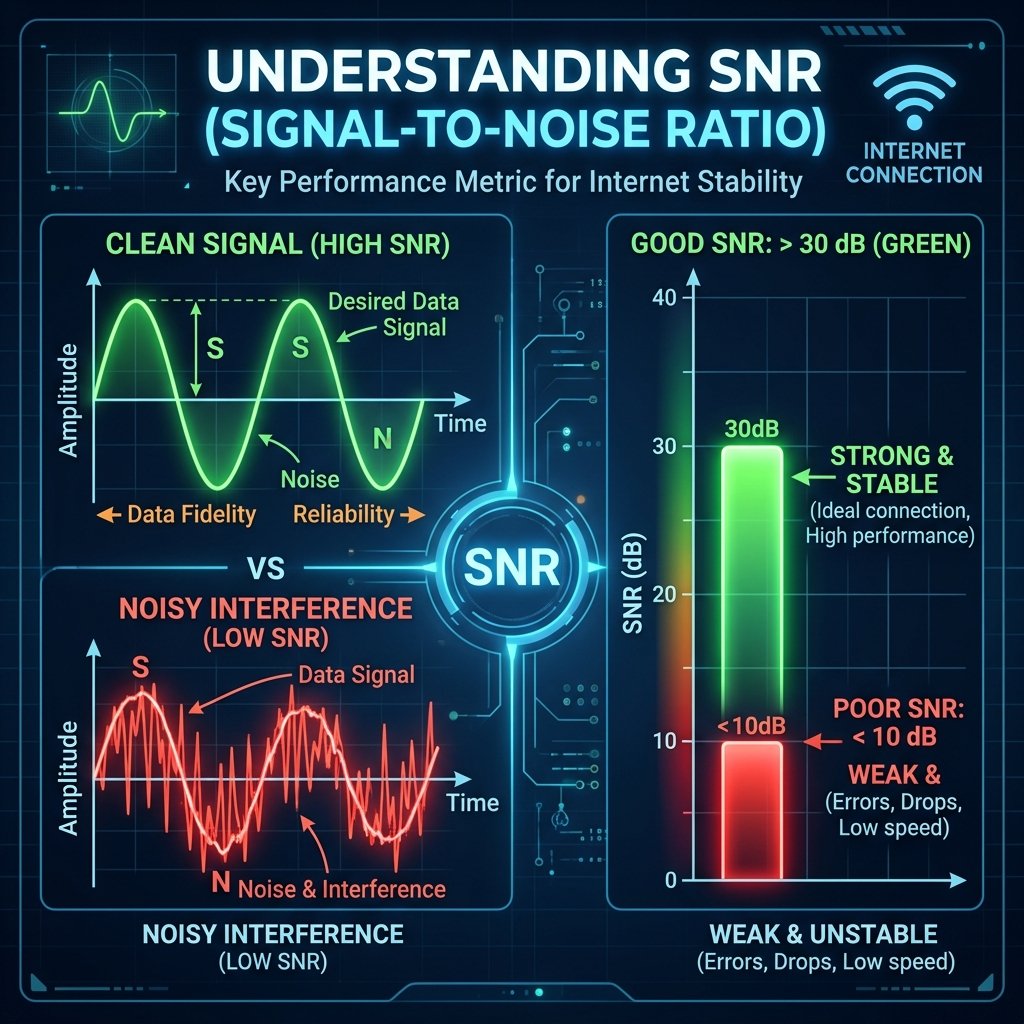
Signal vs. Noise
Think of your internet connection like a conversation in a room. Signal is the voice of the person speaking to you. Noise is the background chatter.
The Magic Numbers
For cable internet (DOCSIS):
- SNR > 40dB: Excellent. Crystal clear signal.
- SNR 35dB – 40dB: Good. Standard for most homes.
- SNR < 33dB: Trouble. Expect random disconnects and packet loss.
How to Check
Most modems have a status page at 192.168.100.1. Login and look for the SNR or Rx power columns. If your numbers are low, check for loose coax cables or unnecessary splitters in your house wiring.
Reading Your Own SNR Values
Your router or modem’s admin interface (typically at 192.168.1.1 or 192.168.0.1) usually shows downstream SNR under its ADSL/VDSL or cable modem status page. For DSL connections, healthy SNR is 20 dB or above — values between 10-20 dB indicate marginal signal quality that will cause retransmissions, and below 10 dB means your connection is actively unreliable. For WiFi, most adapters display RSSI (signal strength) rather than SNR directly, but signal below -70 dBm with significant interference effectively means poor SNR and degraded performance.
Frequently Asked Questions
How does SNR affect internet speed?
SNR directly determines how much data can be reliably transmitted per unit of time. A higher SNR allows higher-order modulation schemes — more bits per symbol — which means more data throughput on the same physical channel. When SNR degrades, the modem automatically steps down to a more conservative modulation scheme to maintain stability, which reduces your sync speed. This is why a physical problem (bad cable, corroded connector) can cut your DSL speeds in half without any apparent hardware failure.
Can I improve SNR on my internet connection?
Yes, through several means: replacing old or damaged coaxial/phone cables between your router and wall jack; removing unnecessary splitters that introduce signal loss; ensuring your modem or router’s input connector is tight and corrosion-free; and, for DSL, asking your ISP to check the line quality from their side. ISPs can sometimes boost transmission power on your line to compensate for marginal SNR, though this has limits and may interfere with neighbors on shared infrastructure.