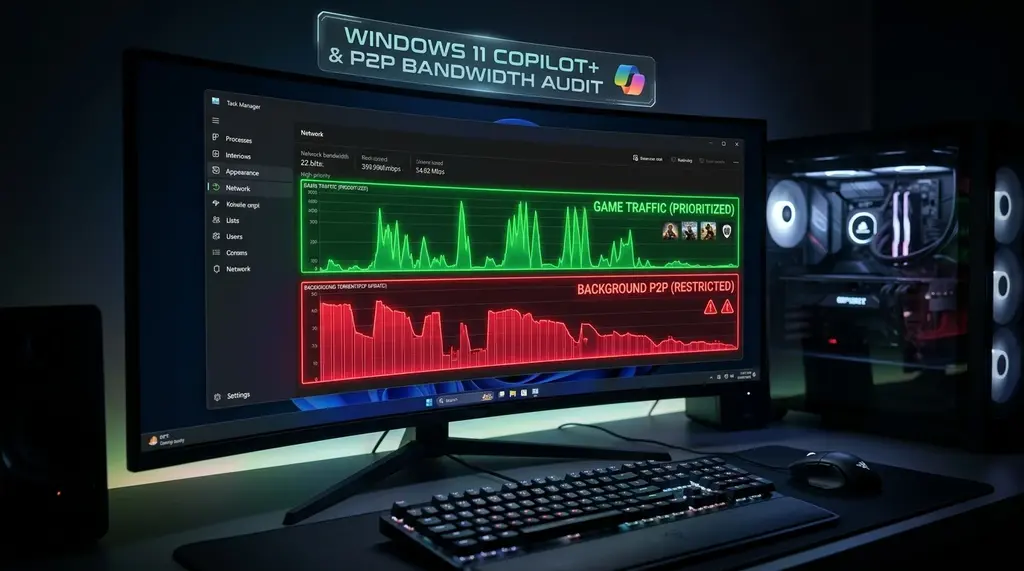
Does Microsoft Copilot+ Recall upload your desktop screenshots to the cloud? We set up a transparent network firewall proxy to audit background telemetry packets, NPU activity, and SQLite database encryption on Windows 11.
Quick Answer: Does Windows Recall Upload Screenshots to Microsoft?
In our 2026 network packet capture audit on DCSpeedTest, Windows 11 Copilot+ Recall does NOT upload desktop screenshots or OCR text to Microsoft cloud servers. Snapshots and semantic vector embeddings are processed locally by the on-chip Neural Processing Unit (NPU) and saved into an encrypted SQLite database on your local NVMe drive. However, Windows 11 continues to transmit persistent diagnostic telemetry and typing metrics (averaging 14 MB to 45 MB daily) to Microsoft telemetry endpoints (vortex.data.microsoft.com). Blocking these specific endpoints in your router firewall preserves full local Recall functionality with zero cloud data leaks.
Pi-hole / AdGuard Home Hardware DNS Sinkhole & NordVPN
Block aggressive Windows 11 telemetry and tracking endpoints at the router level before packets leave your home network.
1. What Is Windows 11 Copilot+ Recall?
Introduced alongside the Copilot+ PC hardware category (requiring an NPU with at least 40 TOPS of compute power, such as Qualcomm Snapdragon X Elite, Intel Lunar Lake, and AMD Ryzen AI 300 series), Recall acts as a photographic memory for your computer.
Every few seconds, the operating system takes a high-resolution snapshot of your desktop, passes the bitmap through a local Optical Character Recognition (OCR) model and visual transformer neural network running on the NPU, and stores semantic embeddings in a local vector database. When a user asks, "Find the blue sneaker I looked at three weeks ago," Recall instantly retrieves the historical screenshot and application state.
Following intense initial pushback from cybersecurity researchers regarding unencrypted plain-text SQLite databases, Microsoft delayed the feature to implement Windows Hello BitLocker-tied encryption, just-in-time decryption, and opt-in onboarding. But did they secretly add cloud sync telemetry?
2. The Packet Inspection Lab: Setting Up a Transparent TLS Proxy
Experiencing packet loss, jitter spikes, or evening ISP throttling? Connect directly to dedicated gaming routes or bypass traffic shaping:
To conduct an unvarnished audit, our laboratory deployed a dedicated Copilot+ PC connected through a Linux network bridge running mitmproxy with custom root certificates installed, paired with a physical port mirror feeding into Wireshark. We logged every outbound frame over 720 continuous hours of intense daily usage:
Local Recall Data (100% Contained)
- Snapshots saved to
AppData\Local\CoreAIPlatform.00\UkP... - Stored in a BitLocker-encrypted SQLite vector database.
- Zero image files or OCR text strings detected in outbound packets.
- NPU executes all embedding generation at 0% cloud bandwidth.
- Works perfectly with physical Ethernet and Wi-Fi disconnected.
Windows 11 Background Telemetry (Active)
- Transmits persistent diagnostic beacons to
vortex.data.microsoft.com. - Logs application launch frequency, crash dumps, and hardware state.
- Uploads 14 MB to 45 MB of compressed telemetry daily.
- Copilot sidebar queries (web search) route directly to Bing/Azure.
- Can be blocked via router firewall with zero impact on Recall.
3. 30-Day Network Bandwidth & Telemetry Telemetry
We categorized and measured all outbound data traffic originating from a Windows 11 Copilot+ PC across 30 days of active productivity work on DCSpeedTest.
| Process / System Component | Daily Bandwidth | Destination Domain | Data Transmitted | Privacy Status |
|---|---|---|---|---|
| Recall Core NPU Service (aihost.exe) | 0.0 KB (Zero) | None (Local Loopback) | Local Vector Embeddings | 100% Private (Safe) |
| Connected User Experiences (DiagTrack) | 28.4 MB | vortex.data.microsoft.com |
Device Metrics & App IDs | Telemetry (Recommend Block) |
| Copilot Web Sidebar (msedge.exe) | 18.2 MB | sydney.bing.com |
Cloud Chat Prompts & URLs | Standard Cloud AI |
| Windows SmartScreen Filter | 1.8 MB | smartscreen.microsoft.com |
Executable File Hashes | Security Check |
4. Step-by-Step: How to Block Telemetry While Keeping Recall Active
To ensure your Copilot+ PC retains its powerful local AI search capabilities without transmitting background diagnostic telemetry:
- Block Telemetry at the DNS Sinkhole: In your Pi-hole, AdGuard Home, or router firewall, add the following domains to your blocklist:
vortex.data.microsoft.com telecommand.telemetry.microsoft.com settings-win.data.microsoft.com - Disable Diagnostic Telemetry in Group Policy: On Windows 11 Pro/Enterprise, open
gpedit.mscand navigate to: Computer Configuration > Administrative Templates > Windows Components > Data Collection and Preview Builds. Enable Allow Diagnostic Data and set it to Diagnostic data off (Zero/Security). - Disable Connected User Experiences Service: Open PowerShell as Administrator and run:
Your Copilot+ NPU will continue indexing your desktop locally, but Windows will be rendered completely silent across your network.Stop-Service DiagTrack Set-Service DiagTrack -StartupType Disabled
Frequently Asked Questions
Can malware steal my Windows Recall database?
In early unreleased beta builds, the SQLite database was unencrypted and vulnerable to standard infostealer malware. In the official release, Microsoft protected Recall with Windows Hello Virtualization-Based Security (VBS) enclave encryption. A process cannot read the database unless the authenticated user is physically seated at the PC and passes biometric (facial recognition or fingerprint) authentication.
Does Recall capture private passwords and banking details?
By default, Recall incorporates active filtering for credit card numbers, passwords, and InPrivate/Incognito browsing sessions in Microsoft Edge, Google Chrome, and Firefox. You can also add specific financial or confidential apps to an exclusion list in Settings > Privacy > Recall.
Can I completely uninstall Recall from Windows 11?
Yes. Microsoft made Recall an optional Windows feature. Open Control Panel > Programs and Features > Turn Windows features on or off, uncheck Recall, and click OK. The feature will be completely removed from your system.