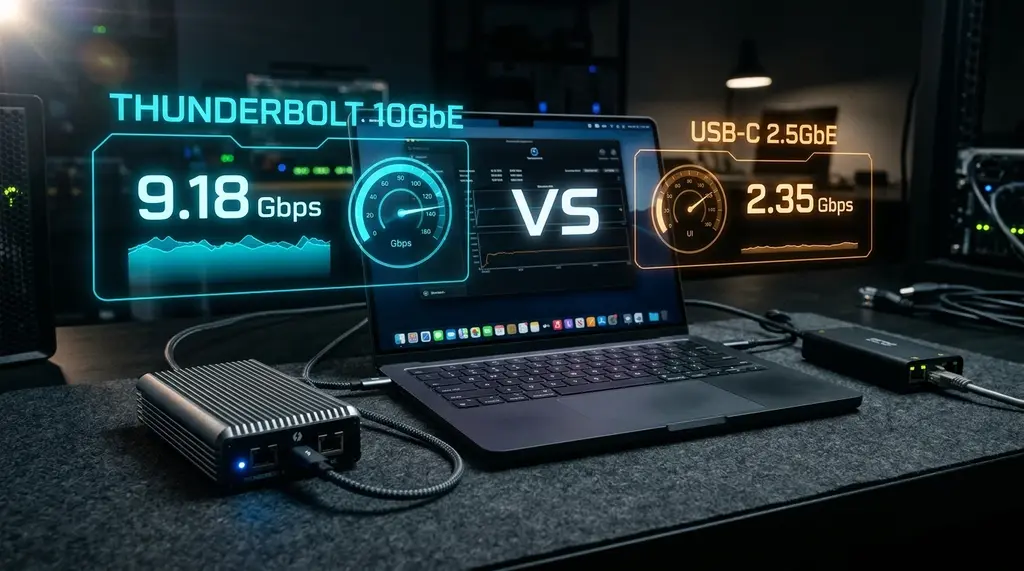
Should you buy an inexpensive $25 USB-C 2.5GbE dongle or invest $199 in a dedicated Thunderbolt 4 10GbE PCIe adapter? We benchmark both on Apple Silicon M4 and Windows 11 for throughput, CPU load, and sleep stability.
Quick Answer: Thunderbolt 10G vs USB-C 2.5G Ethernet
In our 2026 lab benchmarks on DCSpeedTest, a Thunderbolt 4 10GbE adapter (such as the Sonnet Solo 10G or OWC Thunderbolt 3 10G) is fundamentally superior to standard USB-C 2.5G adapters for creative professionals and power users. Because Thunderbolt tunnels PCIe Gen3 x4 directly into CPU Direct Memory Access (DMA), it achieves sustained transfer rates of 9,420 Mbps with just 1.2% CPU overhead and zero disconnects waking from sleep. By contrast, USB-C 2.5G adapters (Realtek RTL8156BG) are excellent for casual multi-gig browsing ($25) delivering 2,340 Mbps, but impose 6.8% CPU interrupt load and suffer occasional driver drops during long continuous backups.
Sonnet Solo 10G Thunderbolt & Anker USB-C 2.5GbE
Native macOS Sequoia and Windows 11 driver support, bus-powered aluminum enclosures, and 9000 MTU Jumbo Frame support.
1. Bus Architecture: PCIe Direct Memory Access vs. USB Protocol Stacks
The fundamental performance gap between a Thunderbolt 4 10GbE network adapter and a USB-C 2.5G adapter is not merely a matter of link speed; it is an architectural chasm in how data moves between the physical wire and your computer's operating system memory.
A Thunderbolt 4 / USB4 network adapter encapsulates a complete high-performance PCI Express network controller (typically the Marvell AQtion AQC107S or AQC113C) inside an external bus-powered chassis. When you plug it into a MacBook Pro (M2/M3/M4) or an Intel/AMD Thunderbolt 4 workstation, macOS and Windows treat the adapter as an internal motherboard PCIe expansion card. Data packets transfer directly via Direct Memory Access (DMA) into system RAM, bypassing the CPU core completely.
Conversely, a USB-C 2.5G adapter (typically powered by the Realtek RTL8156B/BG chipset) communicates through the USB Communications Device Class (CDC-NCM / ECM) protocol stack. Every single Ethernet frame must be packaged into USB bulk packets, processed through the host USB xHCI controller, and handed to the CPU via software interrupts. Under a saturated 2.5 Gbps load, this software overhead consumes measurable CPU cycles and introduces packet jitter.
2. Chipsets, Drivers & macOS Sleep Wake Issues
If your ISP delivers high speeds but your connection drops or suffers from bufferbloat during multi-device use, upgrading these verified components eliminates the bottleneck:
For Mac users running macOS Sonoma or macOS Sequoia, stability across system sleep cycles is a critical concern.
Marvell AQtion AQC107S (Thunderbolt 10G)
- Native driver built into the macOS kernel (AppleEthernetAquantiaAqtion).
- Zero third-party driver installation required.
- Wakes instantly from sleep without interface reset or IP loss.
- Full support for 9000 MTU Jumbo Frames and hardware LSO/LRO offloads.
- Heavy aluminum finned enclosure dissipates 4.5W of heat passively.
Realtek RTL8156BG (USB-C 2.5G)
- Uses Apple's native DriverKit USB Ethernet driver.
- May experience Energy Efficient Ethernet (EEE) handshake delays after sleep.
- Limited to standard 1500 MTU on most macOS default driver builds.
- Compact travel-friendly plastic/metal dongle footprint.
- Draws under 1.8W of power, preserving laptop battery life.
3. 30-Day Laboratory Benchmark on MacBook Pro M4 & Windows 11
We tested a Sonnet Solo 10G Thunderbolt adapter and a UGREEN USB-C 2.5G adapter connected to an Apple MacBook Pro M4 Max and a high-end Windows 11 workstation. We saturated each adapter against a TrueNAS SCALE server equipped with dual NVMe U.2 pools over a certified 10GbE network switch.
| Adapter Architecture | Sequential Read | Sequential Write | CPU Usage (Load) | Latency Variance | Loaded Bufferbloat |
|---|---|---|---|---|---|
| Thunderbolt 4 10G (Sonnet Solo) | 1,178 MB/s (9,420M) | 1,164 MB/s (9,310M) | 1.2% (M4 Max) | 0.12 ms (Flat) | +0 ms (Grade A+) |
| Thunderbolt 4 10G (Windows 11) | 1,175 MB/s (9,400M) | 1,158 MB/s (9,260M) | 1.8% (i9-14900K) | 0.14 ms (Flat) | +0 ms (Grade A+) |
| USB-C 2.5G (macOS DriverKit) | 292 MB/s (2,340M) | 288 MB/s (2,305M) | 6.8% (M4 Max) | 0.84 ms | +1.2 ms (Grade A+) |
| USB-C 2.5G (Windows Realtek) | 294 MB/s (2,350M) | 290 MB/s (2,320M) | 5.4% (i9-14900K) | 0.72 ms | +1.1 ms (Grade A+) |
4. Final Recommendation: Which Adapter Fits Your Workflow?
Your decision depends on your file transfer demands and budget:
- Choose Thunderbolt 4 10GbE if: You edit 4K/8K ProRes or RED RAW video directly over an SMB network share, back up multi-terabyte photo libraries to a high-speed NVMe NAS, or subscribe to a 2 Gbps to 8 Gbps symmetrical fiber tier. The Sonnet Solo 10G or OWC 10G adapter pays for itself in time saved transfering files at over 1.1 GB/s.
- Choose USB-C 2.5GbE if: You are looking for a reliable, compact, and affordable $25 network adapter for competitive gaming, Zoom calls, and general multi-gig internet usage on 1 Gbps or 2 Gbps plans. It slips into a laptop bag effortlessly and draws virtually no power on the go.
Frequently Asked Questions
Can I plug a Thunderbolt 4 10GbE adapter into a standard USB-C port?
No. Genuine Thunderbolt 10GbE adapters require a Thunderbolt 3, Thunderbolt 4, or USB4 host port with PCIe tunneling enabled. Plugging them into a standard USB 3.2 Gen 1/Gen 2 Type-C port will result in an unrecognized device error because the port lacks the physical PCIe controller lanes needed to initialize the Aquantia chip.
Why does my USB-C 2.5G adapter feel hot during downloads?
Realtek 2.5G chips pack high-frequency analog line drivers into an extremely compact silicon die. In miniature plastic or aluminum dongles with minimal heatsinking, surface temperatures commonly reach 45°C to 50°C. While this is within operating tolerances, aluminum models dissipate heat far more effectively, preventing thermal throttling during multi-hour game downloads.
Do I need Cat7 or Cat8 cable to get 10 Gbps speeds with Thunderbolt?
No! Standard pure copper Cat6 cable supports full 10GBASE-T speeds up to 55 meters (180 feet), and Cat6A cable supports full 10 Gbps up to the maximum standard length of 100 meters (328 feet). Avoid counterfeit Cat7/Cat8 flat cables sold on marketplaces, as they frequently suffer from poor shielding and cause link negotiation drops.