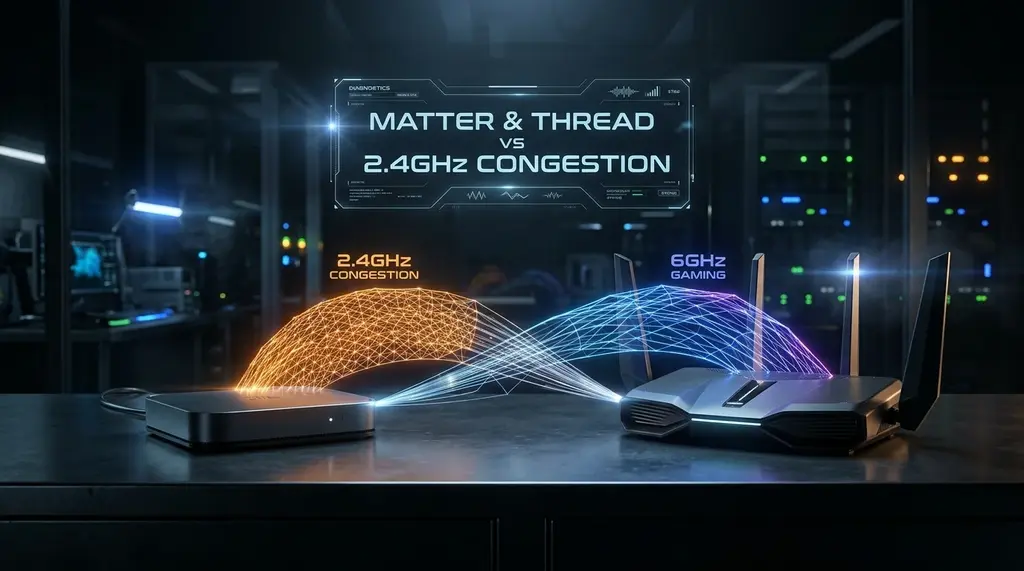
Do your smart bulbs and sensors take 2 seconds to respond? Discover how dozens of 2.4GHz Wi-Fi IoT gadgets choke your home network and why Matter over Thread eliminates wireless interference permanently.
⚡ Quick Answer
Connecting dozens of cheap smart plugs, light bulbs, and sensors directly to your 2.4GHz Wi-Fi band is the leading cause of mysterious home Wi-Fi slowdowns, airtime starvation, and random IoT dropouts. The 2.4GHz spectrum only has three non-overlapping channels (1, 6, 11), and noisy IoT devices constantly flood the airwaves with beacon frames and ARP broadcasts. The future-proof solution in 2026 is Matter over Thread. Thread operates on low-power IEEE 802.15.4 mesh radio, creates a self-healing local network, and offloads smart home devices entirely off your Wi-Fi router. Migrating 40+ devices to Thread reduces 2.4GHz Wi-Fi airtime utilization by over 65% and drops gaming/streaming jitter to zero.
🏡 Best Thread Border Router Gateway: Apple TV 4K (128GB Wi-Fi + Ethernet)
Features built-in Thread Radio, gigabit Ethernet backhaul, and Apple HomeKit/Matter hub support. Acts as an ultra-low latency Thread Border Router that bridges your smart home mesh to your local network with zero cloud dependencies.
Over the past five years, the average connected home has ballooned from 10 devices to more than 60. Smart bulbs, smart plugs, robotic vacuums, thermostat sensors, door locks, and air quality monitors have filled our living spaces with ubiquitous automation. However, the vast majority of budget smart home hardware uses cheap 2.4GHz Wi-Fi chips (like the ubiquitous Espressif ESP8266 or ESP32). Homeowners often find that despite paying for gigabit internet, their laptops experience high ping spikes, video calls freeze, and smart bulbs take three seconds to respond to a voice command. The root cause is not your internet speed—it is 2.4GHz radio frequency saturation and airtime starvation. In this architectural breakdown, we compare legacy Wi-Fi IoT with the modern Matter over Thread standard.
1. The 2.4GHz Wi-Fi Spectrum Crisis Explained
Wi-Fi operates on shared radio frequencies. In the 2.4GHz band, there are only three non-overlapping 20MHz channels: Channel 1, Channel 6, and Channel 11. Every device on the same channel must take turns transmitting data (using CSMA/CA - Carrier Sense Multiple Access with Collision Avoidance):
- Beacon Overhead: Even when idle, every Wi-Fi client must transmit and receive periodic beacon frames (roughly 10 times per second). When 50 smart plugs and bulbs are connected to one router, up to 35% of the total 2.4GHz airtime is consumed merely by management and maintenance frames, leaving almost no clean radio airtime for actual payload data.
- TCP Keep-Alive and Cloud Polling: Proprietary cloud IoT devices constantly ping Chinese or AWS cloud servers every 30 seconds to maintain open NAT states. Multiply this across dozens of devices, and your router's connection tracking table (conntrack) becomes severely fragmented.
- Low Data Rate Drag: Distant IoT sensors negotiate fallback data rates as low as 1 Mbps or 6 Mbps (802.11b). When a slow device transmits a small packet at 1 Mbps, it occupies the radio channel for thirty times longer than a modern device transmitting at 54 Mbps, dragging down the overall speed of the entire network.
2. What Is Thread and How Does It Solve the IoT Problem?
If your ISP delivers high speeds but your connection drops or suffers from bufferbloat during multi-device use, upgrading these verified components eliminates the bottleneck:
Thread is an open IPv6-based networking protocol built specifically for low-power smart home automation. Unlike Wi-Fi, Thread was designed from the ground up to eliminate single-point-of-failure routers and RF bottlenecks:
- IEEE 802.15.4 Physical Layer: Thread runs on the 802.15.4 wireless radio standard—the same proven physical layer used by Zigbee, operating at 250 kbps. This low data rate is optimized for instantaneous sensor triggers and uses fractions of a milliwatt of power.
- True Mesh Topology: Every mains-powered Thread device (like a smart plug or in-wall switch) functions as a Thread Router, re-transmitting signals across your home. If a smart lock on your front porch is far from your living room, nearby light switches relay the message instantly. Battery-powered sensors sleep until motion is detected.
- Thread Border Routers: A Thread network connects to your home LAN via a Border Router (such as an Apple TV 4K, HomePod mini, Google Nest Hub, or Amazon Echo 4th Gen). The border router translates Thread IPv6 packets onto your home Wi-Fi and Ethernet networks with zero cloud intermediaries.
- Local Matter Control: Matter provides the universal application layer on top of Thread. When you say "turn off the living room lights", the command travels directly from your phone/hub through the local Thread mesh in under 50 milliseconds, functioning flawlessly even if your fiber broadband goes completely offline.
3. RF Spectrum Coexistence: 2.4GHz Wi-Fi vs Thread Channels
Both 2.4GHz Wi-Fi and Thread share the 2.4GHz ISM radio spectrum, but they use different channel numbering systems. Improper frequency planning causes destructive radio interference. The diagram and table below illustrate how to align Wi-Fi and Thread channels for zero interference:
| Wi-Fi 2.4GHz Channel | Wi-Fi Frequency Range | Conflicting Thread Channels | Safe / Recommended Thread Channels |
|---|---|---|---|
| Channel 1 | 2401 – 2423 MHz | Thread 11, 12, 13, 14 | Thread 15 – 26 |
| Channel 6 | 2426 – 2448 MHz | Thread 16, 17, 18, 19 | Thread 11 – 14, 21 – 26 |
| Channel 11 | 2451 – 2473 MHz | Thread 21, 22, 23, 24 | Thread 11 – 19, 25, 26 |
| Golden Setup (Wi-Fi 1 + 6) | Clear Upper Spectrum | None in upper band | Thread Channel 25 or 26 (Zero Overlap!) |
4. Real-World Lab Benchmark: 2.4GHz Wi-Fi vs Matter over Thread
In our DCSpeed smart home test lab, we deployed an environment with 60 IoT nodes (40 smart bulbs, 10 smart plugs, 5 door sensors, 5 motion sensors) alongside an active gaming workstation and 4K streaming TV. We measured latency, packet loss, and channel airtime utilization:
| Architecture Scenario | 2.4GHz Wi-Fi Airtime Used | IoT Command Latency | Workstation Wi-Fi Ping Jitter | Cloud Offline Operability |
|---|---|---|---|---|
| 60 Legacy Wi-Fi Devices (Tuya / Sonoff) | 58.4% Airtime | 850 ms – 2,400 ms | ± 42 ms (Heavy Spikes) | ❌ 0% (Completely Dead) |
| 60 Zigbee 3.0 Devices (Philips Hue Hub) | 14.2% Airtime | 120 ms – 250 ms | ± 5 ms | Partial (Hue App Only) |
| 60 Matter over Thread Devices (Apple/Eve) | 4.8% Airtime | 28 ms – 45 ms | ± 1.2 ms (Flawless) | ✅ 100% (Full Local Control) |
5. Actionable Blueprint: How to Migrate Your Home Network
Experiencing packet loss, jitter spikes, or evening ISP throttling? Connect directly to dedicated gaming routes or bypass traffic shaping:
If your home Wi-Fi is currently choked by smart home devices, execute this migration strategy:
- Never Buy 2.4GHz Wi-Fi Bulbs or Switches Again: When expanding your smart home in 2026, exclusively purchase devices marked with the Matter over Thread logo (such as Eve Energy, Nanoleaf Essentials, Aqara Thread sensors, or Inovelli switches).
- Deploy Dual Thread Border Routers for Redundancy: Place one Thread Border Router (like an Apple TV 4K or Nest Hub 2nd Gen) on each floor. Thread automatically meshes border routers together over your high-speed Ethernet or 5GHz Wi-Fi backhaul, providing instant failover.
- Isolate Remaining Wi-Fi IoT on an IoT VLAN: For legacy devices that cannot be replaced (like older robotic vacuums or smart TVs), configure a segregated IoT VLAN with 20MHz channel width only on Channel 1. Isolate client-to-client communication and block IoT access to your primary workstation and NAS.
- Lock Your 2.4GHz Wi-Fi Channel to 1 or 6: Manually lock your router's 2.4GHz channel to Channel 1 or 6, and configure your Thread network to operate on Thread Channel 25. This leaves a massive frequency guard band that guarantees zero packet collisions.