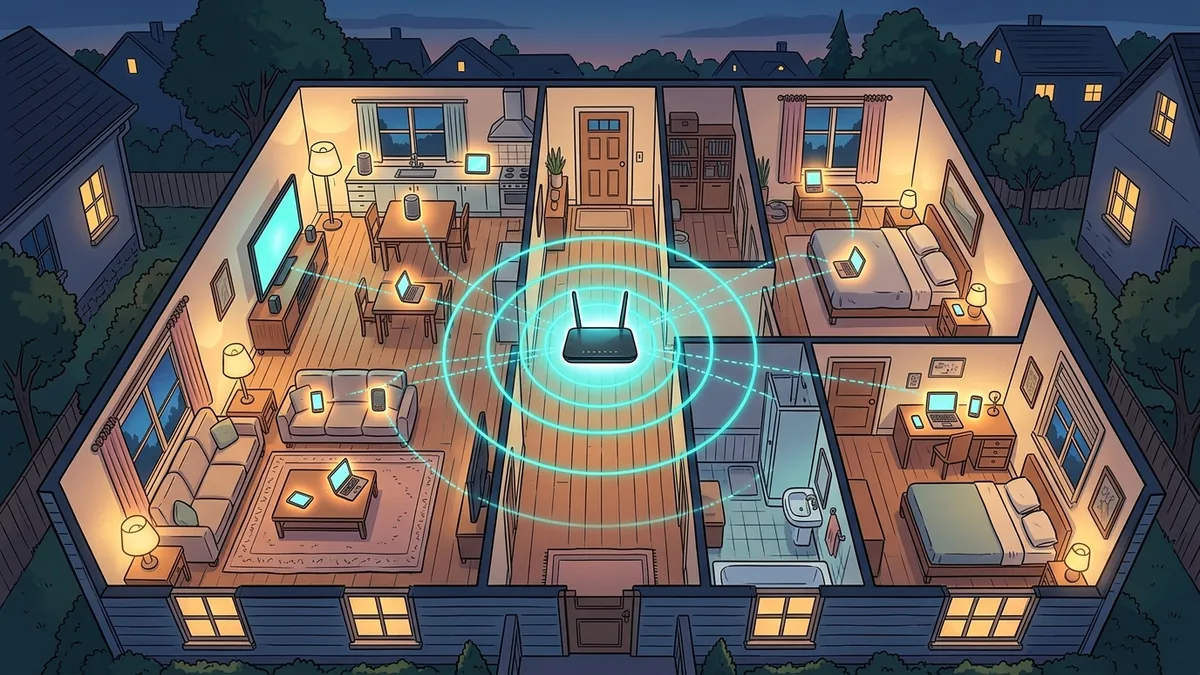
It's a pattern almost every household recognizes: the WiFi feels completely fine during the day, then everyone gets home in the evening or a weekend rolls around, and suddenly video calls stutter and streams buffer. It's tempting to blame the ISP's peak-hour traffic — and that's a real, separate phenomenon — but a huge share of this specific pattern is happening entirely inside your own house, before your traffic ever reaches your ISP.
The Pattern Everyone Recognizes
The giveaway that this is a household-side issue rather than an ISP-side one is timing: it tracks your family's schedule, not the clock. If your connection struggles specifically when three people are home streaming, gaming, and video-calling at once — regardless of whether that's 6pm or a Saturday afternoon — that's a different mechanism than the citywide evening congestion that affects an entire ISP's network on a fixed schedule (which we've covered separately). Both are real. They just have different causes and different fixes, and it's worth knowing which one you're actually dealing with before you spend money on the wrong solution.
It's Not Your ISP — It's Airtime, Not Just Bandwidth
Here's the part that trips people up: your internet plan describes the bandwidth coming into your house, but WiFi itself has a second, separate constraint — airtime. Every device on a WiFi network takes turns transmitting on the same radio channel; it's not a dedicated lane per device, it's more like a single conversation where only one person can talk at a time even if everyone technically has permission to speak. Adding more devices doesn't just split your bandwidth, it adds more turns that need to be taken, and older or farther-away devices take disproportionately long turns because they need more retransmissions to get a clean signal through. A single old smart plug or a phone with a weak signal in the corner of the house can eat more airtime than three well-connected devices combined, dragging down everyone's experience on the same network.
The Devices You're Not Counting
When people estimate how many devices are competing for their WiFi, they usually count phones, laptops, and a TV or two. The real number is almost always higher: smart speakers, video doorbells, security cameras, smart thermostats, game consoles sitting in standby, streaming sticks, and a growing pile of smart-home devices are all typically connected and periodically checking in, even when nobody's actively using them. None of that shows up as an obvious cause when the connection slows down at dinner time, but it's part of the same shared airtime pool being divided up.
Fixes That Actually Work
- Separate your 2.4GHz and 5GHz (and 6GHz, if you have WiFi 6E/7) bands manually if your router supports it. Many routers combine bands under one network name by default, which sounds convenient but means less capable devices can drag down the experience for everyone. Putting smart-home devices and other low-priority gadgets on their own 2.4GHz network, separate from the name you connect your laptop and streaming devices to, keeps them from competing for the same airtime as the traffic you actually care about.
- Use QoS (Quality of Service) if your router offers it, and prioritize by device or activity, not just by generic "gaming mode." Most modern routers let you specifically prioritize a device (like the one doing a video call) or a traffic type — this doesn't add bandwidth, but it does mean congestion hits lower-priority traffic first instead of everyone equally.
- If you're on mesh WiFi, check whether your nodes use a wired or wireless backhaul. A wireless backhaul mesh system is sharing the same airtime constraint between the nodes themselves and every device connected to them — a wired backhaul (Ethernet between mesh points) removes that specific bottleneck entirely and is worth the cable run if your situation allows it.
- Periodically audit what's actually connected. Most router admin panels show a full device list — it's common to find old devices, guests' phones from months ago, or duplicate connections still sitting on the network and consuming airtime for no active purpose.
Router Placement Matters More Than Most People Assume
Even with band separation and QoS configured correctly, physical placement still sets a hard ceiling on how much of this you can fix. A router tucked inside a cabinet, behind a TV, or in a corner of the house has to push its signal through more walls and furniture to reach every room, which increases the number of retransmissions needed for a clean connection — and every retransmission is more airtime consumed for the same amount of actual data delivered. Central, elevated, open placement (away from thick walls, large mirrors, and other electronics like microwaves that share the 2.4GHz band) measurably reduces the airtime tax across the entire household, which is often a bigger factor in evening congestion than most people account for before troubleshooting further.
When It Really Is Your Plan After All
None of this means your plan is never the limiting factor — if your household regularly has multiple 4K streams, a video call, and a large download all running genuinely simultaneously, you may simply be asking more of your plan's actual bandwidth ceiling than it can comfortably deliver, separate from any airtime issue. The way to tell the difference: run a wired speed test directly into the router during the exact moment things feel slow. If the wired number still matches your plan, the bottleneck is happening on the wireless side of your network, inside your control. If the wired number itself has dropped, that's a plan or ISP-side issue instead.
A Quick Way to Confirm It Before Changing Anything
Before buying new hardware or rearranging your network, it's worth spending five minutes confirming the diagnosis. Run a wired speed test at the exact moment things feel slow, then check your router's connected-devices list for anything unexpected — old devices, guest phones, or duplicates. If the wired number holds and the device count looks higher than expected, you've confirmed it's airtime contention rather than an ISP issue, and the band-separation and QoS fixes above are the right next step rather than a call to your provider.
Frequently Asked Questions
Will upgrading my internet plan fix this?
Only if a wired test during the slow period shows your wired speed itself has dropped. If the wired speed holds steady and only WiFi devices struggle, the bottleneck is airtime and device congestion inside your home network, not your plan's bandwidth.
Does mesh WiFi automatically fix this problem?
Not automatically — a mesh system with a wireless backhaul can actually add a layer of the same airtime constraint between its own nodes. A mesh system with a wired backhaul, or a single well-placed router with good band separation, often performs better than an under-planned mesh setup.
How many devices is "too many" for a normal router?
There's no fixed number — it depends more on what those devices are doing than how many there are. A dozen idle smart-home sensors barely register; three devices simultaneously streaming 4K, video calling, and gaming can strain even a capable router if band separation and QoS aren't configured.
The Bottom Line
If your WiFi consistently gets worse the moment your household fills up, the most likely explanation isn't your ISP throttling you at a specific hour — it's airtime contention happening entirely inside your own network, between your own devices. A quick wired test during the slow period tells you immediately which category you're actually dealing with, and that answer determines whether the fix is a router setting or a call to your ISP.