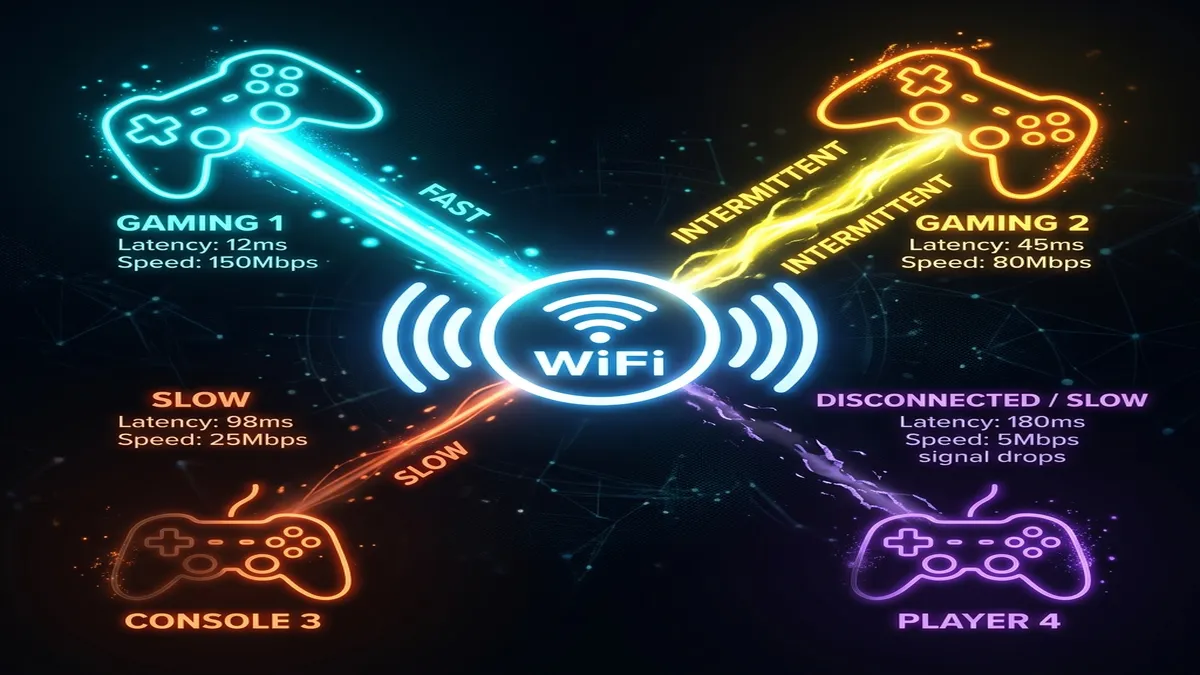
You and your roommate are sitting in the same room, connected to the same router, playing the same game — and somehow your ping is 25ms while theirs is 90ms. It feels like it shouldn't be possible, but it's actually a predictable result of how WiFi and home networks distribute a shared connection, not a mystery.
WiFi Isn't One Shared Pipe — It's a Radio Taking Turns
Unlike a wired Ethernet connection where each device has its own dedicated physical path to the router, WiFi devices share the same radio frequency and take turns transmitting, extremely fast, in a process the router manages constantly. Devices further from the router, with weaker antennas, or connected on an older WiFi standard have to "wait longer for their turn" and retransmit more often when signal is weak — both of which show up as higher ping, even on an identical network.
Reason 1: Distance and Walls Between Each Device and the Router
Even in the same room, phones and consoles are rarely equidistant from the router, and something as simple as which way a device is angled, or a body standing between the device and the router, measurably affects signal strength. The player whose console sits directly in line-of-sight of the router will consistently out-ping one tucked behind a TV stand or on the far side of a couch.
Reason 2: Different Devices Support Different WiFi Standards
A newer console or gaming PC with WiFi 6/6E hardware can maintain a more efficient, lower-latency connection than an older device still running WiFi 4 or basic WiFi 5, even sitting in the exact same spot. Older device WiFi chipsets are simply less efficient at managing the connection, which shows up as consistently higher ping regardless of signal strength.
Reason 3: One Person Is Wired, the Other Is on WiFi
If one squad member is connected via Ethernet and another is on WiFi, the wired connection will almost always show meaningfully lower and more stable ping. This is one of the most common and most fixable causes of "why is my ping worse than yours" — simply running an Ethernet cable to the higher-ping device often closes the gap entirely.
Reason 4: Background Activity on One Device
A phone silently backing up photos, a console downloading a game update in the background, or a laptop syncing cloud files all consume bandwidth and processing that competes directly with your game's network traffic on that specific device — even though it doesn't affect anyone else's ping on the same network, since it's local to that one device's connection.
Reason 5: Router Antenna Placement and Band Steering
Modern routers with "band steering" automatically assign devices to 2.4GHz or 5GHz based on signal quality and distance, which means two devices in different parts of a room can end up on genuinely different bands without either owner realizing it — and 5GHz generally offers lower latency than 2.4GHz when signal is strong enough to use it.
How to Actually Equalize Ping Across a Squad
| Fix | Effort | Impact |
|---|---|---|
| Switch the higher-ping device to Ethernet | Low | High |
| Reposition device closer to router / remove obstructions | Low | Medium-High |
| Manually force device onto 5GHz band | Low | Medium |
| Set router QoS priority for gaming devices | Medium | Medium |
| Upgrade older device's WiFi hardware/adapter | Medium-High | Medium-High |
Why This Matters More in Squad-Based Competitive Games
In games with server-side hit registration or lag compensation, a squad member with consistently higher ping isn't just experiencing worse gameplay themselves — in some game engines, their delayed inputs can also affect how they appear to teammates and opponents (rubberbanding, delayed peeking). Equalizing ping across a squad genuinely improves the coordinated experience for everyone, not just the person with the higher number.
A Simple Way to Diagnose It in 5 Minutes
Have every squad member run a speed test at the same time, noting download, upload, ping, and jitter for each device. Compare device types, connection method (WiFi vs Ethernet), and rough distance from the router side by side. In the vast majority of cases, the pattern is obvious once it's laid out this way — the highest-ping device is almost always the one furthest away, on the oldest hardware, or connected wirelessly while everyone else is wired.
It's Not Always Fixable Without Hardware
If the highest-ping squad member is using genuinely old WiFi hardware (a phone or laptop several generations behind current standards) in a room with real distance from the router, software fixes like QoS and band-forcing will help somewhat but won't fully close the gap. In that case, a cheap USB WiFi 6 adapter for a PC, or simply relocating that person's gaming setup closer to the router, is the more permanent fix. A 15-20 dollar adapter upgrade often closes more of the ping gap than hours spent fiddling with router settings alone, since it addresses the actual hardware limitation rather than working around it.