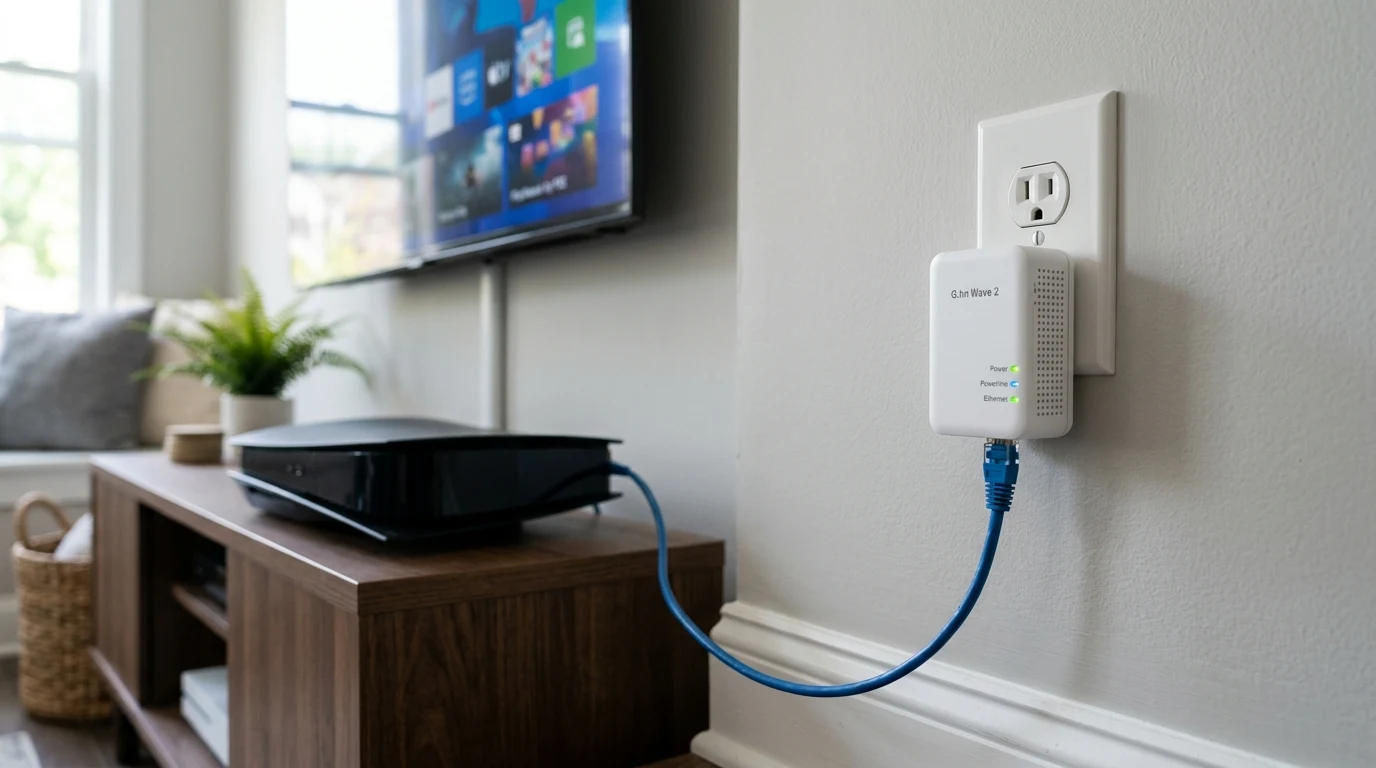
Powerline networking has a reputation for being unreliable, largely earned by older HomePlug AV2 hardware that struggled badly with electrical noise from appliances sharing the same circuit. The newer ITU-T G.hn standard was designed specifically to address that weakness — the real question is how much it actually improves things in a typical home.
G.hn Wave 2 Technology vs Traditional HomePlug AV2
While the older HomePlug standard has ceased active development, the ITU-T G.hn standard continues to evolve. The NexusLink GPL-2000 features:
- G.hn Wave 2 Profile: Utilizes 100 MHz frequency spectrum across the live, neutral, and ground electrical wires (MIMO architecture).
- LDPC Error Correction: Low-Density Parity-Check algorithms dynamically reconstruct corrupted data packets without requiring costly TCP retransmissions.
- Gigabit Ethernet Port: 1x 10/100/1000 Mbps RJ45 port per adapter.
- Pass-Through Power Socket: Built-in noise-filtered electrical outlet so you don't lose a wall plug.
- Hardware Noise Filter: Blocks electrical interference generated by appliances plugged directly into the front receptacle.
Mitigating Electrical Interference: Practical Rules
Powerline signal quality depends heavily on how adapters are deployed within your electrical grid. Follow these essential rules to guarantee maximum throughput:
- Never Use Power Strips or Surge Protectors: Surge protectors contain MOV (Metal Oxide Varistor) components and capacitors designed to filter out high-frequency electrical spikes — unfortunately, powerline data travels on those exact high frequencies, causing total signal loss.
- Plug Directly into Wall Sockets: Always plug the adapter directly into the wall receptacle. Plug power strips or extension cords into the pass-through socket on the front of the NexusLink adapter.
- Avoid AFCI/GFCI Breaker Crossings When Possible: Modern Arc-Fault Circuit Interrupter (AFCI) breakers can introduce slight signal dampening compared to standard thermal-magnetic breakers.
Who Benefits Most from G.hn Powerline in 2026?
Powerline networking fills a critical niche for specific home configurations where other technologies are impractical:
- Renters with No Coax Jacks: If your bedroom has no TV cable outlet for MoCA and you cannot drill walls for Ethernet.
- Smart TVs and Streaming Boxes in Basement Rooms: Delivering a steady, non-buffering 150+ Mbps stream for 4K Netflix and YouTube where 5GHz Wi-Fi cannot penetrate concrete foundations.
- Work-From-Home Desktops: Providing jitter-free VoIP audio and Zoom calls free from wireless interference.
Affiliate Disclosure and Purchase Link
Transparency note: DCSpeedTest participates in the Amazon Services LLC Associates Program. If you make a purchase through links on this page, we may earn an affiliate commission at zero extra cost to you.
No Ethernet? No Coax? Use Powerline
If your room lacks both Ethernet and TV coaxial jacks, the NexusLink G.hn 2000 Wave 2 kit provides a stable, low-jitter wired link directly through your existing electrical outlets.
Deep Dive: ITU-T G.9960 PHY Layer & Noise Cancellation
The core technological breakthrough of G.hn Wave 2 over legacy powerline systems lies in its advanced digital signal processing (DSP). Home electrical wiring acts like an unshielded antenna, picking up electromagnetic interference from brushed motors (vacuums, blenders), switching power supplies (phone chargers), and fluorescent lighting ballasts. The NexusLink GPL-2000 mitigates this through three distinct physical-layer mechanisms:
- Adaptive Bit Loading: The adapter continuously scans all 4,096 OFDM subcarriers across the 2 MHz to 100 MHz spectrum. When an appliance creates electrical noise on a specific frequency band, the adapter instantly shifts data bits to clean, unpolluted subcarriers.
- MIMO Transmission over 3 Wires: By transmitting concurrently across Phase-Neutral and Phase-Ground wire pairs, the adapter doubles transmission pathways and isolates ground-loop noise.
- Forward Error Correction (LDPC): High-efficiency parity matrices reconstruct corrupted packets in hardware without requesting TCP packet retransmits.
Optimizing Multi-Room Powerline Performance
To maximize your powerline network throughput across different rooms in your house:
- Identify Circuit Phases: In standard 120V/240V split-phase residential panels, outlets reside on either Phase A or Phase B. Plugging both adapters into outlets on the same phase yields 300–420 Mbps; crossing phases drops throughput to 150–200 Mbps (still ample for 4K streaming and gaming).
- Install a Whole-Home Surge Protector: Installing a modern Type 2 whole-panel surge protector inside your main breaker box acts as a high-frequency bridge between Phase A and Phase B, boosting cross-phase powerline speeds by up to 35%.
- Keep Away from High-Draw Inverters: Avoid placing powerline adapters on the same duplex receptacle as treadmill motors, laser printers, or EV charging controllers.
Powerline vs Long-Range Wi-Fi: Which Should You Choose?
If your room is separated from your router by two or more drywall partitions, 5GHz Wi-Fi often suffers significant attenuation. While modern Wi-Fi 6 can show strong 'signal bars', signal reflection and retransmissions introduce latency jitter. Powerline adapters trade peak top-end burst speed for unwavering latency consistency, making G.hn ideal for remote desktop (RDP), Zoom meetings, and online gaming.
Final Verdict
Verdict: The most reliable powerline adapter on the market today. If running Ethernet or MoCA isn't an option, G.hn Wave 2 technology provides the stability and low latency needed for uninterrupted gaming and remote work.
Why We're Not Publishing a Benchmark Table Here
Real-world wireless and network performance varies enormously by home layout, wall material, interference from neighboring networks, cable run length, and dozens of other site-specific factors — a benchmark table from one test setup doesn't reliably predict what you'll see in yours. Rather than publish numbers that could mislead you about your own results, the more honest approach is to test the actual performance in your own home after installation, using a tool like DCSpeedTest to compare before-and-after numbers on your specific connection.