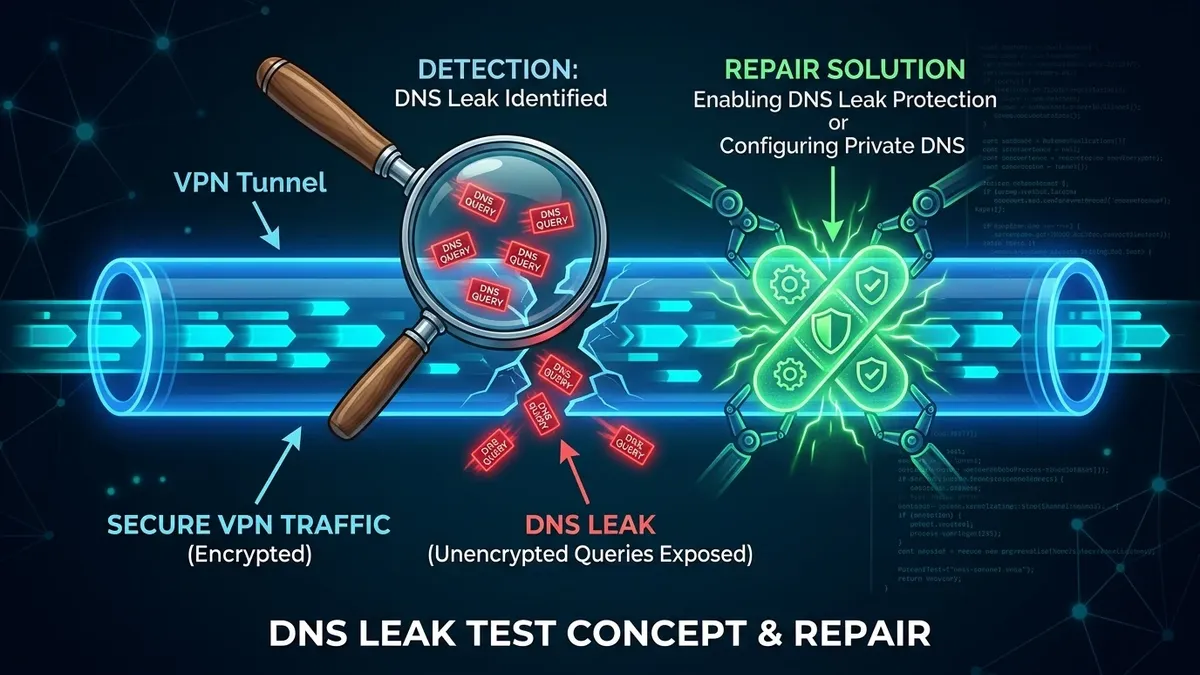
When cybercriminals compromise a home network, they rarely target individual smartphones or laptops directly. Instead, they target the crown jewel of your home network: **your wireless router**. Because all household traffic—including banking transactions, private emails, smart cameras, and password logins—passes through the router's network stack, a compromised router allows attackers to intercept and manipulate your entire digital life. How do you know if your router has been hacked, and how do you detect **DNS Hijacking**?
1. What Is DNS Hijacking on a Home Router?
The Domain Name System (DNS) functions as the address book of the internet, translating human-friendly domain names (like bank.com) into machine-readable IP addresses (like 104.22.15.89). When hackers gain unauthorized access to your router's administrative dashboard, they modify the primary **WAN DNS Server IP addresses**.
Instead of resolving domain queries through legitimate recursive resolvers (like Cloudflare 1.1.1.1 or Google 8.8.8.8), the compromised router forwards your queries to an attacker-controlled rogue DNS server. When you attempt to visit your bank or social media account, the rogue DNS server silently redirects you to an identical phishing clone designed to harvest your two-factor credentials and passwords.
2. 🚨 5 Critical Warning Signs Your Router Is Compromised
- Unexpected SSL / TLS Certificate Warnings: If your browser frequently displays "Your connection is not private" or "NET::ERR_CERT_COMMON_NAME_INVALID" when navigating to standard HTTPS websites, a rogue proxy or DNS resolver is attempting to perform Man-in-the-Middle (MitM) decryption.
- Rogue DNS IPs in Router WAN Settings: When inspecting your router's WAN configuration, the DNS fields point to unknown foreign IP ranges instead of your ISP's default gateway or trusted public DNS providers.
- Router Admin Password No Longer Works: If your standard administrative password fails to log into
192.168.1.1or192.168.0.1, an attacker has locked you out of the management console. - Mysterious Port Forwarding Rules: The router contains active port forwarding entries for suspicious ports (e.g.
SSH 22,Telnet 23,HTTP 8080, orRDP 3389) mapped to external WAN addresses. - Spontaneous High Bandwidth & Flashing LAN Lights at 3 AM: If router activity LEDs flash frantically when all household computers and smart TVs are powered off, your router may be recruited into a DDoS botnet swarm.
3. 🔍 How to Test for DNS Hijacking Using Command Line
You can verify whether your computer's DNS queries are being intercepted and altered by running an authoritative query test in Windows Command Prompt, macOS Terminal, or Linux:
// Query a known domain directly against a trusted resolver:
nslookup dcspeedtest.com 1.1.1.1
// Query the same domain against your local router gateway:
nslookup dcspeedtest.com 192.168.1.1
If the IP address returned by your local router differs from the IP returned by Cloudflare (1.1.1.1), your router's internal DNS cache or forwarding table has been hijacked.
4. 🛠️ 5 Steps to Disinfect and Secure a Compromised Router
- Perform a Physical Hard Factory Reset (30-30-30 Rule): Disconnect all Ethernet cables, press and hold the physical reset pinhole on the back of the router for 30 seconds to wipe volatile memory and clear rogue configuration scripts.
- Update to the Latest Official Firmware Immediately: Download the latest firmware binary directly from the manufacturer's official support portal (ASUS, TP-Link, Netgear) to patch known remote code execution (RCE) vulnerabilities.
- Change Default Admin Credentials: Replace default usernames (
admin) and set a 20-character randomized administrative passphrase. - Disable Remote Management & TR-069: Ensure "Enable Web Access from WAN" and remote management port access are toggled strictly to OFF.
- Enable DNS over HTTPS (DoH) / DNS over TLS (DoT): Encrypt all outbound DNS queries so rogue actors cannot sniff or tamper with domain lookups.
5. 📡 Inspecting Rogue DHCP Leases & Unknown MAC Addresses
In addition to DNS tampering, compromised routers often contain unauthorized devices connected to the local network or hidden virtual access points (Rogue APs). Log into your router's administration portal and check the **Connected Devices / DHCP Client List**:
- Look for unrecognized hostnames, unknown MAC address vendor OUIs, or devices assigned static IP reservations outside your normal DHCP pool.
- If an unknown device has been assigned the router gateway IP or configured as a secondary DNS resolver via DHCP Option 6, attacker-controlled devices are actively intercepting local network traffic.
6. 🛡️ TR-069 & CWMP Backdoor Vulnerabilities on ISP Modems
Many ISP-provided gateways include an enabled-by-default management protocol known as **TR-069 (CWMP - CPE WAN Management Protocol)**. While intended to allow ISPs to push remote firmware updates and diagnostics, unpatched TR-069 implementations on Port 7547 have historically suffered from massive remote code execution vulnerabilities, allowing external botnets to modify router DNS tables without needing administrative login passwords. Purchasing your own standalone router and putting the ISP gateway into Bridge Mode eliminates this attack vector.
7. 🔒 Preventing Future Compromise: The 2026 Router Checklist
To ensure your gateway remains secure after disinfection, disable WPS (Wi-Fi Protected Setup) and turn off UPnP (Universal Plug and Play). Enable automated overnight firmware updates, and consider placing untrusted smart IoT devices on an isolated guest network with client isolation turned on.
🛡️ Verify Your DNS & Network Security
Run our lightweight diagnostic to verify your public IP, ISP resolver, and connection latency:
🚀 Check Network Diagnostics →