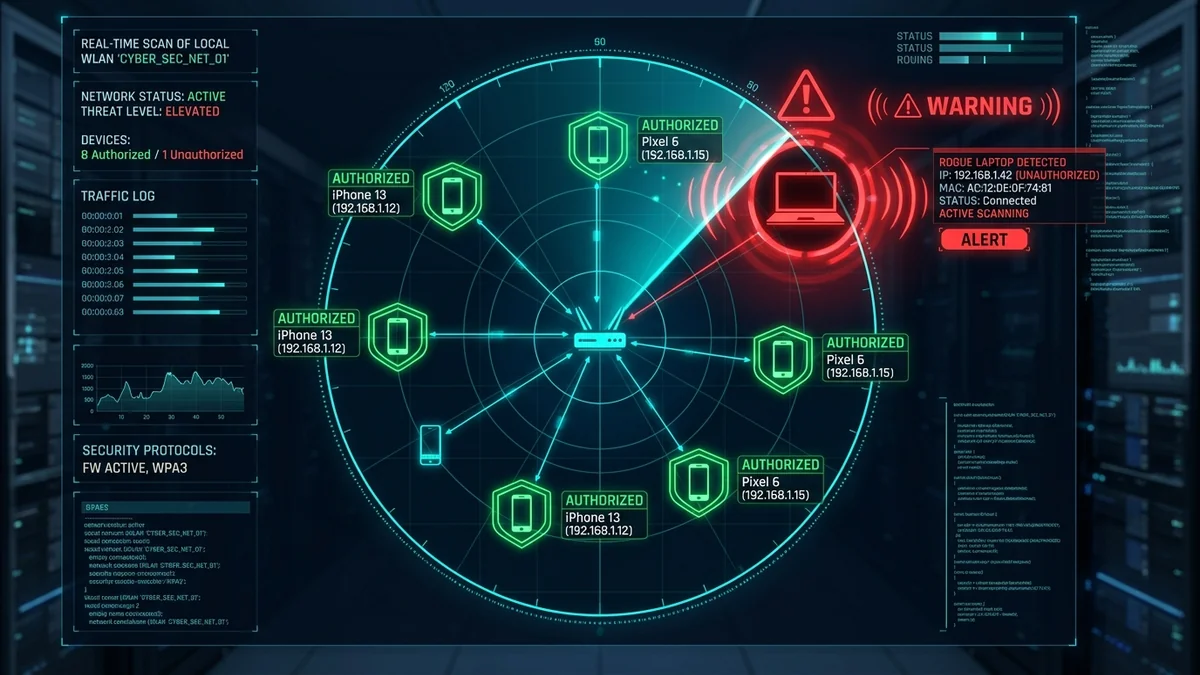
If your broadband speeds suddenly crawl at night, your router CPU runs hot, or unknown device hostnames appear on your network, an unauthorized neighbor or compromised smart gadget may be leeching your bandwidth. Beyond slowing down your connection, unauthorized devices on your local network (LAN) pose serious security risks: they can sniff unencrypted traffic, spread malware, and execute illegal downloads under your legal IP address. Here is how to perform a forensic network scan, identify every connected device by its MAC Organizationally Unique Identifier (OUI), and permanently ban intruders in 2026.
1. 📱 Method 1: Instant Smartphone Network Audit (Fing App)
The fastest mobile audit method is using the free Fing Network Scanner app (iOS / Android):
- Connect to your home Wi-Fi and open Fing.
- Tap 'Scan for devices': Fing sends ARP broadcast probes across the entire subnet (
192.168.1.1–254). - Fing resolves hardware MAC vendor databases, identifying device brands (Apple, Samsung, Sony, Amazon, Tuya) and IP addresses in under 10 seconds.
2. 💻 Method 2: Command-Line ARP Scan (Windows, Mac & Linux)
To inspect active IP-to-MAC hardware bindings natively without installing third-party apps:
arp -a
# Linux / macOS - Subnet Broadcast Ping & ARP Dump
ping -b 192.168.1.255
arp -n
3. 📊 Device Identification & Threat Classification Table
| Device Hostname / OUI | Typical Hardware Type | Bandwidth Usage | Security Action |
|---|---|---|---|
| Apple_xx:xx:xx / iPhone | Family Smartphone / iPad | Moderate (Burst syncs) | Verify owner via randomized MAC settings |
| Espressif_xx:xx:xx / Tuya | Smart Plugs, Bulbs, IoT Sensors | < 1 Mbps (Continuous pings) | Move to isolated 2.4GHz IoT VLAN |
| Unknown_Hostname / Generic | Neighbor Laptop / Wardriver | Heavy (4K streaming / downloads) | Kick & Blacklist via MAC Filter Immediately |
4. 🛠️ 4 Steps to Evict and Block Intruders Permanently
- Log into Your Router's DHCP Client List: Open
192.168.1.1and review the Attached Devices / Client Table. - Blacklist Intruder MAC Addresses: Add unauthorized MAC addresses to the router's Wireless MAC Filter / Access Control blacklist.
- Upgrade Security to WPA3-Personal (or WPA2-AES): Disable legacy WEP and WPA-TKIP. Upgrade to a strong, 16+ character alphanumeric passphrase.
- Disable WPS (Wi-Fi Protected Setup): Eliminate PIN brute-force vulnerabilities that allow neighbors to crack passphrases.
5. 🔬 ARP Spoofing & Man-in-the-Middle (MitM) Risks Explained
When an unauthorized device joins your home Wi-Fi network, it gains the ability to execute an ARP Spoofing / ARP Poisoning attack. By broadcasting forged Address Resolution Protocol messages across your subnet, the rogue device can trick your laptop into believing the attacker is the default router gateway.
This positions the rogue device as a Man-in-the-Middle (MitM) proxy, allowing the intruder to monitor all unencrypted network traffic, capture cleartext DNS queries, and attempt SSL-stripping attacks. Securing your network with WPA3 encryption and disabling legacy WPS permanently neutralizes unauthorized local network access.
6. 🛡️ Advanced Wireless Security Hardening Checklist
- Segment Smart Home Gadgets onto an Isolated IoT VLAN: Keep smart plugs and cheap Wi-Fi cameras completely quarantined from your primary PC and mobile devices.
- Change Default Router Admin Credentials: Never leave default logins (like
admin / adminoradmin / password) on your router gateway. - Enable Router Firmware Auto-Updates: Protect your gateway against automated Mirai botnet exploits by ensuring the router operating system applies the latest security patches automatically.
7. 📡 Identifying Hidden Smart Devices by MAC OUI Prefix
Every network interface card carries a unique 48-bit physical identifier (MAC Address). The first 24 bits represent the Organizationally Unique Identifier (OUI) assigned by the IEEE to the hardware manufacturer.
If an unknown device appears in your router’s attached client table, look up its MAC prefix on an online OUI database (like Wireshark OUI Lookup):
F0:99:B6 / 3C:22:FB→ Apple Inc. (iPhone, iPad, Mac)CC:50:E3 / 24:6F:28→ Espressif Inc. (Tuya / Smart Life IoT plugs & bulbs)44:65:0D / 74:75:48→ Amazon Technologies (Echo Dot, Fire TV Stick)00:04:4B / 48:E7:DA→ NVIDIA Corporation (Shield TV / Desktop GPU)
Identifying OUI records allows you to instantly distinguish between legitimate smart home gadgets and unauthorized neighbor devices.
8. 🏁 Summary: Maintaining a Clean, High-Speed Home Network
Regularly auditing your connected network devices protects both your household cybersecurity and your broadband speed. By running periodic ARP scans, enforcing modern WPA3-Personal encryption, isolating smart home gadgets onto a dedicated 2.4GHz IoT VLAN, and disabling obsolete WPS pairing, you ensure that 100% of your subscribed internet bandwidth remains dedicated exclusively to your family's authorized devices.
9. 📱 How to Block Unknown Devices Directly from Router Mobile Apps
Modern router operating systems (ASUS Router App, TP-Link Tether, Netgear Nighthawk, and Eero) provide push-notification alerts whenever a new device connects to your Wi-Fi network. By opening the mobile app, navigating to the active client list, and tapping 'Block / Pause Internet Access' on suspicious hostnames, you instantly quarantine unauthorized users from your home broadband pipe with a single tap.
By combining scheduled network audits, robust WPA3 encryption, and proactive MAC filtering, you maintain complete administrative visibility over your wireless airspace, ensuring optimal security, privacy, and full broadband speeds for your family.