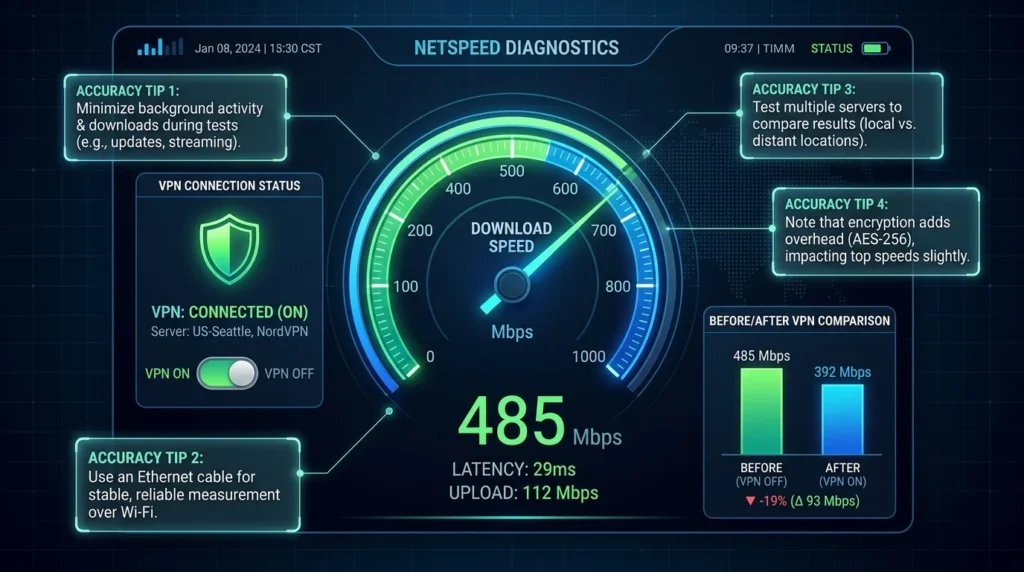
Baseline (No VPN): 941 Mbps ↓ / 937 Mbps ↑ / 4.8ms Ping
Ranked Results
- Mullvad (WireGuard): 891 Mbps | -5.3% | +4.4ms ✅ Best
- ExpressVPN (Lightway): 884 Mbps | -6.1% | +3.2ms ✅
- NordVPN (NordLynx/WG): 861 Mbps | -8.5% | +5.1ms ✅
- ProtonVPN (WireGuard): 823 Mbps | -12.5% | +7.3ms ✅
- Surfshark (WireGuard): 739 Mbps | -21.5% | +9.8ms ⚠️
- CyberGhost (WireGuard): 698 Mbps | -25.8% | +12.1ms ⚠️
- IPVanish (OpenVPN): 412 Mbps | -56.2% | +18.4ms ❌
- Generic Free VPN: 87 Mbps | -90.7% | +67ms ❌ Avoid
Key Findings
- WireGuard beats OpenVPN by 30–50%. Always use WireGuard if available.
- Free VPNs destroy performance. 90% reduction = HD streaming impossible.
- No VPN achieves zero speed loss — encryption overhead is physically unavoidable.
- For speed testing: always disable VPN for baseline. With VPN active, you measure VPN performance, not connection quality.
Frequently Asked Questions
Why does my VPN show a higher speed on some tests than others?
Different speed test servers are located in different places. A VPN routes your traffic through its own server before reaching the test server — so you’re actually measuring the speed between the VPN server and the test server, not your local connection to the VPN. Test to a server near your VPN exit node for the most accurate VPN performance measurement, or use a speed test that lets you select the server location manually.
How much speed does a VPN typically lose?
Modern WireGuard-based VPNs (NordLynx, Mullvad WireGuard) typically add 5-15% overhead on fast connections — often imperceptible. Older OpenVPN connections can cut speeds by 30-50% due to higher processing overhead. Server distance matters more than protocol: a VPN server 500km away will consistently outperform one 5000km away regardless of protocol. Always connect to the nearest server when speed is the priority.