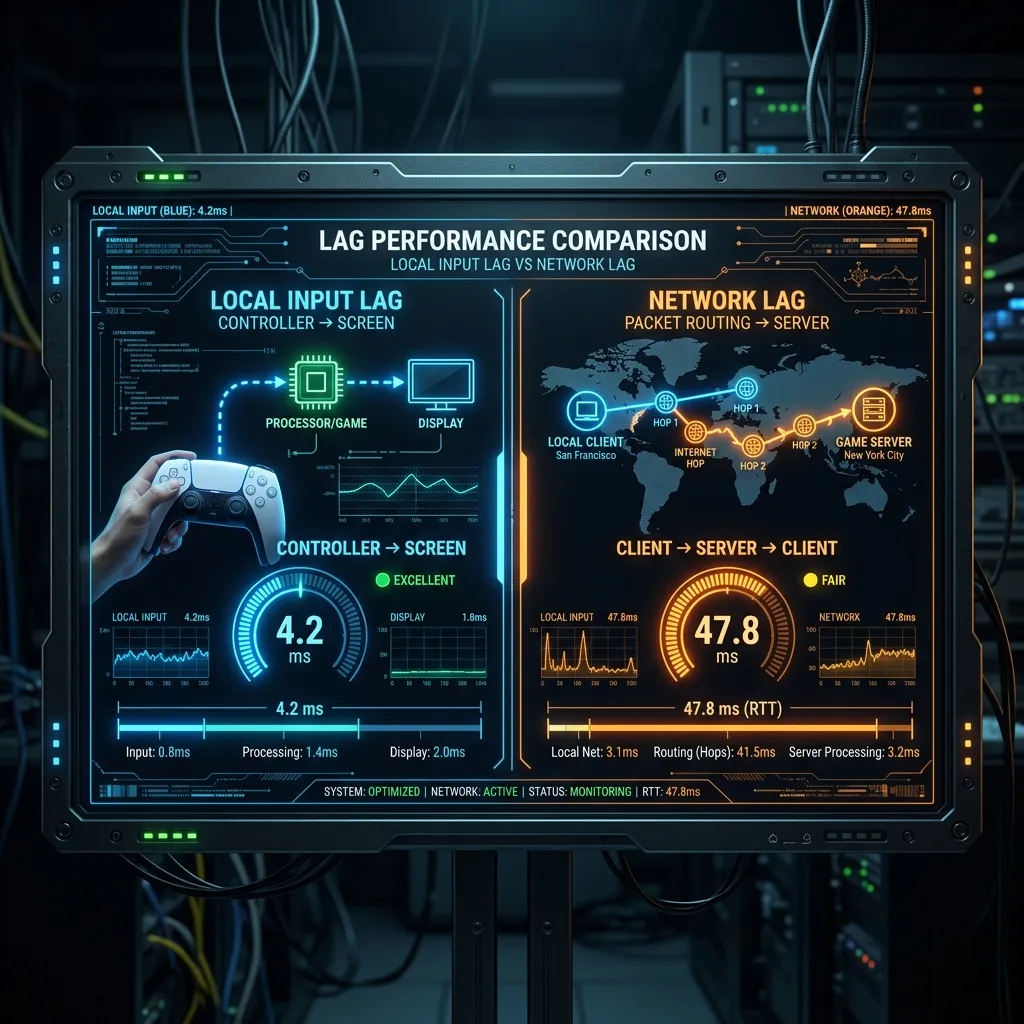
Local vs. Remote Delay
It’s vital to distinguish between the two so you don’t fix what isn’t broken.
Input Lag (V-Sync, Mouse, GPU)
This is when you move your mouse, and the camera turns slightly later. It feels “heavy” or “floaty.” caused by V-Sync being ON, low FPS, or slow monitor response time. This happens even in Single Player.
Network Lag (Ping, Jitter)
This is when you click, the gun fires instantly (client-side prediction), but the bullet hole appears on the wall half a second later. Or enemies teleport. This only happens in Multiplayer.
Check out our guide on Mouse Latency to fix your input lag.
How to Measure Each Type Separately
Separating input lag from network lag requires testing them in isolation. For network lag, use a dedicated ping test to your game’s server region — this measures only the round-trip time between your machine and the server, with no rendering overhead. For input lag, use a high-speed camera (most modern phones can shoot 240fps) to record the gap between pressing a key and the screen reacting during offline play. Seeing both numbers separately tells you exactly which link in the chain is hurting your performance.
The 30ms Rule
Competitive players often cite “sub-30ms total latency” as the threshold for a responsive experience. In practice this means: network ping under 20ms, monitor response under 5ms, and input lag under 5ms — leaving a small buffer for system processing. Each component matters; optimizing just one while ignoring the others produces diminishing returns.
Frequently Asked Questions
Does a faster internet connection reduce input lag?
Not directly. Input lag is primarily determined by your hardware — monitor refresh rate, peripheral polling rate, and GPU render time. A faster internet connection reduces network latency (ping), which is a separate measurement. Both matter for competitive gaming, but they’re improved through completely different upgrades.
Which matters more for FPS games: input lag or ping?
Both matter, but in different ways. High input lag makes your own actions feel unresponsive — your shots fire late relative to what you intended. High ping means the server receives your actions late — you can react perfectly but the server registers it after an opponent’s shot has already arrived. For most players, network ping over 60ms feels worse than 15ms of input lag.