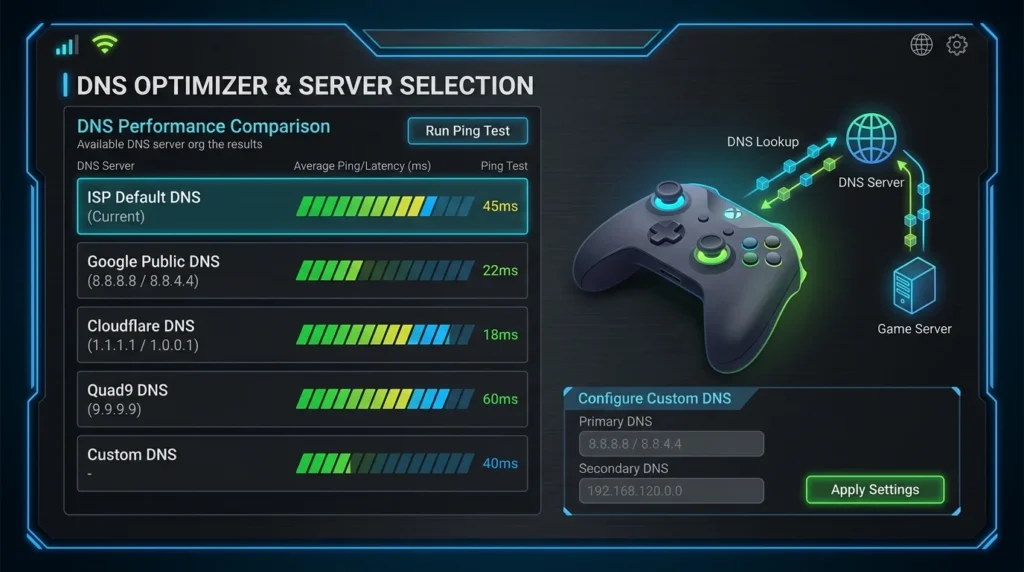
The Phonebook of the Internet
DNS (Domain Name System) turns “google.com” into “142.250.1.1”. Gamers often obsess over changing their DNS to Cloudflare (1.1.1.1) or Google (8.8.8.8) to “lower ping”.
Does DNS Affect In-Game Ping?
NO. Once the game resolves the server IP (which takes milliseconds at launch), the DNS job is done. Your game traffic sends data directly to the IP. Changing DNS will not make your bullets hit faster.
When DOES it matter?
It matters for web browsing (pages load snappier) and for unblocking content that your ISP might be censoring. It can also bypass basic ISP throttles if the ISP uses DNS-based redirecting.
Recommendation
Use Cloudflare (1.1.1.1) for privacy and speed, but don’t expect it to fix your lag.
How to Change Your DNS and Verify It’s Working
On Windows: Settings → Network → your connection → DNS → Manual → enter your chosen server. On a router level: log into your gateway admin page (usually 192.168.1.1), find WAN or Internet settings, and change the primary and secondary DNS fields. Router-level changes apply to every device on your network automatically. After switching, flush your DNS cache (ipconfig /flushdns on Windows) and test a few websites to confirm resolution is working. Use a DNS benchmark tool to verify your chosen server is actually faster from your location — the best DNS for someone in São Paulo differs from the best DNS in Dallas.
For gaming specifically, the priority is low latency to your game’s authentication and matchmaking servers, not just raw lookup speed. Cloudflare (1.1.1.1) and Google (8.8.8.8) are the most consistent globally. Alternatively, your ISP’s DNS server is geographically closest to you but may be slower due to infrastructure quality — worth benchmarking rather than assuming.
Frequently Asked Questions
Does changing DNS actually improve ping in games?
DNS only affects connection setup time, not in-game ping. Once you’re connected to a game server, DNS is no longer involved — all subsequent packets go directly to the server’s IP address. What DNS can improve is the initial matchmaking connection speed and how fast you join lobbies. Players on slow or unreliable ISP DNS servers sometimes experience “failed to connect” errors that resolve instantly after switching to Cloudflare or Google DNS.
Which DNS is fastest for gaming in 2026?
Cloudflare (1.1.1.1 / 1.0.0.1) and Google (8.8.8.8 / 8.8.4.4) are the most consistent globally. Cloudflare generally wins on raw lookup speed benchmarks. Quad9 (9.9.9.9) adds malware filtering with minimal speed penalty. Your ISP’s DNS is sometimes fastest if their infrastructure is modern and well-maintained — always benchmark with a tool like DNS Benchmark or GRC rather than assuming.