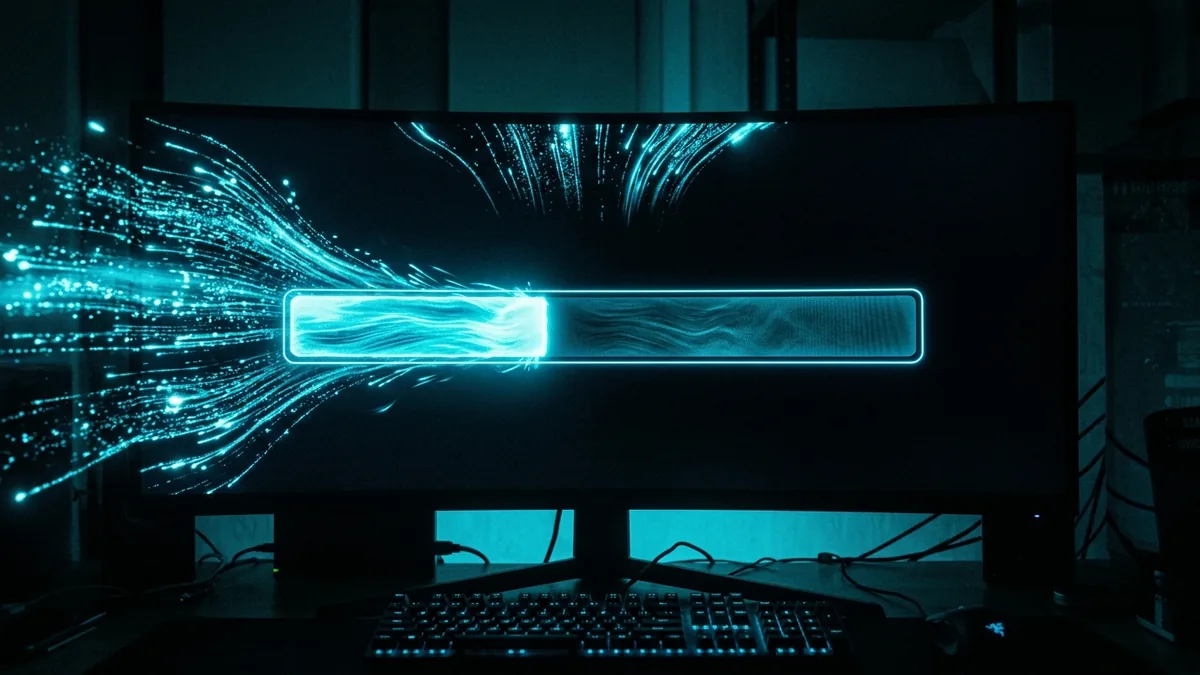
Grand Theft Auto VI launches November 19, 2026, and it's shaping up to be the single biggest simultaneous download event gaming has ever seen. That creates a very specific, very predictable problem that has nothing to do with your internet plan and everything to do with what happens when millions of people hit the same servers in the same few hours.
The Night Every ISP Quietly Dreads
Individually, downloading one game is nothing — modern connections handle multi-gigabyte downloads every week without anyone noticing. The problem on a launch night like this isn't your line, it's everyone else's line converging on the same distribution infrastructure at the same time. Rockstar's own social club servers, the platform storefronts (PlayStation Store, Xbox, Steam, Epic), and the CDN edge nodes serving the actual game files all get hit simultaneously by a number of concurrent downloads that dwarfs a normal Tuesday patch release. That's a distribution-side bottleneck, and no amount of bandwidth on your end fixes it once it's happening.
How Big Is the File, Actually
Estimates for the install size have moved around as more detail has surfaced, but the range most consistently cited by outlets tracking the release sits between 120GB and 180GB, with some estimates running higher once day-one patches are factored in. To put that in concrete terms: at a genuinely idle 300 Mbps (the rough average for US broadband), a 150GB download takes a little over an hour under perfect conditions. At 10 Mbps — still a real connection for a meaningful number of households — the same file takes over a day. The gap between those two numbers is the entire reason this matters enough to plan around.
Why Your Advertised Speed Won't Hold Up That Night
Your ISP's advertised speed describes the capacity of the link between your house and their network — it says nothing about the capacity of Rockstar's or the platform's servers to hand out that many gigabytes to that many people at once. On launch night, the realistic bottleneck moves from your last mile to their distribution layer. Expect your actual sustained download speed for this specific file to sit meaningfully below your plan's ceiling in the first few hours after unlock, even on a fast connection, simply because the servers are rationing bandwidth across an enormous simultaneous audience. This is normal, it's not a sign anything is wrong with your setup, and it typically clears up within a few hours as the initial surge tapers off.
The Preload Window Is the Actual Fix
The single most effective thing you can do has nothing to do with your router or your ISP: download the game before launch night, during the preload window. Preloads for titles at this scale typically open roughly a week ahead of release — expect Rockstar to follow that pattern, putting a preload window around November 12, a full week before the November 19 unlock. Preload files download from the same distribution infrastructure, but spread across days instead of a single night, so the same total number of bytes moves through the system without the concentrated spike. If you preload, launch night becomes a matter of waiting for a small unlock patch instead of a 150GB race against millions of other people.
Wired vs WiFi: The Difference That Actually Shows Up That Night
Under normal conditions the gap between a wired and wireless connection on a modern router is often small enough to ignore. Under the kind of sustained, hours-long, maximum-throughput download a launch night produces, it stops being small. WiFi adds its own retransmission and queuing behavior on top of whatever congestion already exists upstream, and a large download competing with anything else on the network — someone streaming, another console patching, a laptop syncing backups — degrades faster over WiFi than over Ethernet. If you have the option, plug the console or PC directly into the router for the download itself. You can switch back to WiFi once the file is actually installed.
What to Do If You Miss the Preload Window
- Start the download the moment it's available, not after dinner. The very first wave of downloads gets the least contested bandwidth from distribution servers; waiting until prime-time evening hours stacks your download on top of everyone else's evening streaming and gaming traffic too.
- Pause everything else on the network for the download's duration. A single 4K stream running in the background can meaningfully slow a large download on a shared connection, especially if your plan's upload capacity — which handles the acknowledgment traffic for a download — is limited.
- Check for a queue or pause/resume feature on your platform. Most modern download clients (Steam, PlayStation, Xbox) resume interrupted downloads automatically — if the servers choke and your download stalls, you generally don't need to restart from zero.
- Don't run a speed test mid-download expecting your normal numbers. A distribution-server bottleneck won't show up as a low result on a general speed test, because your connection to the test server is a completely different path than your connection to the game's CDN. The two numbers can legitimately disagree.
Why Some ISPs Will Handle This Better Than Others
Not every connection will feel the same congestion equally, and the reason comes down to something most subscribers never think about: CDN peering. Large distribution platforms (Steam, PlayStation Network, Xbox Live, and the CDNs Rockstar's own launcher relies on) place cache servers physically inside or directly next to major ISP networks specifically to avoid sending every byte across the wider public internet. An ISP with strong peering to the relevant CDN can often absorb a launch-night surge far more gracefully than one without it, because the actual data is traveling a much shorter, less congested path. This is largely invisible to subscribers and isn't something your plan tier controls — it's a background infrastructure relationship between your ISP and the platform's network. It's also part of why two friends on similar-speed plans from different providers can have noticeably different launch-night experiences despite paying for comparable bandwidth.
Frequently Asked Questions
Will a faster internet plan guarantee a fast GTA 6 download on launch night?
It helps, but it doesn't guarantee it — a gigabit connection still can't download faster than the distribution servers are willing to serve to any single client during a peak surge. Plan speed sets your ceiling; server congestion sets the real number that night.
Is it actually true that the game could take over a day to download?
On a slow connection (roughly 10 Mbps or below), yes — a 120GB+ file simply takes that long to move over a slow link regardless of what else is happening. On an average or fast broadband connection, the realistic range is well under a few hours even accounting for launch-night congestion.
Should I preload even if I'm not sure I'll play launch night?
Yes — preloading costs you nothing extra (you're downloading the same file either way) and removes the single biggest source of launch-night frustration. There's no downside to having it ready early.
The Bottom Line
The variable that actually decides whether you're playing at midnight or still staring at a progress bar isn't your internet plan — it's whether you downloaded the file before the crowd showed up. Preload the moment it opens, use a wired connection for the download itself, and treat launch night as a small unlock patch rather than a race against a 150GB file and several million other players hitting the same servers at once.