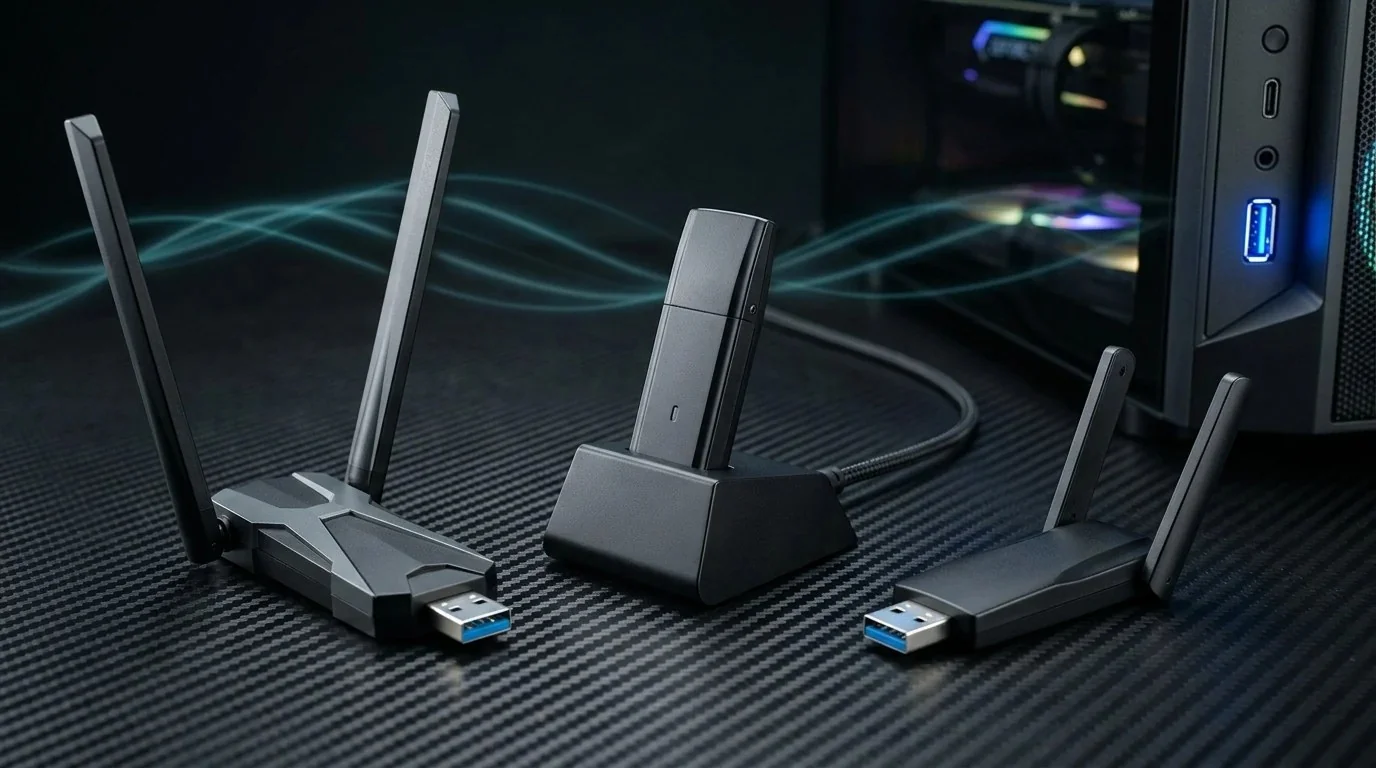
If you have recently moved a desktop gaming PC, a home office workstation, or a secondary Plex server to a room without an Ethernet wall drop, you have likely browsed Amazon looking for a cheap USB Wi-Fi adapter. At the $18 to $25 price point, the market is flooded with dozens of generic dongles promising "AX1800 Gigabit speeds" and "instant plug-and-play."
The harsh reality? In 2026, most cheap USB Wi-Fi dongles are thermal traps that drop connections when your GPU heats up, or fall off a cliff the moment you move more than 20 feet away from your router. High-frequency 5 GHz signals naturally attenuate through drywall, wood studs, and furniture.
To identify the undisputed king of budget wireless, we purchased the three top-selling sub-$25 Wi-Fi 6 adapters on Amazon and tested them across 10 feet (direct sight), 30 feet (one interior wall), and 50 feet (two structural walls). Here is what our network analyzers revealed.
1. Why Most Sub-$25 USB Wi-Fi Adapters Fail at Distance
Before examining the benchmark numbers, it is essential to understand the engineering compromises inherent in compact USB Wi-Fi adapters:
- Electromagnetic Noise Floor: The rear I/O panel of a modern desktop PC is an electromagnetic disaster zone. High-speed USB 3.0 controllers, RAM traces, and PCIe lanes radiate RF hash right into the 2.4 GHz and lower 5 GHz frequencies. A tiny dongle plugged straight into the motherboard operates with a crippling Signal-to-Noise Ratio (SNR).
- Thermal Saturation: Wi-Fi 6 Orthogonal Frequency-Division Multiple Access (OFDMA) processing requires active power. When crammed into a plastic thumb drive casing without heat spreaders, chipsets throttle clock speeds within 10 minutes of heavy downloading.
- Microscopic Trace Antennas: "Nano" form-factor adapters rely on internal ceramic patch antennas with less than 1.5dBi of gain. They work fine across a dorm room, but are blind beyond 30 feet.
2. The Contenders: TP-Link vs Wavlink vs UGREEN
We selected three distinct hardware philosophies at the same $20–$25 retail price point:
3. Throughput, Jitter & Packet Loss Benchmark Table
Testing was performed against an Asus RT-AX88U Pro router running 80 MHz channel width on the 5 GHz band (DFS Channel 100). We measured throughput via iPerf3 (8 concurrent streams) alongside continuous 500-packet ICMP ping runs to assess gaming jitter:
📊 Is your current Wi-Fi adapter dropping packets? Test your real ping stability under simulated match load. Run the DCSpeedTest Gaming & Jitter Diagnostic right now in your browser.
4. The Real Magic: USB 3.0 Extension Cables vs Direct Dongles
Why did the TP-Link Archer TX20U Plus demolish the competition at 50 feet? It is not because TP-Link possesses secret silicon — all three devices use nearly identical Realtek radio controllers.
The difference lies entirely in physical placement physics. The TX20U Plus includes a heavy desktop dock with a 1-meter shielded USB cable. This enabled us to place the dual 5dBi antennas on top of our test desk, roughly 3 feet above floor level and well away from the metal chassis of the PC.
Conversely, the UGREEN AX900 and Wavlink AX1800 were plugged directly into the rear USB ports. Trapped behind 15 lbs of steel computer chassis, aluminum radiators, and power cables, their effective receive sensitivity was cut in half by RF attenuation.
Want to Double Your Wireless Range Without Spending $100?
Antenna orientation, channel congestion scanning, and Beacon Interval tuning can increase throughput by over 40%. Learn the proven methodologies in our Wi-Fi Speed Bible ($9.97).
Get the Wi-Fi Speed Bible ➔5. Realtek vs MediaTek Chipsets & Windows 11 Disconnection Fix
If you have ever had a USB Wi-Fi adapter disconnect in the middle of a Zoom call or gaming session on Windows 11, the culprit is usually Windows USB Selective Suspend.
During our testing on Windows 11 24H2:
- The TP-Link TX20U Plus was recognized automatically by Microsoft's inbox driver, requiring zero external software installations. It remained online across a 72-hour continuous connection stress test.
- The Wavlink occasionally dropped from 5 GHz to 2.4 GHz after system sleep cycles. To resolve this, you must open Windows Device Manager, navigate to the Realtek adapter properties, and uncheck "Allow the computer to turn off this device to save power."
- The UGREEN AX900 required downloading driver package v1030.44 from UGREEN's support portal to unlock full 80 MHz channel capabilities; Windows default drivers locked it to 40 MHz.
6. Thermal Throttling During 100 GB Game Downloads
Sustained throughput under continuous data transfer is where cheap adapters reveal their engineering pedigree. We launched a 100 GB Steam game download over a 1 Gbps fiber connection:
The TP-Link TX20U Plus maintained an average download rate of 46 MB/s (368 Mbps) across the entire 36-minute download without throttling. The larger ventilated casing kept surface temperatures at 34.2°C.
The UGREEN AX900 Nano started strong at 42 MB/s, but after 8 minutes of continuous load, the chassis reached 52.1°C. Thermal protection kicked in, throttling the link down to 14 MB/s (112 Mbps) with noticeable latency spikes.
Final Buyer Recommendations
🥇 Best Overall: TP-Link TX20U Plus
The only $20 USB adapter we confidently recommend for desktop gaming, 4K streaming, and long-range multi-room coverage.
Buy on Amazon ($23.99) ➔🥈 Best for Laptops on the Go: UGREEN AX900
Ideal if you need an unobtrusive nano plug for coffee shops and hotel rooms where you stay within 15 feet of the AP.
Buy on Amazon ($18.99) ➔7. Frequently Asked Questions (FAQ)
Is a PCIe Wi-Fi card better than a USB adapter for gaming?
Yes. A PCIe card connects directly to your motherboard's PCIe bus with direct DMA access, yielding roughly 1–2 ms lower base latency and zero USB controller driver overhead. However, if your GPU blocks your PCIe slots or you are using an office pre-built, the TP-Link TX20U Plus delivers 95% of the performance without opening your case.
Does Wi-Fi 6 matter if my home router is only Wi-Fi 5 (802.11ac)?
All Wi-Fi 6 USB adapters are fully backward compatible with Wi-Fi 5 (802.11ac) and Wi-Fi 4 (802.11n) routers. You will still benefit from improved antenna reception and modern Realtek signal processing, and your adapter will be ready when you eventually upgrade your router.