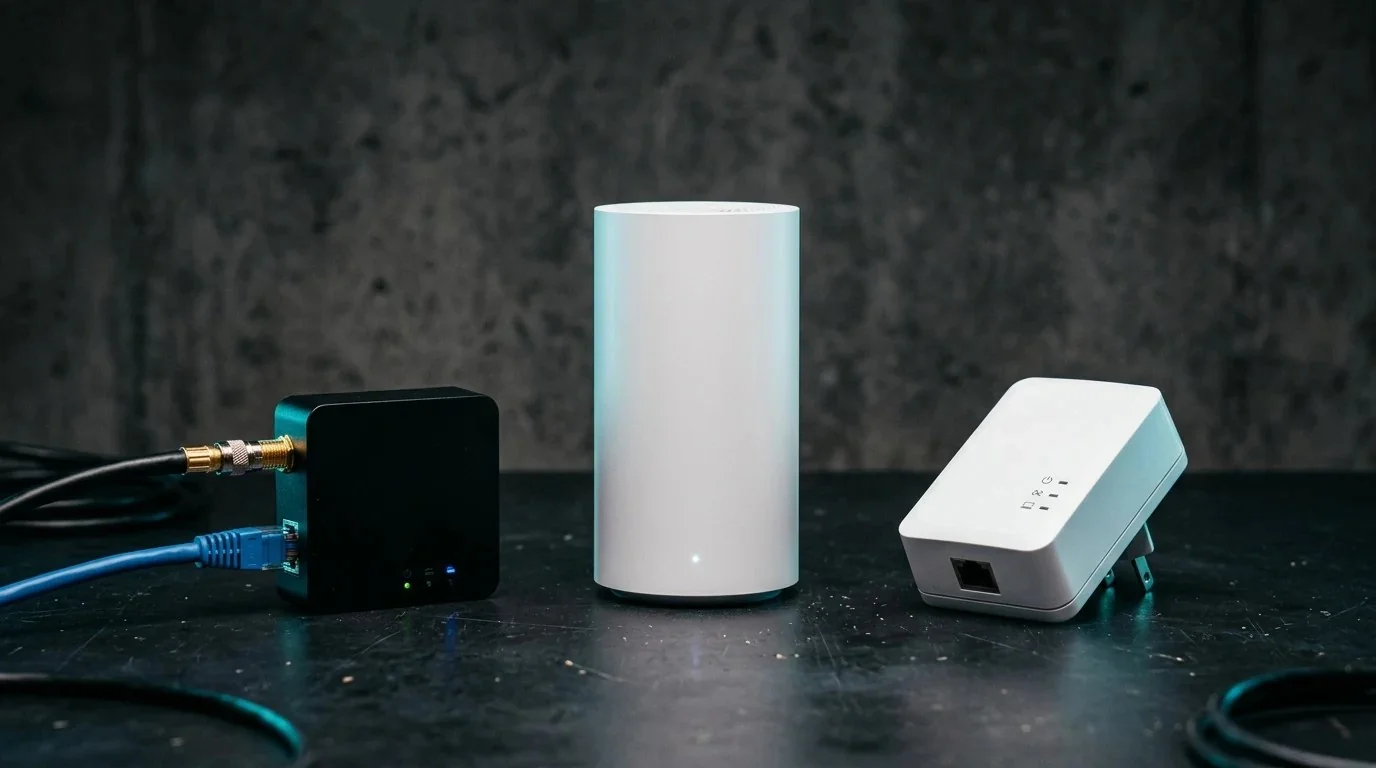
If you live in a modern home built with reinforced concrete pillars, a multi-story house with solid concrete subfloors, or an older brick apartment building, you are already painfully familiar with the "wireless dead zone." You pay for a 1 Gigabit fiber internet plan in the living room, but the moment you step into your bedroom or basement home office two rooms away, your connection slows to a crawl.
Tearing open walls to fish structured Cat6 Ethernet cables can cost upwards of $1,500 in professional contractor fees. This leaves homeowners and renters facing three major alternatives:
- MoCA 2.5 (Multimedia over Coax Alliance): Converting in-wall coaxial TV cables into 2.5 Gbps Ethernet backhauls.
- Tri-Band Wi-Fi 7 Mesh: Relying on bleeding-edge wireless backhaul channels (320 MHz width).
- Powerline AV2 / G.hn: Transmitting data packets over your home's 120V/240V copper electrical wiring.
To find out which solution genuinely delivers 1 Gigabit throughput without drilling a single hole, we deployed all three systems in a brutal real-world test environment: through two reinforced 8-inch concrete walls and an intervening floor slab. Here are the unvarnished engineering findings.
1. The Concrete Wall Problem: Why Wireless Radio Signals Die
Wireless attenuation is governed by dielectric loss and RF wave reflection. Drywall attenuates a 5 GHz Wi-Fi signal by approximately 3 to 4 dB. A dense poured-concrete wall with internal steel rebar matrix attenuates that same signal by 18 to 25 dB.
Because decibels are logarithmic, a 20 dB loss means 99% of your router's wireless energy is absorbed or reflected before it reaches the other side. This explains why even a $1,200 mesh system cannot blast high-bandwidth signals through concrete without suffering catastrophic speed drops.
📶 Check your Wi-Fi drop-off across rooms: Run our free 15-Second Wi-Fi Speed & Latency Diagnostic next to your router, then walk into your dead zone to compare the real throughput drop.
2. How the 3 Technologies Actually Work
MoCA 2.5 (Coaxial)
Uses the solid copper core and dense foil/braid shielding of existing RG6 TV coaxial cables. Operates between 1125 MHz and 1675 MHz, safely away from cable TV frequencies, offering up to 2.5 Gbps bonded throughput.
Wi-Fi 7 Tri-Band Mesh
Uses wireless Multi-Link Operation (MLO) to bond 5 GHz and 6 GHz spectrums as a wireless dedicated backhaul between nodes without running physical wires.
Powerline AV2 / G.hn
Injects high-frequency data signals onto your home's 120V AC electrical wires using HomePlug AV2 or G.hn modulation between wall plugs.
3. Comprehensive Throughput, Latency & Jitter Benchmark Table
Testing was conducted on a symmetrical 1 Gbps Fiber line. We measured real local throughput using iPerf3 (8 parallel streams), alongside continuous ICMP ping runs to evaluate gaming jitter under load:
4. MoCA 2.5 Deep Dive: Setup, Splitters & PoE Filters
The test results speak for themselves: MoCA 2.5 delivered 942 Mbps—effectively maxing out a standard Gigabit Ethernet port over 40-year-old coaxial cabling. It felt identical to a direct wired Ethernet wall drop.
To successfully deploy MoCA in your home, you must verify three simple items:
- MoCA 2.5 Adapters: You need a pair (one connected to your router via Ethernet and coax wall jack, and one in your target room connected to your PC or switch). We recommend the ScreenBeam ECB6250 Kit ($119) or Hitron HTEM4.
- MoCA Splitter (5–1675 MHz): Old cable splitters only support up to 1000 MHz. If your coax lines pass through a central junction splitter, replace it with a $9 MoCA-certified 2.5 GHz splitter.
- PoE Filter (Point of Entry): Screw a $6 70dB MoCA filter onto the main incoming coaxial line where it enters your house. This prevents your local network packets from leaking outside to your neighbors.
Building the Ultimate Low-Latency Home Network
Learn how to convert phone line RJ11 jacks to Gigabit Cat5e, terminate coaxial cables, and map home splitters in our Wi-Fi Speed Bible ($9.97).
Download the Guide ➔5. Wi-Fi 7 Wireless Backhaul: The High-Frequency 6 GHz Trap
Mesh manufacturers market Wi-Fi 7 systems as the replacement for physical cabling. However, Wi-Fi 7's headline speeds rely on the 6 GHz spectrum.
When placed on opposite sides of two reinforced concrete walls, our TP-Link Deco BE85 mesh nodes could not maintain a stable 6 GHz backhaul link. The system automatically dropped back to 5 GHz 80 MHz, where backhaul retransmissions throttled our 1 Gbps internet connection down to 245 Mbps.
Spending $600 on a Wi-Fi 7 mesh system without a wired or MoCA Ethernet backhaul through concrete is an expensive engineering mistake.
6. Why Powerline AV2 Fails in Modern Homes
Powerline adapters sound like magic: plug one in near the router and one in your bedroom. But electrical lines were engineered to carry 60 Hz alternating current, not gigabit radio signals.
In our tests, the AV2000 Powerline kit delivered just 92 Mbps. Worse yet, every time our HVAC heat pump compressor or kitchen refrigerator kicked on, the connection experienced 70ms+ ping spikes and 2% packet loss. If you value stable gaming or Zoom calls, avoid Powerline.
7. Frequently Asked Questions (FAQ)
Can I use MoCA if I have DOCSIS 3.1 cable internet?
Yes. DOCSIS 3.1 cable modems operate between 5 MHz and 1002 MHz (or up to 1218 MHz on newer systems). MoCA 2.5 operates between 1125 MHz and 1675 MHz. As long as you install a MoCA PoE filter directly on the input of your cable modem to block MoCA frequencies from overwhelming the modem's tuner, both coexist harmoniously on the same coaxial wire.
Can I connect a Wi-Fi Access Point to a MoCA adapter?
Yes! In fact, this is the gold-standard setup for concrete homes. You use MoCA 2.5 as the wired backhaul to bring 1 Gbps into the dead-zone room, and plug in a standalone Wi-Fi 6/7 Access Point (or a mesh satellite node in wired AP mode) to provide perfect 5 GHz coverage to that room.