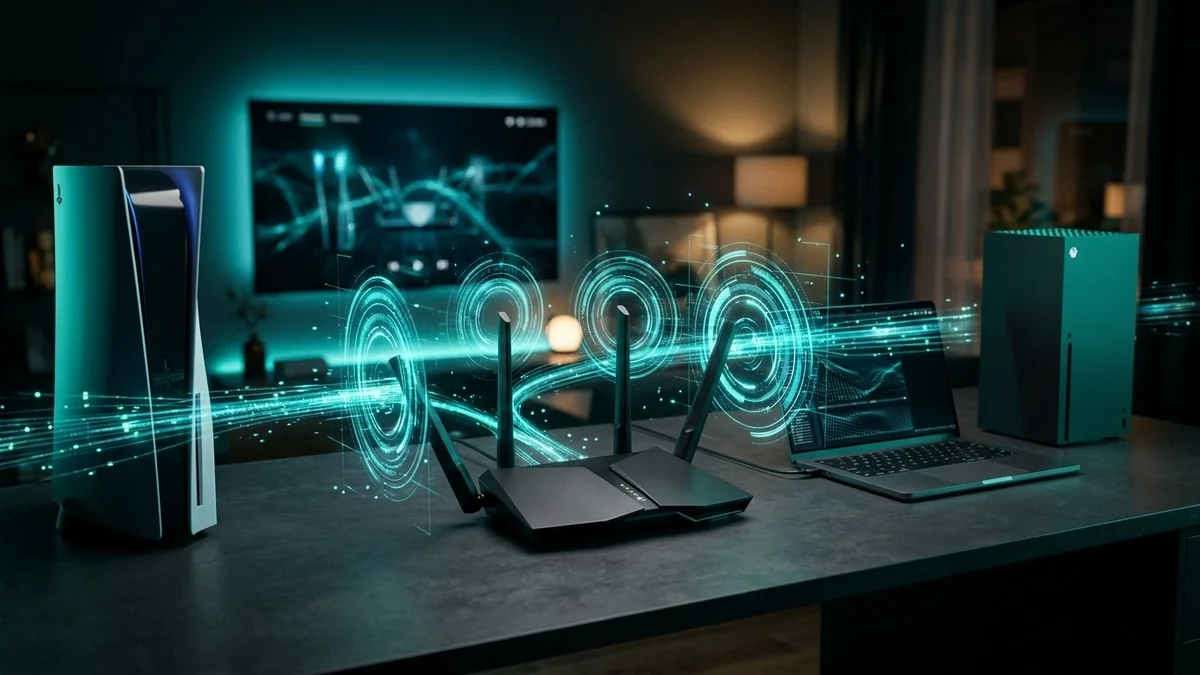
Protect your PS5, Xbox Series X, Roku, and Starlink home network at full speed! Follow our step-by-step 2026 guide to installing Surfshark WireGuard on Asus, GL.iNet, and TP-Link routers—plus policy routing & MTU tweaks.
How to Install Surfshark WireGuard on Asus, GL.iNet & TP-Link Routers (2026)
Protect unlimited phones, PCs, Apple TV / Fire TV, and gaming routers with Surfshark WireGuard + CleanWeb + Antivirus at 2026 Black Friday checkout rates.
Installing a VPN app on a laptop or iPhone takes 30 seconds. Protecting a PlayStation 5, Xbox Series X, Roku TV, Samsung/LG smart TV, or Nintendo Switch is where most people hit a wall—because those devices don't allow native VPN apps.
The cleanest, fastest solution in 2026 is running Surfshark over WireGuard directly on your Wi-Fi router. Instead of capping your home speeds at 50–120 Mbps with legacy OpenVPN firmware, a modern WireGuard-capable router from Asus, GL.iNet, or TP-Link delivers 400 to 900+ Mbps of encrypted throughput while keeping your gaming ping within +2 to +6 ms of your raw ISP line.
Even better, Surfshark makes router setup dramatically easier than rivals like NordVPN or ExpressVPN: you can generate and download an official manual WireGuard .conf file directly from your Surfshark web dashboard in under 60 seconds—with zero extra hardware subscriptions and unlimited device coverage for every screen in your house.
In this step-by-step guide, you will learn how to export your Surfshark WireGuard config, install it on Asus, GL.iNet, and TP-Link routers, configure Policy Routing (so only consoles and TVs use the VPN if you want), and apply the exact MTU tweaks needed for Starlink and T-Mobile 5G Home Internet.
Grab Surfshark With Official WireGuard Router Files (Black Friday 2026)
Ready to shield your entire gaming setup and smart home? Claim Surfshark's Black Friday 2026 Offer ($2.49/mo + 3 Extra Months Free)—includes instant manual WireGuard
.confgeneration, unlimited simultaneous devices, and a 30-day money-back guarantee.
Why WireGuard Beats OpenVPN on Consumer Routers (Speed Comparison)
Before touching your router settings, understand why protocol choice makes or breaks router VPN performance. Home routers use compact ARM CPUs rather than desktop Intel/AMD processors.
| Router Model (Popular US Picks) | Legacy OpenVPN Router Speed | Surfshark WireGuard Speed | Policy Routing (Per-Device VPN)? |
|---|---|---|---|
| GL.iNet Flint 2 (MT6000) | ~190 Mbps | Up to 900 Mbps | Yes (Built-in VPN Policy) |
| GL.iNet Beryl AX (Travel / 5G) | ~140 Mbps | Up to 300 Mbps | Yes |
| Asus RT-AX86U Pro / RT-BE88U (Wi-Fi 7) | ~200 – 250 Mbps | Up to 750 – 900+ Mbps | Yes (VPN Fusion / Asuswrt-Merlin) |
| TP-Link Archer AXE75 / BE550 (WireGuard Firmware) | ~80 – 120 Mbps | Up to 400 – 650 Mbps | Yes (Client Device List) |
| Older ISP Rental Gateways (Xfinity / Spectrum) | Not supported | Not supported | Requires Bridge / Bypass Mode + own router |
Key takeaway: Never waste time setting up OpenVPN on a router if your hardware supports WireGuard. On a 500 Mbps or 1 Gbps US fiber/cable line, WireGuard is 3x to 5x faster and cuts ping overhead by 15–25 ms.
Step 1: Generate Your Surfshark WireGuard .conf File (60 Seconds)
Prevent evening bandwidth shaping, DNS/WebRTC leaks, and phishing attacks across every household device (PC, PS5/Xbox routers, Smart TVs & phones) with 30-day money-back protection:
Disclosure: Partner affiliate link — we may earn a commission at no extra cost to you.
Every router brand below starts with the exact same configuration file from your Surfshark account:
- Log into your account at
my.surfshark.comin any desktop browser. - In the left menu, click VPN > Manual Setup > Router > WireGuard.
- Click "I don't have a key pair" and name your device (e.g.,
Home-Asus-RouterorPS5-GLiNet). Click Generate a new key pair—Surfshark creates your private/public keys automatically. - Choose your US Server Location:
- For Gaming & Max Speed: Pick the geographically closest US city (e.g., Ashburn, New York, Miami, Chicago, Dallas, Denver, Seattle, or Los Angeles).
- For Starlink Users: Check your Starlink PoP city on our DCSpeedTest IP & Leak Scanner and pick the Surfshark city closest to that PoP.
- Click Download to save the
.conffile (for example,us-nyc-wg0.conf) to your computer. (Keep this file private—it contains your private WireGuard key.)
Step 2: Upload Surfshark WireGuard to Your Router (By Brand)
A. Asus Routers (VPN Fusion / Asuswrt-Merlin)
Modern Asus Wi-Fi 6, 6E, and Wi-Fi 7 routers include VPN Fusion, which lets you assign only your PS5, Xbox, or Apple TV to Surfshark while keeping work laptops on your direct ISP line.
- Open your router admin panel (
192.168.50.1orrouter.asus.com) and sign in. - Go to VPN > VPN Fusion (or VPN Client on older firmware) and click Add Profile.
- Select WireGuard as the VPN Type, name it
Surfshark US, and click Upload Config to import your.conffile. - Click Apply and Enable—status will turn green in 2–3 seconds.
- Set Per-Device Policy Routing: Inside the
Surfshark USprofile, click Assign Device, check your PS5, Xbox Series X, Roku, or Smart TV, and hit OK.
B. GL.iNet Routers (Flint 2, Slate AX, Beryl AX) — Easiest Setup
GL.iNet routers are the favorite pick for US gamers, T-Mobile 5G Home Internet users, and Starlink Bypass Mode setups because their dashboard is built around WireGuard.
- Connect to your GL.iNet admin panel at
192.168.8.1. - In the left sidebar, click VPN > WireGuard Client.
- Click + Set Up WireGuard Manually (or select Surfshark directly from GL.iNet's built-in provider list to auto-sync servers!).
- Drag and drop your downloaded
.conffile into the Configuration tab and click Apply. - Toggle the tunnel ON, then open VPN Dashboard > Global Options to turn on Block Non-VPN Traffic (hardware Kill Switch) and VPN Policy Based on Client Device if you want split tunneling.
C. TP-Link Routers (Archer / Deco / Omada With WireGuard Client)
Most 2024–2026 TP-Link Archer Wi-Fi 6E/7 and Deco models support native WireGuard Client right in the web panel or Tether app.
- Log into
tplinkwifi.netor192.168.0.1(or open the TP-Link Tether / Deco app). - Navigate to Advanced > VPN Client and enable the VPN Client switch.
- Click Add under Server List, choose WireGuard, upload your Surfshark
.conffile, and save. - Scroll down to Device List, click Add, and pick the specific devices (consoles, smart TVs, or all devices) you want encrypted through Surfshark.
Step 3: Critical Optimization Tweaks (MTU, NAT & DNS)
Do not skip these three quick checks—they separate a glitchy router tunnel from a rock-solid 24/7 gaming setup:
- Lower MTU for Starlink & T-Mobile 5G Home Internet: Default WireGuard configs use
MTU = 1420. Behind CGNAT networks (T-Mobile 5G 464XLAT or Starlink), oversized packets can fragment and stall websites or cause gaming micro-stutters. Edit your WireGuard profile and setMTU = 1360(for Starlink) orMTU = 1280(for T-Mobile 5G). - Eliminate Double-NAT: If you plugged your Asus/GL.iNet router behind an Xfinity, Spectrum, AT&T, or Starlink gateway, put the ISP box into Bridge Mode / IP Passthrough / Starlink Bypass Mode so your gaming console maintains Moderate NAT (Type 2) instead of Strict NAT.
- Verify Speed, Ping & Zero Leaks: Connect a phone or laptop to your VPN-protected Wi-Fi and run:
- DCSpeedTest Speed Test — Verify speed retention against your raw ISP baseline.
- DCSpeedTest Gaming Ping — Confirm jitter under 5 ms and 0% packet loss.
- DCSpeedTest IP & Leak Scanner — Confirm your public IP and DNS both belong to Surfshark, not your ISP.
Frequently Asked Questions (FAQ)
Never rely solely on Wi-Fi when diagnosing bandwidth throttling. Test your direct line, encrypt against ISP shaping, or upgrade to shielded Cat6A Ethernet:
Does running Surfshark on my router count as only 1 device?
Every device behind your router is automatically protected, and Surfshark already gives you unlimited simultaneous devices—so you can run Surfshark on your home router plus install the mobile app on every family phone when traveling with zero limits.
Can I install Surfshark on my rental Xfinity or Spectrum modem/router?
No—ISP rental gateways lock out VPN client menus. To run a router VPN, put the rental modem into Bridge Mode (or buy your own DOCSIS 3.1 modem) and connect a WireGuard router like an Asus or GL.iNet Flint 2.
What happens if my chosen US Surfshark server slows down during peak hours?
Simply download 2 or 3 .conf files for nearby US cities (for example, Ashburn, New York, and Chicago) and upload them as backup profiles in your router. Switching cities takes one click.
Will a WireGuard router fix ISP throttling on PS5 and Xbox downloads?
Yes. Because your router encrypts every packet before it reaches your ISP's modem, Xfinity, Spectrum, and T-Mobile 5G cannot inspect gaming CDN ports—unlocking full download speeds on massive 200GB+ launches like GTA 6.
Protect Every Console & Smart TV in One Shot
Setting up Surfshark WireGuard on an Asus, GL.iNet, or TP-Link router takes less than 5 minutes and protects every gaming console, Roku, and smart home device automatically. Lock in Surfshark's Black Friday 2026 Deal ($2.49/mo + 3 Free Months) and benchmark your new router tunnel live on DCSpeedTest.com.