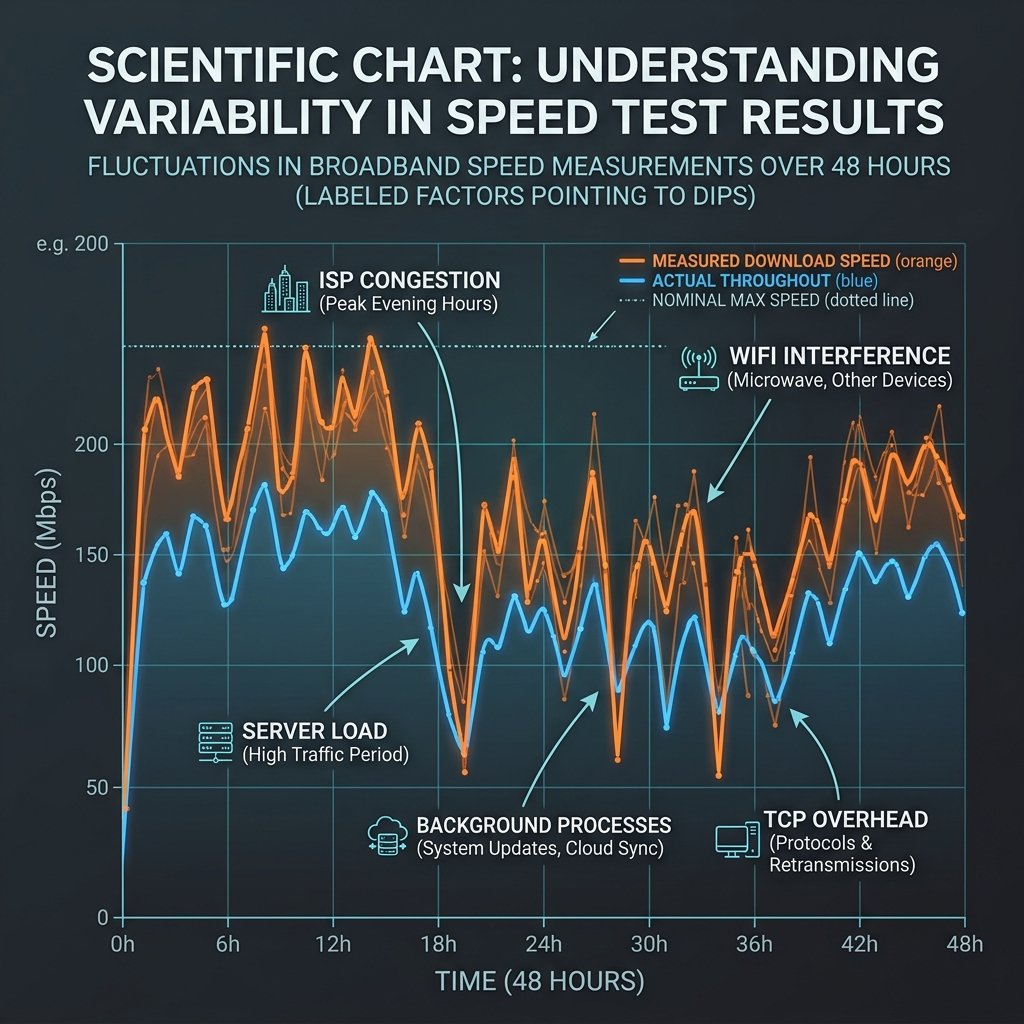
Why Speed Test Numbers Change
In our 48-hour controlled test, results varied by up to 18% between consecutive tests on a wired gigabit fiber. Here are the 7 documented causes.
1. Time of Day (Biggest Factor)
During peak hours (7PM–11PM), ISP infrastructure congestion reduces speeds by 15–35% vs early morning on the same line. Run tests at both times to diagnose ISP over-subscription.
2. WiFi vs. Ethernet
WiFi performance drops 30–60% during peak hours in apartment buildings vs 3AM. Always test via Ethernet for a true baseline.
3. Test Server Location
Different tools use different servers. Always test against the same server for consistent comparisons.
4. Background Device Activity
A phone syncing iCloud steals 5–10 Mbps. A 4K Netflix stream takes 25 Mbps. Isolate devices during testing.
5. ISP Speed Boost (Burst Effect)
Some ISPs offer a short burst of full speed that tapers off for sustained transfers. Speed tests capture the burst, not sustained performance.
6. Device CPU Limits
Older devices saturate their CPU before the network does, capping test results below the connection’s real capability.
7. Active VPNs
VPNs reduce measured speed by 10–40%. Always disable for baseline testing.
Normal vs. Concerning Variance
±5–10% between tests is completely normal. Over 20% consistently means investigate with your ISP.
Frequently Asked Questions
Why do I get different results every time I run a speed test?
Speed test results are influenced by: server load at the test endpoint (a busy server returns lower speeds), your network’s current congestion (background processes, other devices), WiFi signal strength variations, and the test server’s geographic distance (closer servers give higher results). For a reliable baseline, run tests to the same server three times in a row and take the median, rather than trusting any single measurement. The consistency of results over multiple tests matters as much as the absolute number.
Which speed test gives the most accurate results?
No single test is “most accurate” — each measures slightly different things. Ookla (Speedtest.net) uses optimized infrastructure and often reflects your connection’s peak capability. Cloudflare (speed.cloudflare.com) is notable for measuring latency under load in addition to throughput. Fast.com uses Netflix’s CDN, making it useful for diagnosing Netflix-specific throttling. For the most complete picture, run all three and compare — significant discrepancies between them point to specific routing or throttling issues.