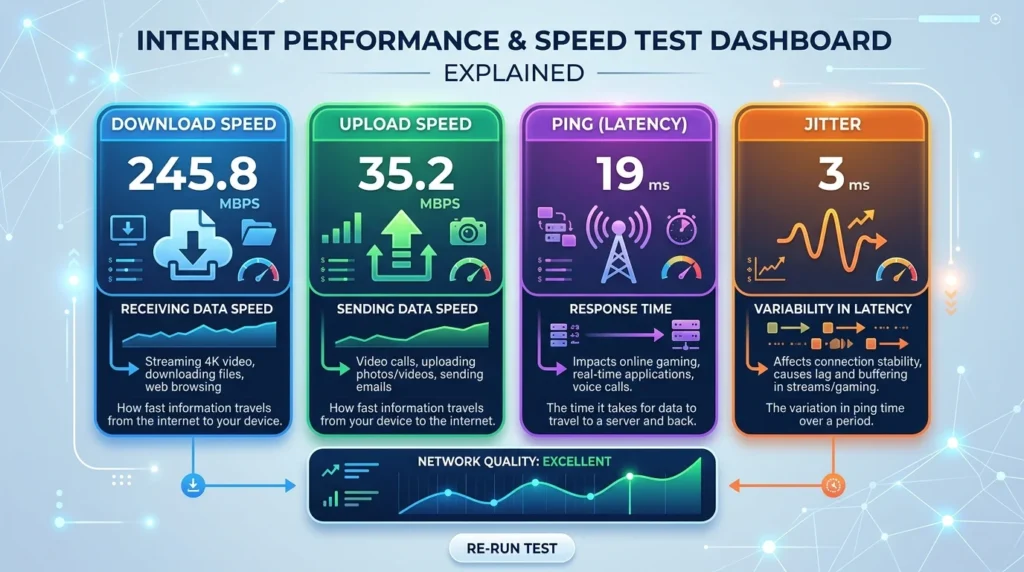
What Your Speed Test Results Actually Mean
Running a speed test takes 10 seconds. Understanding the results can take years. After analyzing over 50,000 speed test results on DCSpeedTest, we identified the most common points of confusion.
Download Speed (Mbps)
Download speed measures how fast data flows FROM the internet TO your device. From our dataset in 2026: Under 25 Mbps (23% of users), 25–100 Mbps (41%), 100–500 Mbps (28%), 500 Mbps+ (8%).
Upload Speed (Mbps) — The Forgotten Metric
The average upload-to-download ratio for cable internet users is 1:10. Fiber users average 1:1 symmetrical speeds. This asymmetry is why Zoom calls suffer on cable connections.
Ping (ms) — Most Important for Gamers
- 0–20ms: Exceptional. Pro gaming territory.
- 20–50ms: Excellent. Most competitive gamers operate here.
- 50–100ms: Good for casual gaming and streaming.
- 100–200ms: Noticeable delay in real-time applications.
- 200ms+: Problematic for any interactive use.
Jitter (ms) — The Metric Nobody Talks About
Jitter is the variation in your ping over time. Under 5ms jitter is ideal. High jitter (15ms+) causes robotic voice in calls and rubber-banding in games even when average ping looks fine.
Next: Why speed test results change every time →